


- Posts: 5
- Thank you received: 0
Kunena 7.0.4 Released
The Kunena team has announce the arrival of Kunena 7.0.4 [K 7.0.4] in stable which is now available for download as a native Joomla extension for J! 5.4.x/6.0.x. This version addresses most of the issues that were discovered in K 6.2 / K 6.3 / K 6.4 and issues discovered during the last development stages of K 7.0
This category is only for reporting defects or problems with Kunena 1.6 test versions with Joomla 1.6. This is NOT a support forum - there is no support for test versions. Users should NOT install K 1.6 alpha or beta test versions on websites with live production data.
Sticky [Merged topic] J! 1.6 + K 1.6 - How do I restore my Kunena menu?
15 years 1 week ago #92685
by Yashine
Replied by Yashine on topic Re: menu disappear
I have J! 1.6.X and until now I don't have the kunena Menu
Thanks
Thanks
The topic has been locked.


15 years 1 week ago #92689
by xillibit
I don't provide support by PM, because this can be useful for someone else.
Replied by xillibit on topic Re: menu disappear
Hello,
Can-you put here please the kunena report configuration setting ?
Can-you put here please the kunena report configuration setting ?
I don't provide support by PM, because this can be useful for someone else.
The topic has been locked.


15 years 1 week ago - 15 years 1 week ago #92693
by sozzled
Blue Eagle vs. Crypsis reference guide
Read my blog and

Replied by sozzled on topic Re: [Merged topic] J! 1.6 + K 1.6 - How do I restore my Kunena menu?
Blue Eagle vs. Crypsis reference guide
Read my blog and
Last edit: 15 years 1 week ago by sozzled.
The topic has been locked.

15 years 3 days ago #93309
by miogoogle
Replied by miogoogle on topic Menu Problem on My Kunena Forum
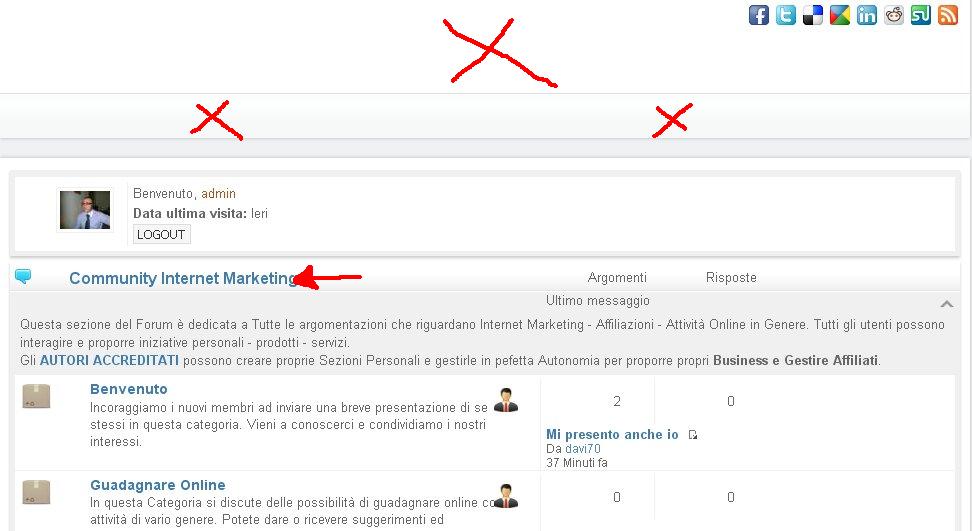
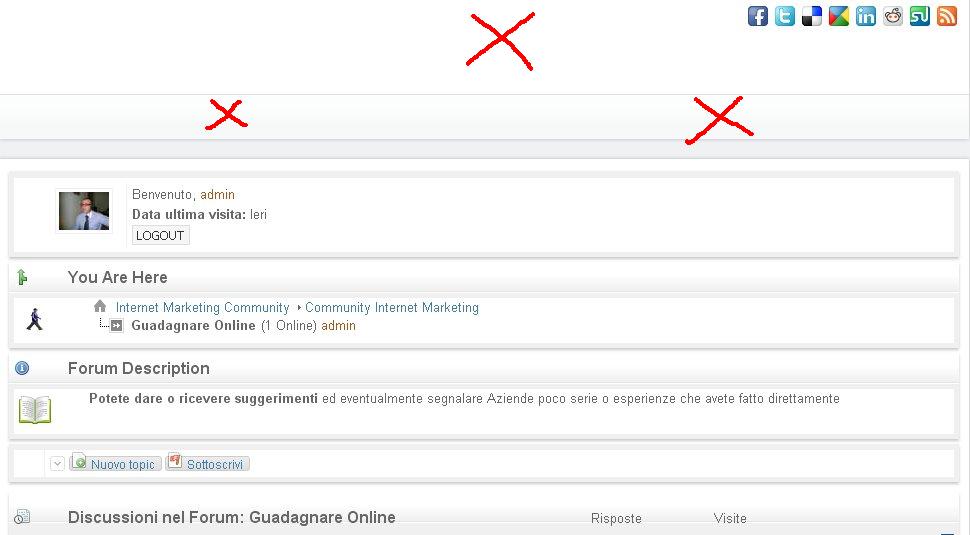
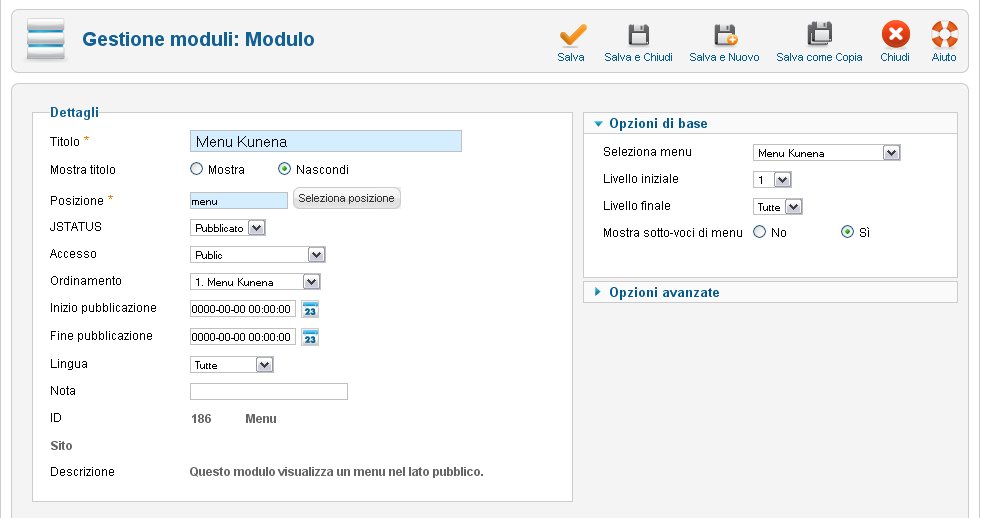
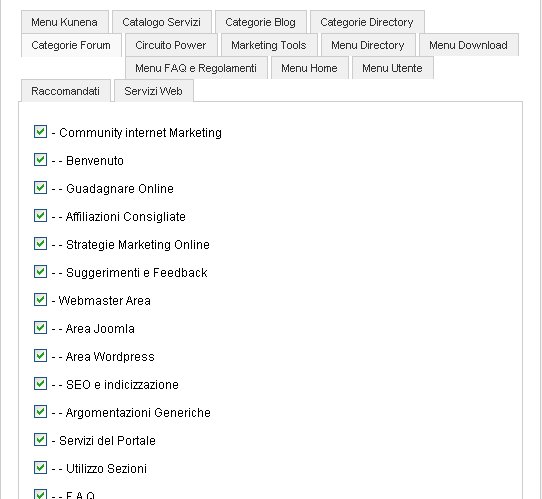
Hello I have a little problem with my Kunena Forum. When I click on a section or topic of the Forum module menu and header disappear - I have reviewed many times assigned the correct forms for the menus and everything is correct but can not figure out where the problem is, can you help me please?
If You look it Clik Here

Please help me :woohoo:
If You look it Clik Here
Please help me :woohoo:
The topic has been locked.
15 years 3 days ago #93311
by sozzled
Blue Eagle vs. Crypsis reference guide
Read my blog and
Replied by sozzled on topic Re: [Merged topic] J! 1.6 + K 1.6 - How do I restore my Kunena menu?
See the message before yours in this topic.
Blue Eagle vs. Crypsis reference guide
Read my blog and
The topic has been locked.
14 years 11 months ago - 14 years 11 months ago #94164
by ambaqasah
Replied by ambaqasah on topic Re: [Merged topic] J! 1.6 + K 1.6 - How do I restore my Kunena menu?
Hi all
I face the same problem. This was my site:

And here is my solution:
I play with .css file under this directory:
yourjoomlainstallation/components/com_kunena/template/default/css/kunena.default-min.css
by adding the following code:
color:#FFF; padding:0px 6px 0px;
to the style: #Kunena #ktab a (NOT #Kunena #ktab a span OR #Kunena #ktab a:hover...)
and after the property: background-color:#737373;
Save the changes and the page now should be like this:

Enjoy
I face the same problem. This was my site:
And here is my solution:
I play with .css file under this directory:
yourjoomlainstallation/components/com_kunena/template/default/css/kunena.default-min.css
by adding the following code:
color:#FFF; padding:0px 6px 0px;
to the style: #Kunena #ktab a (NOT #Kunena #ktab a span OR #Kunena #ktab a:hover...)
and after the property: background-color:#737373;
Save the changes and the page now should be like this:
Enjoy
Last edit: 14 years 11 months ago by ambaqasah. Reason: images doesn't appear
The topic has been locked.
Time to create page: 0.283 seconds