
- Posts: 8
- Thank you received: 0
Kunena 7.0.4 Released
The Kunena team has announce the arrival of Kunena 7.0.4 [K 7.0.4] in stable which is now available for download as a native Joomla extension for J! 5.4.x/6.0.x. This version addresses most of the issues that were discovered in K 6.2 / K 6.3 / K 6.4 and issues discovered during the last development stages of K 7.0
If you are having problems then, for your own benefit, it would save us all a lot of time if you would kindly post your
configuration report
when you ask for help from this forum. If you do not post your configuration report we will not ask you for it but you will probably not get your problem solved, either.
K 2.0 support will cease on 31 August 2013 and this section of the forum will be closed and archived after that time and no further questions will be answered about this version.
K 2.0 support will cease on 31 August 2013 and this section of the forum will be closed and archived after that time and no further questions will be answered about this version.
Sticky Before you post your question, read this first
- Limbless_One
-

- Offline
- New Member
-

Less
More
13 years 3 months ago #138974
by Limbless_One
Replied by Limbless_One on topic kunena 2.0.3 . no "edit" in profile
Firstly Hello to all 
I have installed kunena 2.0.3 forum into a fresh joomla 2.5.8 installation and everything is going smoothly so far except i cant edit my profile or ad a signature or avatar.
tried following the help links above to hopefully find the answer there , but kept getting errors on you're links.
joomla theme i am using is rockettheme / quasar. web site : limbless-one.com
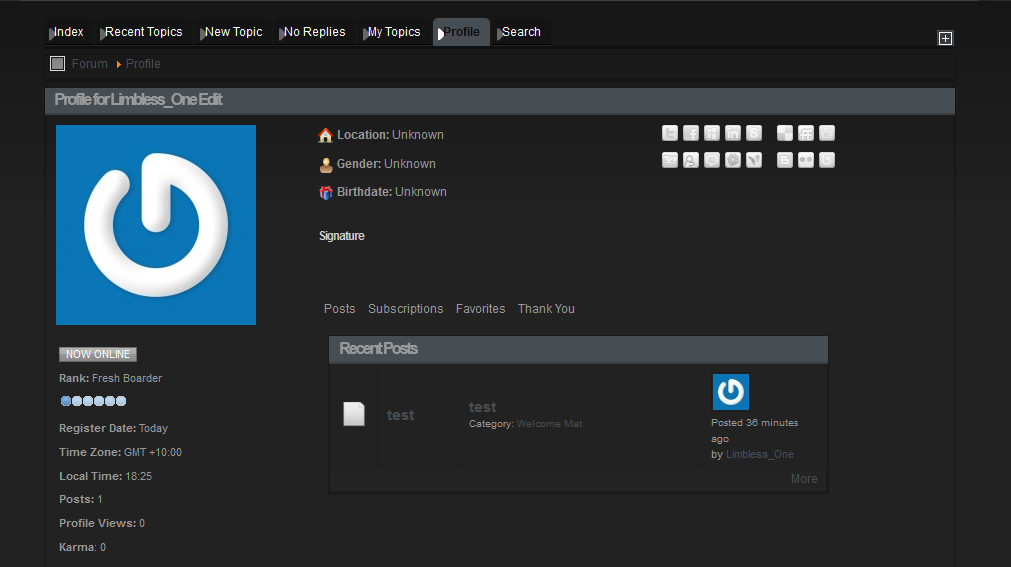
I have installed kunena 2.0.3 forum into a fresh joomla 2.5.8 installation and everything is going smoothly so far except i cant edit my profile or ad a signature or avatar.
tried following the help links above to hopefully find the answer there , but kept getting errors on you're links.
joomla theme i am using is rockettheme / quasar. web site : limbless-one.com
Warning: Spoiler!
Please Log in or Create an account to join the conversation.
- 9themestore
-

- Offline
- Premium Member
-

13 years 3 months ago #138979
by 9themestore
- Please provide your site url if it has been lived.
- Please share tip if it worked fine with you.
- Don't be shy about using the "Thanks" button below if you found my comment helpful
Replied by 9themestore on topic kunena 2.0.3 . no "edit" in profile
Hi,
I think, there are two reason to make your problem.
1. Conflict js with js of the template.
2. Js in the kunena template not latest version.
You try to use joomla default template to check problem.
Regards
I think, there are two reason to make your problem.
1. Conflict js with js of the template.
2. Js in the kunena template not latest version.
You try to use joomla default template to check problem.
Regards
- Please provide your site url if it has been lived.
- Please share tip if it worked fine with you.
- Don't be shy about using the "Thanks" button below if you found my comment helpful
Please Log in or Create an account to join the conversation.

13 years 3 months ago #138982
by TKtemp
Replied by TKtemp on topic kunena 2.0.3 . no "edit" in profile
Hi,
1. In your Joomla Template configuration search for option "Build Titles Spans" and disable it
2. If you want to use Kunena Avatars you need to disable "Gravatar Integration" kunena plugin
Hope this helps
1. In your Joomla Template configuration search for option "Build Titles Spans" and disable it
2. If you want to use Kunena Avatars you need to disable "Gravatar Integration" kunena plugin
Hope this helps
The following user(s) said Thank You: olivierke777
Please Log in or Create an account to join the conversation.


13 years 3 months ago #139014
by sozzled
Blue Eagle vs. Crypsis reference guide
Read my blog and

Replied by sozzled on topic kunena 2.0.3 . no "edit" in profile
*** Topics merged ***
Limbless_One: as you will see, by looking at a few of the messages posted in this topic, your issue is not isolated to K 2.0.3. Your problem is caused by a Javascript library, loaded by another extension that you have installed on your website, that conflicts with the Joomla Mootools Javascript library that is required for Kunena to work.
TKtemp has provided you with the most likely solution to your problem. For anyone else reading this topic who has a similar problem, please see the solutions recommended in msg #1 of this topic.
Limbless_One: as you will see, by looking at a few of the messages posted in this topic, your issue is not isolated to K 2.0.3. Your problem is caused by a Javascript library, loaded by another extension that you have installed on your website, that conflicts with the Joomla Mootools Javascript library that is required for Kunena to work.
TKtemp has provided you with the most likely solution to your problem. For anyone else reading this topic who has a similar problem, please see the solutions recommended in msg #1 of this topic.
Blue Eagle vs. Crypsis reference guide
Read my blog and
Please Log in or Create an account to join the conversation.
- Limbless_One
-
- Offline
- New Member
-
Less
More
- Posts: 8
- Thank you received: 0
13 years 3 months ago - 13 years 3 months ago #139049
by Limbless_One
Replied by Limbless_One on topic Before you post your question, read this first [ SOLVED]
i try and read the help in msg 1 and when directed it gives me this error as stated in my post "A database error has occurred. Did you forget to run maintenance/update.php after upgrading? See:
www.mediawiki.org/wiki/Manual:Upgrading#Run_the_update_script
Query: INSERT INTO `user` (user_id,user_name,user_password,user_newpassword,user_newpass_time,user_email,user_email_authenticated,user_real_name,user_token,user_registration,user_editcount) VALUES (NULL,'Limbless_One','','',NULL,'',NULL,'','','20130110005317','0')
Function: User::addToDatabase
Error: 1062 Duplicate entry 'Limbless_One' for key 'user_name' (localhost)"
so i find it hard to find the answer , sick of the circle work
Query: INSERT INTO `user` (user_id,user_name,user_password,user_newpassword,user_newpass_time,user_email,user_email_authenticated,user_real_name,user_token,user_registration,user_editcount) VALUES (NULL,'Limbless_One','','',NULL,'',NULL,'','','20130110005317','0')
Function: User::addToDatabase
Error: 1062 Duplicate entry 'Limbless_One' for key 'user_name' (localhost)"
so i find it hard to find the answer , sick of the circle work
Last edit: 13 years 3 months ago by Limbless_One.
Please Log in or Create an account to join the conversation.
- Limbless_One
-
- Offline
- New Member
-
Less
More
- Posts: 8
- Thank you received: 0
13 years 3 months ago #139056
by Limbless_One
Replied by Limbless_One on topic Before you post your question, read this first
fixed it by not using the template that i was going to use. sad
Please Log in or Create an account to join the conversation.
Time to create page: 0.284 seconds