
Kunena 7.0.9 & Kunena 6.4.14 – Security Updates Released
The Kunena team has announce the arrival of Kunena 7.0.9 [K 7.0.9] in stable which is now available for download as a native Joomla extension for J! 5.4.x/6.0.x./6.1.x. This version addresses most of the issues that were discovered in K 6.2 / K 6.3 / K 6.4 and issues discovered during the last development stages of K 7.0
Question Links don't work


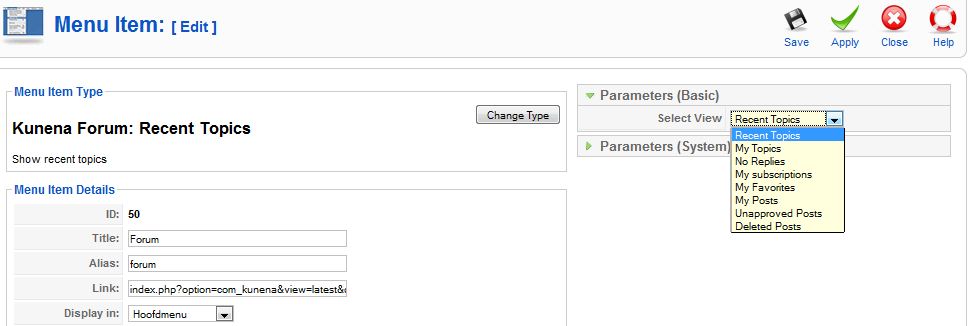
I configured kunena that when you press the forum link you will see the recent topics.
Now it goes to the index page and not to the recent topics page. When I make my own menulink to the kunena forum I can choose to go directly to the recent topics page. When I do that and disable the automaticly created link I go to the recent topics page, but I have the same problem again as before.
Also look closely to the automaticly created kunena link. It says rank manager at the type column.
The 2 menuitems

Automaticly created link by kunena
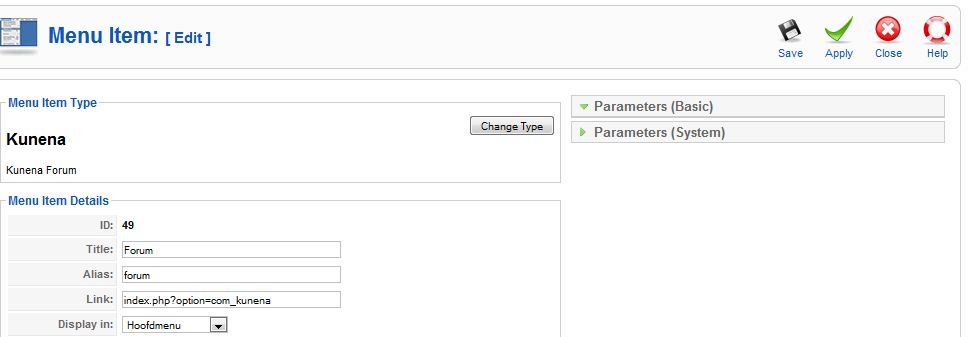
My own made link I can choose what I want it to link to.
Please Log in or Create an account to join the conversation.


You dont need to create other menu to change default page.
Read our doc about this docs.kunena.com/index.php/Creating_customized_menus
Please Log in or Create an account to join the conversation.
Please Log in or Create an account to join the conversation.
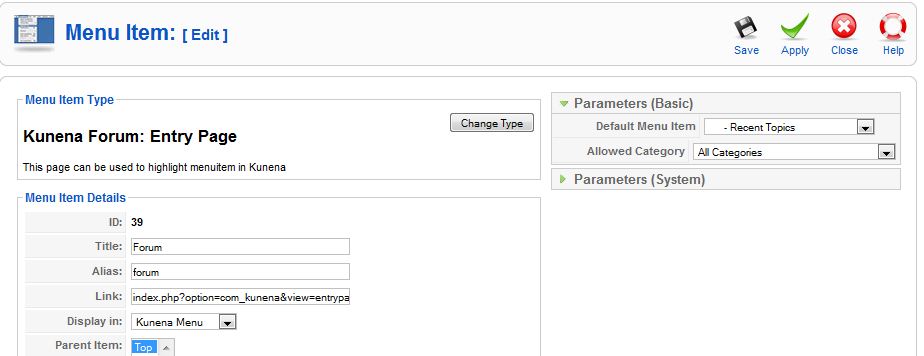
Kunena allows you to change default page into anything under the same menu.
1. Go to Menu Item Manager: Menus >> Kunena Menu
2. Edit Forum
3. Change Type: Kunena Forum / Entry Page
4. Parameters (Basic) >> Default Menu Item: Kunena Menu - Top >> Forum >> Profile (or anything else under the same menu)
Please Log in or Create an account to join the conversation.
Please Log in or Create an account to join the conversation.
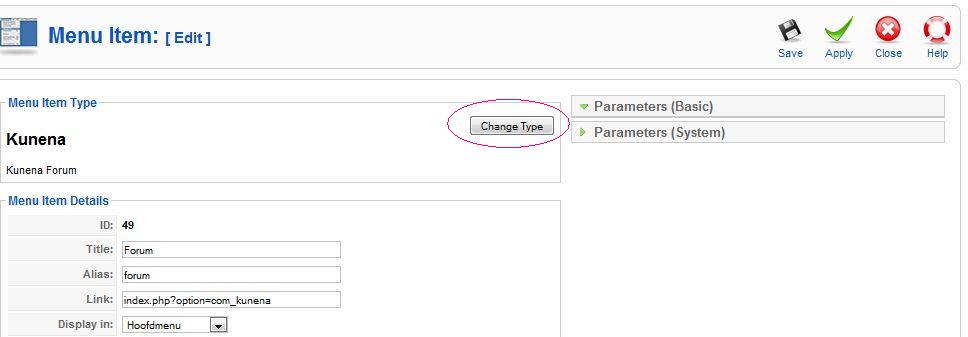
I need one more information, when you click to button "Change Type" what happens??
Please Log in or Create an account to join the conversation.