
Search Results (Searched for: message)

not only to switch Kunena to some other template but the problem was gone, when I deleted this template.
give it a try

When I reply via quick reply, for example, everything is instant.
I don't know where to look anymore, or what to try.

So in short: no idea
You could try enabling Joomla debug, and the debug plugin set to super user account. Then try to login on front-end with super user en try to create a topic.
The debug information in the debug bar might give some idea on what part of the process / which query is taking a longer time.
I tried the basic template. I tried turning off the cache in Joomla.
Database collation check: The collation of your table fields are correct
Joomla! SEF: Enabled | Joomla! SEF rewrite: Enabled | FTP layer: Disabled |
This message contains confidential informationhtaccess: Exists | PHP environment: Max execution time: 30 seconds | Max execution memory: 256M | Max file upload:
Kunena menu details:
Warning: Spoiler!
ID Name Menutype Link Path In trash 426 Forum forumizbornik view=home&defaultmenu=427 forum-izbornik No 427 Početna forumizbornik view=category&layout=list&catid=0 forum-izbornik/index No 428 Nedavne Teme forumizbornik view=topics&mode=replies forum-izbornik/recent No 429 Nepročitano forumizbornik view=topics&layout=unread forum-izbornik/unread No 430 Nova Tema forumizbornik view=topic&layout=create forum-izbornik/newtopic No 431 Bez Odgovora forumizbornik view=topics&mode=noreplies forum-izbornik/noreplies No 432 Moje Teme forumizbornik view=topics&layout=user&mode=default forum-izbornik/mylatest No 433 Profil forumizbornik view=user forum-izbornik/profile No 434 Pomoć forumizbornik view=misc forum-izbornik/help No 435 Traži forumizbornik view=search forum-izbornik/search No 436 Forum mainmenu Itemid=426 forum-tehnofrik No
Joomla default template details : YOOtheme | author: YOOtheme | version: 5.0.30 | creationdate: April 2026
Kunena default template details : NTS KFora | author: Nice Theme Store Team | version: 7.0.1 | creationdate: 2026-04-25
Kunena template params:
Warning: Spoiler!
DefaultCategoryicon fa-regular fa-comments profileIconset default DefaultIconset default editorIconset default bootstrap 1 borderless 0 tooltips 1 SubjectLengthMessage 80 fullactions 1 quick 0 displayMenu 1 displayDropdownMenu 1 displayDropdownContent 1 displayModule 1 displayBreadcrumb 1 displayAnnouncement 0 displayFooter 1 avatarPosition left formRecover 0 labels 0 whoisonlineName default avatarType img-thumbnail topicicontype fa fontawesome 0 optional_username 0 writeaccess 0 localstorage 0 moduleIdWebauthn 0 kPreset default kPrimary #5787ff kAccent #be9ac7 kSuccess #15803d kWarning #f9a510 kDanger #dc2626 kText #374151 kLink #2563eb kLinkHover #1d4ed8 kNavInactive #374151 kNavHover #5787ff kNavActive #5787ff kheaderText #414141 kHeaderLink #414141 kHeaderLinkHover #414141 kIconBg #f0f0f0 kIcon #999999 kIconHover #5787ff IconColorNew #48a348 editorType ckeditor Bold 1 Italic 1 Underline 1 Strike 1 Subscript 1 Smiley 1 Superscript 1 RemoveFormat 1 BulletedList 1 NumberedList 1 Blockquote 1 JustifyLeft 1 JustifyCenter 1 JustifyRight 1 JustifyBlock 1 Link_Unlink 1 Image 1 Confidential 1 Hidetext 1 Spoiler 1 Code 1 Ebay 1 X_Social 1 1 Soundcloud 1 FontSize 1 TextColor 1 Maximize 1 Map 1 Video 1 editorButtons nameskinckeditor ckeditorcustomprefixconfigfile avatarSizeX 40 avatarSizeY 90 avatarSizeXThumb 40 avatarSizeYThumb 40 avatarSizeXWelcome 72 avatarSizeYWelcome 72 avatarSizeXList 40 avatarSizeYList 40 avatarSizeXPost 144 avatarSizeYPost 144 avatarSizeXProfile 200 avatarSizeYProfile 200 templatebyText templatebyName templatebyLink
Kunena version detailed: Kunena 7.0.4 | 2026-04-19 [ Git Repository ]
| Kunena detailed configuration:| Kunena integration settings:Warning: Spoiler!
Kunena config settings: template nts_kfora emailSenderName Tehnofrik Forum sendEmails 1 boardOffline 0 readOnly 0 sessionTimeOut 1800 enableRss 0 debug 0 profiler 0 fallbackEnglish 1 timeToCreatePage 1 sef 1 accessComponent 1 sefRedirect 1 cache 1 cacheTime 60 threadsPerPage 20 messagesPerPage 10 messagesPerPageSearch 15 showHistory 0 historyLimit 6 postDateFormat datetime postDateFormatHover datetime_today showNew 1 showAnnouncement 0 avatarOnCategory 1 listCatShowModerators 0 showChildCatIcon 1 enableForumJump 1 reportMsg 1 orderingSystem mesid hideIp 1 latestCategoryIn 1 topicIcons 1 lightbox 1 showListTime 720 topicLayout flat pickupCategory 1 articleDisplay intro defaultSort asc searchTime 365 allowChangeSubject 1 ratingEnabled 1 attachStart 0 attachEnd 14 quickReply 1 disableRe 0 displayFilenameAttachment 0 datePickerFormat d.m.Y username 1 askEmail 0 showEmail 0 showUserStats 1 showKarma 1 showThankYou 1 thankYouMax 10 userEdit 1 userEditTime 0 userEditTimeGrace 600 editMarkup 1 allowFavorites 1 boxGhostMessage 0 showBannedReason 0 showImgFilesManageProfile 1 userReport 1 logModeration 0 userStatus 1 signature 1 maxSig 300 personal 1 privateMessage 0 emailHeader media/kunena/email/hero-wide.png emailHeaderSizeY 560 emailHeaderSizeX 560 allowSubscriptions 1 mailFull 1 plainEmail 0 categorySubscriptions post topicSubscriptions every subscriptionsChecked 1 emailRecipientCount 10 emailRecipientPrivacy bcc useSystemEmails 0 utmSource 0 sendMailUserBanned 0 mailBodyUserBanned mailBodyUserUnBanned pubWrite 0 holdGuestPosts 0 userlistAllowed 1 pubProfile 1 regOnly 0 holdNewUsersPosts 0 userDeleteMessage 0 modSeeDeleted 0 floodProtection 0 mailModerators 0 mailAdministrators 0 ipTracking 1 statsLinkAllowed 1 maxLinks 6 teaser 0 urlSubjectTopic 0 moderatorPermDelete 0 newUsersPreventPostUrlImages 0 minimalUserPostsAddUrlImage 10 captcha -1 captchaPostLimit 0 stopForumSpamNewUserCheck 0 avatarType 0 defaultAvatar nophoto.png defaultAvatarSmall s_nophoto.png avatarTypes gif,jpeg,jpg,png,webp,avif allowAvatarUpload 1 allowAvatarGallery 1 avatarSize 2048 avatarQuality 75 avatarCrop 0 avatarEdit 0 attachmentLimit 8 attachmentProtection 0 attachmentUtf8 1 imageUpload registered showImgForGuest 1 imageTypes jpg,jpeg,gif,png,webp,avif checkMimeTypes 1 imageMimeTypes image/jpeg,image/jpg,image/gif,image/png,image/webp,image/avif imageSize 5120 imageWidth 800 imageHeight 800 thumbWidth 32 thumbHeight 32 imageQuality 50 fileUpload registered showFileForGuest 1 fileTypes txt,rtf,pdf,zip,tar.gz,tgz,tar.bz2,rar fileSize 5120 showRanking 1 rankImages 1 trimLongUrls 1 trimLongUrlsFront 40 trimLongUrlsBack 20 autoLink 0 smartLinking 0 autoEmbedYoutube 1 autoEmbedEbay 1 autoEmbedInstagram 1 autoEmbedSoundcloud 1 highlightCode 0 bbcodeImgSecure image ebayLanguage 0 ebayCertId rssType topic rssSpecification rss2.0 rssTimeLimit 1 month rssLimit 100 rssAllowHtml 1 rssAuthorFormat name rssAuthorInTitle 1 rssWordCount 0 rssOldTitles 1 rssCache 900 rssFeedBurnerUrl userlistRows 30 userlistOnline 1 userlistAvatar 1 userlistPosts 1 userlistKarma 1 userlistEmail 0 userlistJoinDate 1 userlistLastVisitDate 1 userlistUserHits 1 superAdminUserlist 0 userListUserType 0 showSessionType 2 showSessionStartTime 1800 showWhoIsOnline 1 showStats 1 showGenStats 1 showPopUserStats 1 popUserCount 5 showPopSubjectStats 1 popSubjectCount 5 showPopPollStats 1 popPollsCount 5 showPopThankYouStats 1 popThanksCount 5 userlistCountUsers 1 pollEnabled 1 pollNbOptions 6 pollTimeBtVotes 00:15:00 pollNbVotesByUser 100 pollAllowVoteOne 1 pollResultsUserslist 1 allowUserEditPoll 0 defaultPage recent activeMenuItem mainMenuId homeId indexId moderatorsId topicListId miscId profileId searchId rules | Joomla! detailed language files installed:Warning: Spoiler!Kunena - Finder Disabled
Kunena - Community Builder Disabled
Kunena - Easyblog Disabled
Kunena - Easysocial Disabled
Kunena - Gravatar Disabled
Kunena - JomSocial Disabled
Kunena - Joomla Enabled: access=1 login=1
Kunena - Kunena Enabled: avatar=1 profile=1
Kunena - UddeIm Disabled
Warning: Spoiler!
Joomla! languages installed: en-GB English (United Kingdom) hr-HR Hrvatski (Hrvatska)
Third-party components: None
Third-party SEF components: None
Plugins: None
Modules: Kunena Latest 6.2.0

on line 31, i have changed it and added the width and height attibutes :
To use it you need to have that in the message column #__kunena_messages_text
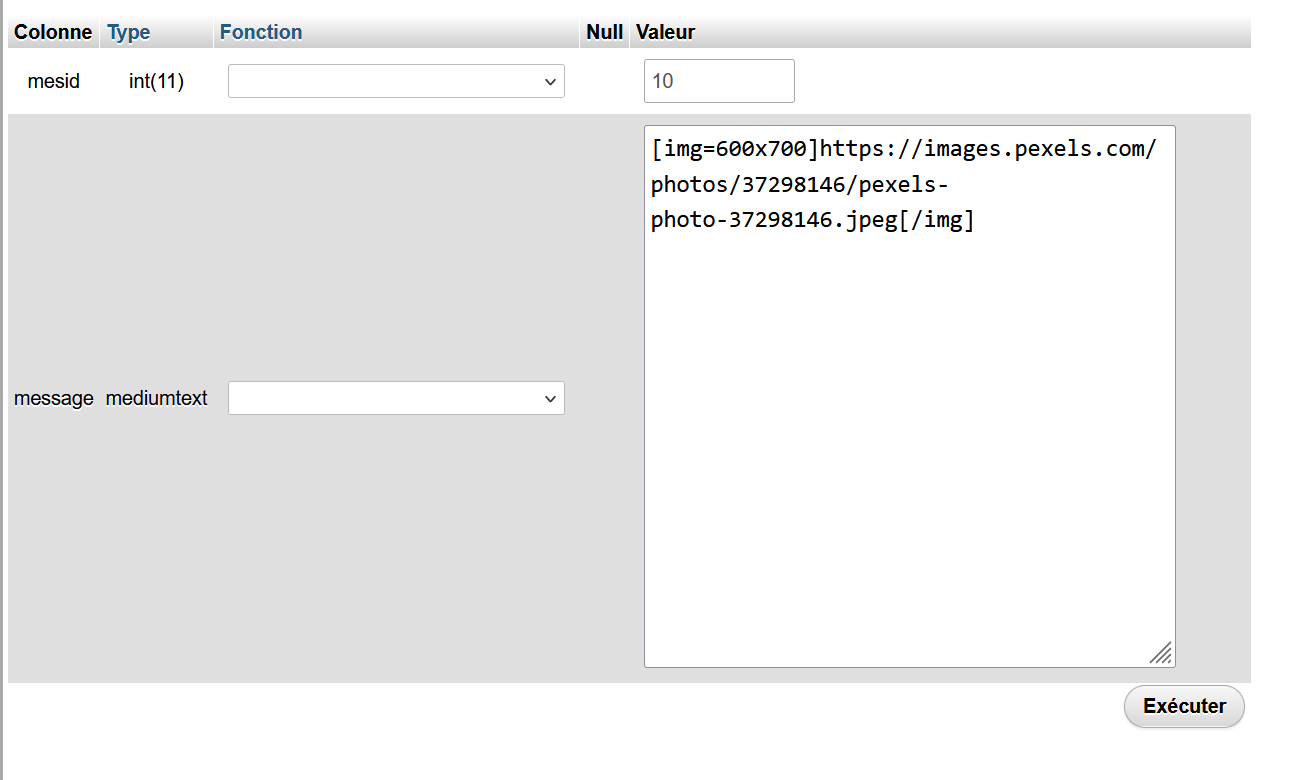
It's not keeped when you create/edit your message
I had made a Pull Request with your cahnges on this : github.com/Kunena/Kunena-Forum/pull/10051 . I'am waiting your feedback on this
There is a version 3.2.1 of SCeditor and i have updated it in developpement branch : github.com/Kunena/Kunena-Forum/commit/e1...2451928c95f256e08f0f
that's fine - I will look if there are important changes.
Nevertheless, as SCEditor generates a width x height property there is the need to change the lKunenaBBCode.php
to allow the 'x' letter (allow /^\d*x\d*$ line 728), otherwise Kunena would ignore it
(also the change to attribute 'size=' would be useful, so SCEditor could read old message styles)
I don't understand why you want change this regex
because of the 2nd problem.
1. is the missing "translation" of image properties to bbcode
2. error when opening CKeditor if img has some attributes added within the tag using whitespace.
(disabling the bbcode does open the editor as it should be, so there must be a problem within bbcode)
for the first I'm ready with the insertation, but as there is the 2nd bug I cannot
test if the bbcode is correctly read and translated to html.
also I'm not shure if the CK bbcode plugin basicly will work with all the special addons like ebay, video etc.
In the demo it works : ckeditor.com/docs/ckeditor4/latest/examples/image.html , so it's probably the bbcode plugin which disable it when used
that's correct. the original bbcode plugin disables the properties settings of images (see "tab.remove('basic') in the screenshot,
mainly because the there is no implenentation of properties to the bbcode or
the main problem, as each addition (style= or direct width=) will be added using whitespace in the img tag, which causes problems.
In the moment I have done this:
in the ckeditor_config.js
config.removePlugins = 'bbcode'; //disable the original bbcode plugin, because included in the big minified file
config.extraPlugins = 'bbcode2'; //just renaming the standalone bbcode to bbcode2, so I can easily edit it
1st steps:
disabling the remove of properties dialog (see screenshot)
adding properties inclusion
I attach the bbcode2 plugin without any edition, (only the neccearry renaming to bbcode2 in the .add comand line 558)
- also I packed the plugin-edited.js version with my first test correction for imgsize
basicly I found this statement to the original bbcode plugin.js
The BBCode plugin is more of a showcase plugin which presents how to make your own implementation for bbcode. This is not a full bbcode implementation but more of a jump start code. This plugin doesn't support width for images and it is a user responsibility to add it.
There is a version 3.2.1 of SCeditor and i have updated it in developpement branch : github.com/Kunena/Kunena-Forum/commit/e1...2451928c95f256e08f0f
that's fine - I will look if there are important changes.
Nevertheless, as SCEditor generates a width x height property there is the need to change the lKunenaBBCode.php
to allow the 'x' letter (allow /^\d*x\d*$ line 728), otherwise Kunena would ignore it
(also the change to attribute 'size=' would be useful, so SCEditor could read old message styles)

If I want to moderate two topics to merge them, I get this message:
I am using the template NTS KSamurai. If I switch to the standard Kunena template, I do not get this message.Rendering Error in layout Topic/Moderate: Class "Kunena\Forum\Site\KunenaUserHelper" not found. Please enable debug mode for more information.
So I suspect it is caused by the Smurai template.
Is that correct or is it something I can solve by changing something in Kunena?
I am using Samurai 7.0.1 and Kunena 7.0.4
an admin will see that editing this message is not possible (not loading the message)
main aspect was to keep old messages (may be from update) in db also work.
old img tag was
so 1. edit the bbcode.js from sceditor (media/kunena/core/js/sceditor/bbcode.js)
line 566: (add 'size' attribute name) attribs = ' size=' + dom.width(element) + 'x' + dom.height(element)
to recognize the new 'size' attribute add these after line 578
//handle [img size=340x240]url[/img]
_important_ 2. in libraries/src/BBCode/KunenaBBCode.php
we must define the size connector 'x' to be allowed now (formerly only numbers \d*)
so line 728 must be edited to: allow /^\d*x\d*$/[/b]']
after this images will display in forum view and preview correctly, no matter if they come with
the new style from sceditor [img size=340x240] or from old kunena messages having [img size=340]
the big thing missing in SCEditor is, that the script has no possibility to edit img attributes
(if you activate an image and click the picture icon it does not load the properties of the selected image,
you have to delete and add new to change properties - or use the source code)
I could find out anything about CKEditor because Kunena has cut out property settings
can anyone help please ???
you can try with the attached files:
I have made some changes with this new PR : github.com/Kunena/Kunena-Forum/pull/10034
Now if you don't have any text in private tab, you haven't the pm box which are displayed
Can-you test it please ?
thanks again for your effort.
I tested the code changes and it still does not really fix my issue:
In your line 1616:
I have made an another Pull Request with others changes : github.com/Kunena/Kunena-Forum/pull/10032