


- Posts: 68
- Thank you received: 13
Kunena 7.0.9 & Kunena 6.4.14 – Security Updates Released
The Kunena team has announce the arrival of Kunena 7.0.9 [K 7.0.9] in stable which is now available for download as a native Joomla extension for J! 5.4.x/6.0.x./6.1.x. This version addresses most of the issues that were discovered in K 6.2 / K 6.3 / K 6.4 and issues discovered during the last development stages of K 7.0
Topics must relate to a currently supported version of Kunena. If you are unsure what is the current supported version of Kunena, please go to the
download
page.
If you are having problems then, for your own benefit, it would save us all a lot of time if you would kindly post your configuration report when you ask for help from this forum. If you do not post your configuration report we will not ask you for it but you will probably not get your problem solved, either.
If you are having problems then, for your own benefit, it would save us all a lot of time if you would kindly post your configuration report when you ask for help from this forum. If you do not post your configuration report we will not ask you for it but you will probably not get your problem solved, either.
Question set image size in posting not working (reason for my former problem)
5 months 3 days ago #234932
by joomod
Replied by joomod on topic set image size in posting not working (reason for my former problem)
could figure out the needed corrections for sceditor.
main aspect was to keep old messages (may be from update) in db also work.
old img tag was
so 1. edit the bbcode.js from sceditor (media/kunena/core/js/sceditor/bbcode.js)
line 566: (add 'size' attribute name) attribs = ' size=' + dom.width(element) + 'x' + dom.height(element)
to recognize the new 'size' attribute add these after line 578
//handle [img size=340x240]url[/img]
_important_ 2. in libraries/src/BBCode/KunenaBBCode.php
we must define the size connector 'x' to be allowed now (formerly only numbers \d*)
so line 728 must be edited to: allow /^\d*x\d*$/[/b]']
after this images will display in forum view and preview correctly, no matter if they come with
the new style from sceditor [img size=340x240] or from old kunena messages having [img size=340]
the big thing missing in SCEditor is, that the script has no possibility to edit img attributes
(if you activate an image and click the picture icon it does not load the properties of the selected image,
you have to delete and add new to change properties - or use the source code)
I could find out anything about CKEditor because Kunena has cut out property settings
can anyone help please ???
you can try with the attached files:
main aspect was to keep old messages (may be from update) in db also work.
old img tag was
Code:
[img size=xxx]
so 1. edit the bbcode.js from sceditor (media/kunena/core/js/sceditor/bbcode.js)
line 566: (add 'size' attribute name) attribs = ' size=' + dom.width(element) + 'x' + dom.height(element)
to recognize the new 'size' attribute add these after line 578
//handle [img size=340x240]url[/img]
Code:
if(attrs.size) { match = attrs.size(split(/x/i); width = match[0]; height = match.length ===2 ? match[1] : '';
_important_ 2. in libraries/src/BBCode/KunenaBBCode.php
we must define the size connector 'x' to be allowed now (formerly only numbers \d*)
so line 728 must be edited to: allow /^\d*x\d*$/[/b]']
after this images will display in forum view and preview correctly, no matter if they come with
the new style from sceditor [img size=340x240] or from old kunena messages having [img size=340]
the big thing missing in SCEditor is, that the script has no possibility to edit img attributes
(if you activate an image and click the picture icon it does not load the properties of the selected image,
you have to delete and add new to change properties - or use the source code)
I could find out anything about CKEditor because Kunena has cut out property settings
can anyone help please ???
you can try with the attached files:
Please Log in or Create an account to join the conversation.
5 months 3 days ago #234933
by joomod
Replied by joomod on topic set image size in posting not working (reason for my former problem)
as I have used the {img size=} tag just in the beginning and CKEditor is used here,
an admin will see that editing this message is not possible (not loading the message)
an admin will see that editing this message is not possible (not loading the message)
Please Log in or Create an account to join the conversation.


5 months 3 days ago #234938
by xillibit
I don't think that there are ways to disable this extra settings, in the CKeditor 4 docs they don't explain to disable these extra settings. We use the builder : ckeditor.com/cke4/builder which minify all itself. I have tried to download the version from ckeditor.com/cke4/builder i don't have neither the extra settings in image.
I don't provide support by PM, because this can be useful for someone else.
Replied by xillibit on topic set image size in posting not working (reason for my former problem)
Hello,thank you,
can you explain in which file Kunena disables the image property settings ?
(in not in the ckeditor_config, may be in the image.js but Kunena has minified them, so hard to read).
I would like to experiment a bit more.
also do you know/see why CK Editor skipps if there is an attribute in the image tag (not depending on the value)?
I don't think that there are ways to disable this extra settings, in the CKeditor 4 docs they don't explain to disable these extra settings. We use the builder : ckeditor.com/cke4/builder which minify all itself. I have tried to download the version from ckeditor.com/cke4/builder i don't have neither the extra settings in image.
I don't provide support by PM, because this can be useful for someone else.
Please Log in or Create an account to join the conversation.
5 months 2 days ago - 5 months 2 days ago #234941
by joomod
Replied by joomod on topic set image size in posting not working (reason for my former problem)
thanks,
I checked the ck builder and now I understand, that CK, if using the optimized download, sends a full combined and minified
JS file (like it is in the Kunena core).
All plugin.js files from the selected plugins are merged into one big ckeditor.js file beside other basic.js files and finally minified,
so it is very hard to find out the important image parts.
I don't know why using the basic image plugin the properties part is missing (may be missing some depencies),
in my tests I was able to include the advanced image2 plugin (instead of image.js) which displays the properties settings
well, but the script does not fill in a useful img code (url is cut out).
also the main problem, that if using an attribute with the image tag (size or width) skipps the editor to open usable.
may be the Kunena admins can contact CK admin for some help where to search for the problem?
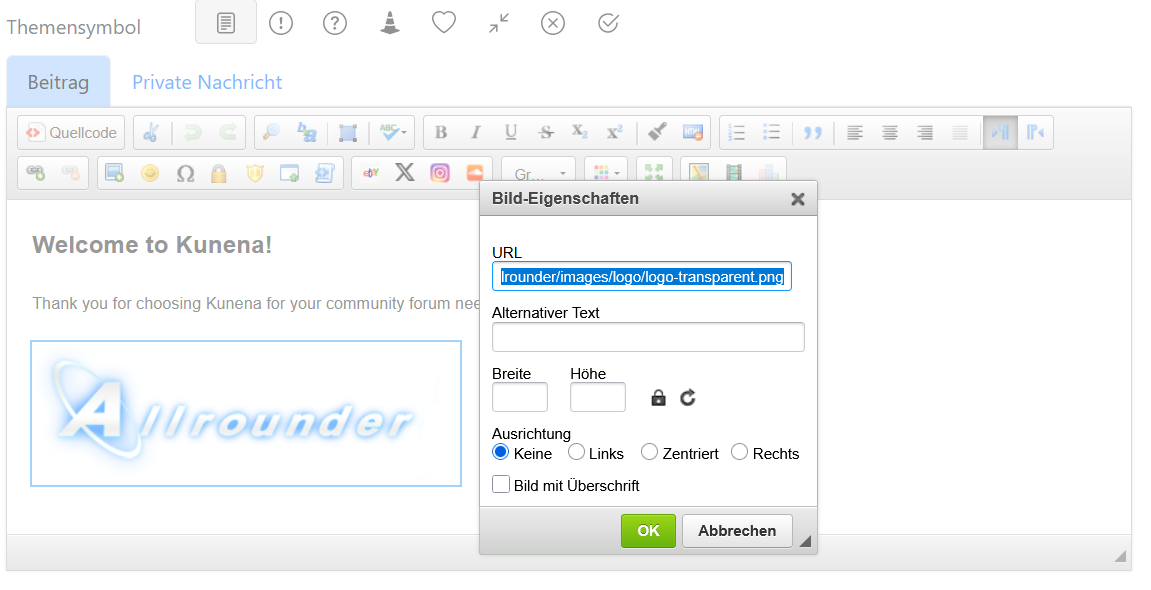
the image2 plugin in use:
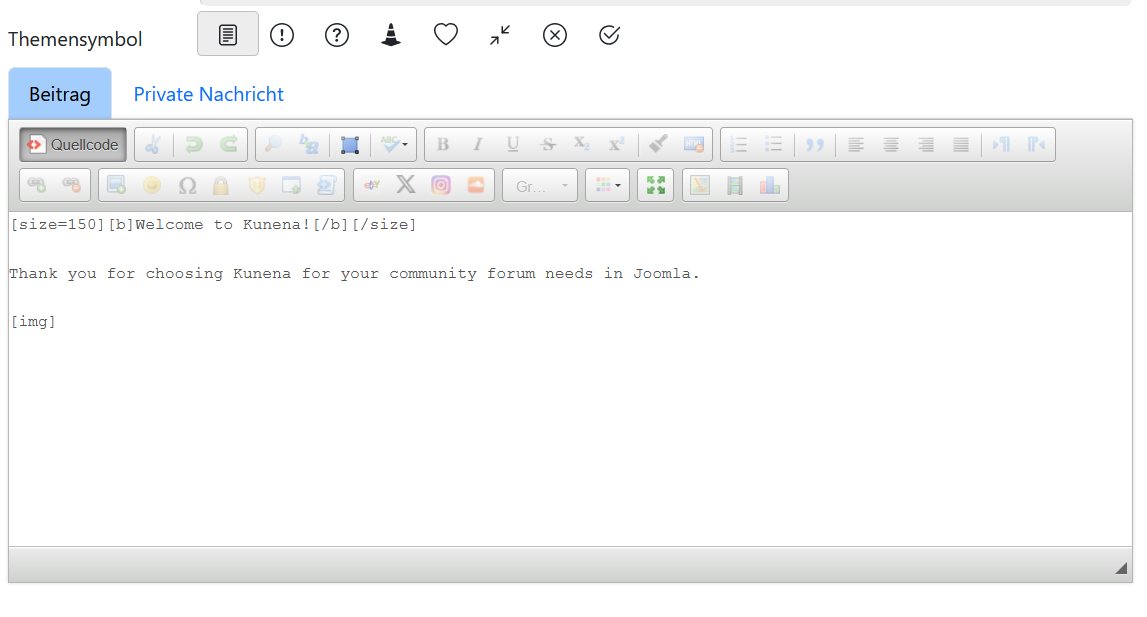
but the (empty) resulting img code
I checked the ck builder and now I understand, that CK, if using the optimized download, sends a full combined and minified
JS file (like it is in the Kunena core).
All plugin.js files from the selected plugins are merged into one big ckeditor.js file beside other basic.js files and finally minified,
so it is very hard to find out the important image parts.
I don't know why using the basic image plugin the properties part is missing (may be missing some depencies),
in my tests I was able to include the advanced image2 plugin (instead of image.js) which displays the properties settings
well, but the script does not fill in a useful img code (url is cut out).
also the main problem, that if using an attribute with the image tag (size or width) skipps the editor to open usable.
may be the Kunena admins can contact CK admin for some help where to search for the problem?
the image2 plugin in use:
but the (empty) resulting img code
Last edit: 5 months 2 days ago by joomod.
Please Log in or Create an account to join the conversation.
5 months 2 days ago #234942
by xillibit
I will try to see what i can do with the plugin : ckeditor.com/docs/ckeditor4/latest/features/image2.html , in the past i don't remember if i had tried this plugin
I don't provide support by PM, because this can be useful for someone else.
Replied by xillibit on topic set image size in posting not working (reason for my former problem)
Hello,thanks,
I checked the ck builder and now I understand, that CK, if using the optimized download, sends a full combined and minified
JS file (like it is in the Kunena core).
All plugin.js files from the selected plugins are merged into one big ckeditor.js file beside other basic.js files and finally minified,
so it is very hard to find out the important image parts.
I don't know why using the basic image plugin the properties part is missing (may be missing some depencies),
in my tests I was able to include the advanced image2 plugin (instead of image.js) which displays the properties settings
well, but the script does not fill in a useful img code (url is cut out).
also the main problem, that if using an attribute with the image tag (size or width) skipps the editor to open usable.
I will try to see what i can do with the plugin : ckeditor.com/docs/ckeditor4/latest/features/image2.html , in the past i don't remember if i had tried this plugin
Ckeditor 4 is now in Extended Support which a paid support so they won't answer and before i had opened some ticket on github they haven't helped too muchmay be the Kunena admins can contact CK admin for some help where to search for the problem?
the image2 plugin in use:
but the (empty) resulting img code
I don't provide support by PM, because this can be useful for someone else.
Please Log in or Create an account to join the conversation.
5 months 2 days ago #234943
by joomod
Replied by joomod on topic set image size in posting not working (reason for my former problem)
any thoughts about switching to the new CKEditor 5 ?
Please Log in or Create an account to join the conversation.
Time to create page: 0.263 seconds