
Kunena 7.0.9 & Kunena 6.4.14 – Security Updates Released
The Kunena team has announce the arrival of Kunena 7.0.9 [K 7.0.9] in stable which is now available for download as a native Joomla extension for J! 5.4.x/6.0.x./6.1.x. This version addresses most of the issues that were discovered in K 6.2 / K 6.3 / K 6.4 and issues discovered during the last development stages of K 7.0
This category contains miscellaneous, uncategorised third-party extensions (e.g. JomSocial, Community Builder, etc.) relating to older versions of Kunena that are no longer supported.
This category may also contain a few topics relating to K 1.6 that may have been moved here possibly by mistake.
The topics in this category are for historical interest only. Owing to the structural differences between K 1.6 and K 1.7, the ideas in these topics may not work with later versions and, for that reason, the topics are locked.
This category may also contain a few topics relating to K 1.6 that may have been moved here possibly by mistake.
The topics in this category are for historical interest only. Owing to the structural differences between K 1.6 and K 1.7, the ideas in these topics may not work with later versions and, for that reason, the topics are locked.
Question [Resolved] Guest Avatar Not Showing Up After Upgrade


16 years 7 months ago #40923
by sozzled
Blue Eagle vs. Crypsis reference guide
Read my blog and

Replied by sozzled on topic Re:Guest Avatar Not Showing Up After Upgrade
Let's return to the initial problem statement:
brentwilliams3 wrote:
I haven't tried anonymous public posting when I've integrated my forum(s) with CB, so I don't know what to expect.
Looking at your website, I don't see any problems with the avatars for your registered users. I am yet to find a message where there's an anonymous public post. When I do, I'll update the information to this topic.
brentwilliams3 wrote:
The keyword in this is "guest posting" - all right, it's actually two words - which I presume means anonymous public posting, correct?I recently upgraded from 1.0 to 1.5.9, and everything seems to be working except the avatar for guest posting isn't showing up properly. The image link seems to be my domain name and that's all.
I haven't tried anonymous public posting when I've integrated my forum(s) with CB, so I don't know what to expect.
Looking at your website, I don't see any problems with the avatars for your registered users. I am yet to find a message where there's an anonymous public post. When I do, I'll update the information to this topic.
Blue Eagle vs. Crypsis reference guide
Read my blog and
The topic has been locked.
16 years 7 months ago #40924
by sozzled
Blue Eagle vs. Crypsis reference guide
Read my blog and
Replied by sozzled on topic Re:Guest Avatar Not Showing Up After Upgrade
OK, I see the issue.

I haven't got an answer. Maybe this is the way it's supposed to work? And you're saying that this behaviour has changed since upgrading from K 1.0.something to K 1.5.9?
Let's return again to the problem statement:
brentwilliams3 wrote:
I haven't got an answer. Maybe this is the way it's supposed to work?
And you're saying that this behaviour has changed since upgrading from K 1.0.something to K 1.5.9?Let's return again to the problem statement:
brentwilliams3 wrote:
There is no image. There is no image link, either. So now I'm confused. :SI recently upgraded from 1.0 to 1.5.9, and everything seems to be working except the avatar for guest posting isn't showing up properly. The image link seems to be my domain name and that's all.
Blue Eagle vs. Crypsis reference guide
Read my blog and
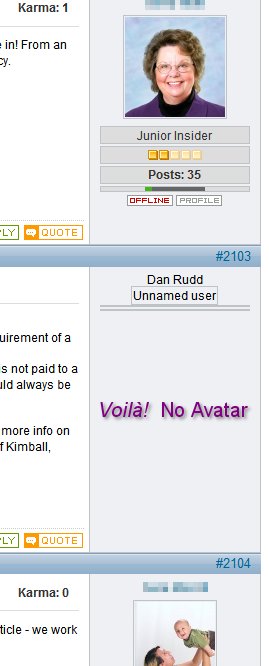
The topic has been locked.
- brentwilliams3
-
 Topic Author
- Offline
- Junior Member
-

Less
More
- Posts: 25
- Thank you received: 0
16 years 7 months ago #40925
by brentwilliams3
Replied by brentwilliams3 on topic Re:Guest Avatar Not Showing Up After Upgrade
Ah, I misspoke. I didn't mean image link - I meant image URL. So it's not supposed to link anywhere, just show the image. And the point I was trying (and failing) to make was that the image URL was just my homepage. In other words, it wasn't as if the image URL was correct and there wasn't an image there, the image URL was completely incorrect itself, just showing "
www.multifamilyinsiders.com/home
".
And as for what is supposed to be there... Yes, there used to be an image shown there, specifically the standard no-photo, but I seem to remember it being a little different...
Does that clear things up a little bit? (and I'm glad you can see the issue I'm having!)
Thanks!!
And as for what is supposed to be there... Yes, there used to be an image shown there, specifically the standard no-photo, but I seem to remember it being a little different...
Does that clear things up a little bit? (and I'm glad you can see the issue I'm having!)
Thanks!!
The topic has been locked.
- brentwilliams3
-
Topic Author
- Offline
- Junior Member
-
Less
More
- Posts: 25
- Thank you received: 0
16 years 7 months ago #40926
by brentwilliams3
Replied by brentwilliams3 on topic Re:Guest Avatar Not Showing Up After Upgrade
Oh, and I am using the Simpleboard settings in the plugin, although mine is set to "Basic (default Kunena)", which is a little different than your screenshots...
The topic has been locked.
16 years 7 months ago - 16 years 7 months ago #40927
by sozzled
Blue Eagle vs. Crypsis reference guide
Read my blog and
Replied by sozzled on topic Re:Guest Avatar Not Showing Up After Upgrade
I have been in contact with the developers on this issue. It's been difficult to quantify the problem because I've been trying to get a comprehensive understanding from you. 

On the one hand, I am not familiar with the use of anonymous postings to a forum. This is an allowable feature of Kunena but, actually, it is not often used in practice. I haven't actually seen the feature, as you have described it, work. While I understand that sometimes there are privacy concerns, and that allowing anonymous postings can be useful, it can also generate as many other problems as it may solve. It's akin to asking for anonymous Facebook accounts.
Leaving aside questions of philosophy, we are not certain about the avatar behaviour for guest posters. Does the absence of an avatar image cause you distress?
I don't think that this issue concerns Community Builder but, perhaps, you can verify that the "no guest avatar" was not introduced by that component by changing your Kunena integration settings.
On the one hand, I am not familiar with the use of anonymous postings to a forum. This is an allowable feature of Kunena but, actually, it is not often used in practice. I haven't actually seen the feature, as you have described it, work. While I understand that sometimes there are privacy concerns, and that allowing anonymous postings can be useful, it can also generate as many other problems as it may solve. It's akin to asking for anonymous Facebook accounts.
Leaving aside questions of philosophy, we are not certain about the avatar behaviour for guest posters. Does the absence of an avatar image cause you distress?
I don't think that this issue concerns Community Builder but, perhaps, you can verify that the "no guest avatar" was not introduced by that component by changing your Kunena integration settings.
Blue Eagle vs. Crypsis reference guide
Read my blog and
Last edit: 16 years 7 months ago by sozzled.
The topic has been locked.
- brentwilliams3
-
Topic Author
- Offline
- Junior Member
-
Less
More
- Posts: 25
- Thank you received: 0
16 years 7 months ago #40928
by brentwilliams3
Replied by brentwilliams3 on topic Re:Guest Avatar Not Showing Up After Upgrade
Well, I just found out something interesting. I looked at my dev server and sure enough, not having the same problem! (
www.apttweets.com/home/component/kunena/...es-poll-html-or-text
)
But there is a key difference: It is using the "GJ Fireboard Extended" plugin. I actually need to update Groupjive on my live system anyway, so maybe that will be the magic bullet!
Thanks for all the help!
But there is a key difference: It is using the "GJ Fireboard Extended" plugin. I actually need to update Groupjive on my live system anyway, so maybe that will be the magic bullet!
Thanks for all the help!
The topic has been locked.
Time to create page: 0.223 seconds