
Kunena 7.0.9 & Kunena 6.4.14 – Security Updates Released
The Kunena team has announce the arrival of Kunena 7.0.9 [K 7.0.9] in stable which is now available for download as a native Joomla extension for J! 5.4.x/6.0.x./6.1.x. This version addresses most of the issues that were discovered in K 6.2 / K 6.3 / K 6.4 and issues discovered during the last development stages of K 7.0
This section is for questions directly related to the procedure for installing Kunena for the first time or upgrading from an older version of Kunena.
Use this category:
Use a different category to ask questions about problems that you may be having after you successfully installed or upgraded the currently supported version. If you are unsure what is the current supported version of Kunena, please go to the download page.
Use this category:
- to ask how to install or upgrade; or
- if you encountered problems during the installation or upgrade procedure.
Use a different category to ask questions about problems that you may be having after you successfully installed or upgraded the currently supported version. If you are unsure what is the current supported version of Kunena, please go to the download page.
Solved installation error


7 years 5 months ago #209292
by martinsai
Replied by martinsai on topic installation error
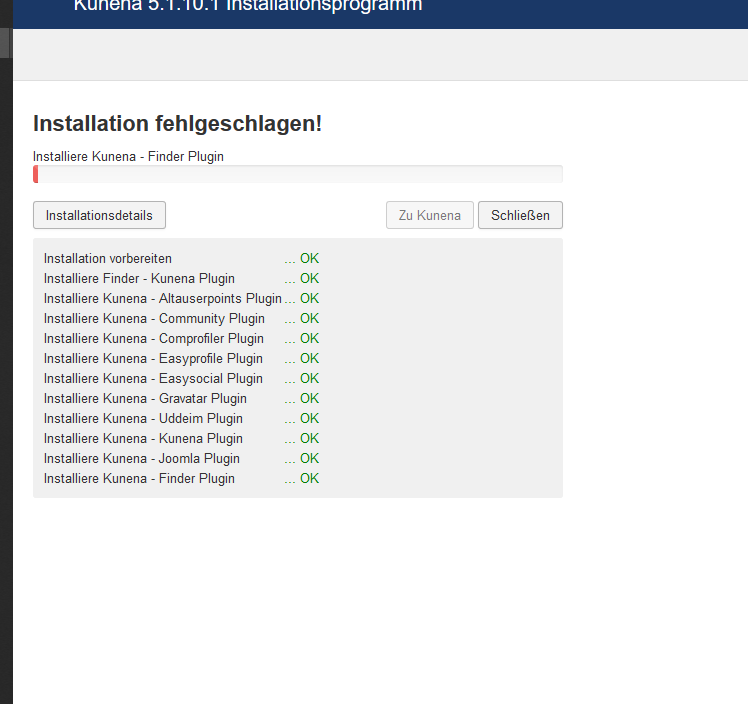
even with max. error message in the backend>components>kunena i get this, see attachement
Please Log in or Create an account to join the conversation.


Less
More
- Posts: 12291
- Thank you received: 2538
7 years 5 months ago #209312
by rich
Important! Always create a backup before you make any changes to your website!
Replied by rich on topic installation error
Please try following:
Download Kunena, unzip and open the file.
The folder "packages" contain 5 zip files. Install this zip files one by one.
Then go in the backend to Extensions -> Plugins and check whether the Kunena system plugin is enabled. Then try to install Kunena again.
Download Kunena, unzip and open the file.
The folder "packages" contain 5 zip files. Install this zip files one by one.
Then go in the backend to Extensions -> Plugins and check whether the Kunena system plugin is enabled. Then try to install Kunena again.
Important! Always create a backup before you make any changes to your website!
The following user(s) said Thank You: reason
Please Log in or Create an account to join the conversation.
7 years 5 months ago #209356
by martinsai
Replied by martinsai on topic installation error
My god i am really geting tired. I intalled all the 5 extensions in the package folder one by one but the same issue is there. Once I open the component the installation process stoppes after around 2%. as already posted with an image.
can you not help me???
can you not help me???
Please Log in or Create an account to join the conversation.
Less
More
- Posts: 12291
- Thank you received: 2538
7 years 5 months ago #209417
by rich
Important! Always create a backup before you make any changes to your website!
Replied by rich on topic installation error
It's very hard to help without error message. It can be many things which cause this problem. It's possible, to install other components?
Important! Always create a backup before you make any changes to your website!
Please Log in or Create an account to join the conversation.
7 years 5 months ago #209458
by martinsai
Replied by martinsai on topic installation error
yes, without any problems. can I give you access to the website?
Please Log in or Create an account to join the conversation.
7 years 5 months ago #209459
by martinsai
Replied by martinsai on topic installation error
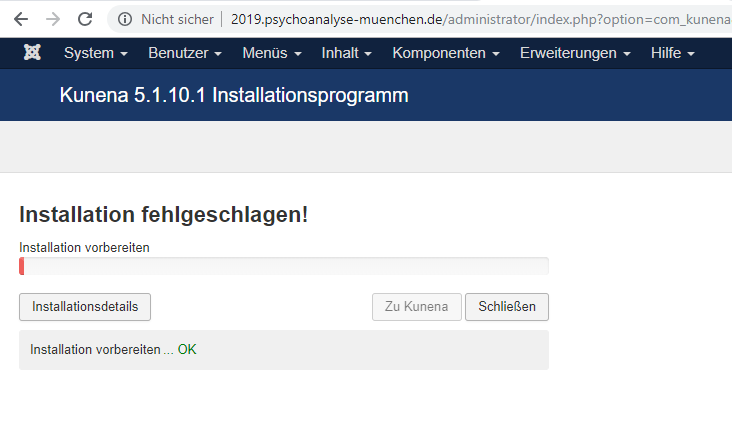
I could install many extensions just not the kunena forum. I did now everything via tmp folder. The joomla installer says that every installation was successful but once I try to open the kunena dashboard there is an internal kunena installtion process that stop after1 second. see pic
Please Log in or Create an account to join the conversation.
Time to create page: 0.256 seconds