
Kunena 7.0.11 & Kunena 6.4.16 – Security Updates Released and K7.1 in RC1 2
The Kunena team has announce the arrival of three simultaneous security release : K6.4.16, K7.0.11 and K7.1 RC2. Just a reminder K6.4.16 receives only securities fixes untill end of 2026, so it's advised for users to upgrade to K7.0.11. K7.0.11 is the last release of the K7.0 because it's replaced by K7.1 branch with the stable release in the corner. The translations for K7.1 on crowdin.com/project/kunena-forum-7-1 needs to be checked or improved becasue it has been generated by TM (Translation Machine).
Solved Installation process loops and won't stop


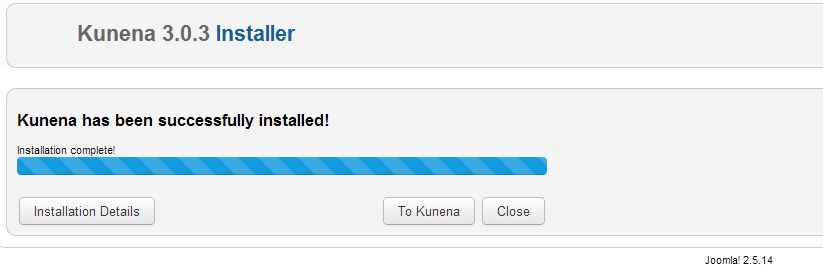
Just updated to the latest Version but although everything claims to be OK (and the front end works fine) everytime I try to go to the Dashboard or any other part of Kuena, it restarts the installation process (see image attached).
I've tried reinstalling (with or without Akeeba) but no luck.
Any ideas?
Regards
David
David Jakob
Websites4U.ch
Längmattstrasse 31
CH-4632 Trimbach
Please Log in or Create an account to join the conversation.


www.kunena.org/forum/77-general-talk-abo...bsites-eg-wamp-xampp
Please Log in or Create an account to join the conversation.
Sadly, the paranoid owner hasn't given me access to the server's control panel.
I was wondering, if I uninstall Kuena, do I loose all the data in the tables? If not, I can try to uninstall the component and reinstall it, but I don't want to loose the data.
Regards
David
David Jakob
Websites4U.ch
Längmattstrasse 31
CH-4632 Trimbach
Please Log in or Create an account to join the conversation.


Endless installation loop --
Thankfully on my non-production install (same server...)
Any thoughts or solutions?
Please Log in or Create an account to join the conversation.
I think it was a caching issue.
Turned the caching OFF, cleared the CACHE and the
installer went through normally...
After around 7 attempts.
That is all. :laugh:
Please Log in or Create an account to join the conversation.
Clearing the Cache didn't work for me.
What I finally did was go to administrator/com_kunena and delete the install folder then reinstall the component and everything worked fine.
David Jakob
Websites4U.ch
Längmattstrasse 31
CH-4632 Trimbach
Please Log in or Create an account to join the conversation.