
- Posts: 6
- Thank you received: 0
Kunena 7.1.1 & Kunena 6.4.17 – Security Updates Released
The Kunena team has announce the arrival of Kunena 7.1.1 [K 7.1.1] in stable which is now available for download as a native Joomla extension for J! 5.4.x/6.0.x./6.1.x./6.2.x This version addresses most of the issues that were discovered in K 6.2 / K 6.3 / K 6.4 / K7.0 and issues discovered during the last development stages of K 7.1
Just a reminder: K6.4.17 receives only securities fixes until end of 2026, so it's advised for users to upgrade to K7.1.
Solved Topic format and other issues
- littlepowell
-
 Topic Author
- Offline
- New Member
-

Less
More
6 years 6 months ago #213128
by littlepowell
Thanks. For some reason I can't get to the place needed to update the template. I click on the active template and it just brings me to the preview page. I am an administrator so it shouldn't be a permissions issue.. Hmm.
Replied by littlepowell on topic Topic format and other issues
rich wrote: The problem, the middle main column of your Joomla template contains the left main column.
Try this code at the end of your Joomla custom- or template css.
Code:#kunena { display: inline-block; }
Thanks. For some reason I can't get to the place needed to update the template. I click on the active template and it just brings me to the preview page. I am an administrator so it shouldn't be a permissions issue.. Hmm.
Please Log in or Create an account to join the conversation.


Less
More
- Posts: 12299
- Thank you received: 2545
6 years 6 months ago #213130
by rich
Important! Always create a backup before you make any changes to your website!
Replied by rich on topic Topic format and other issues
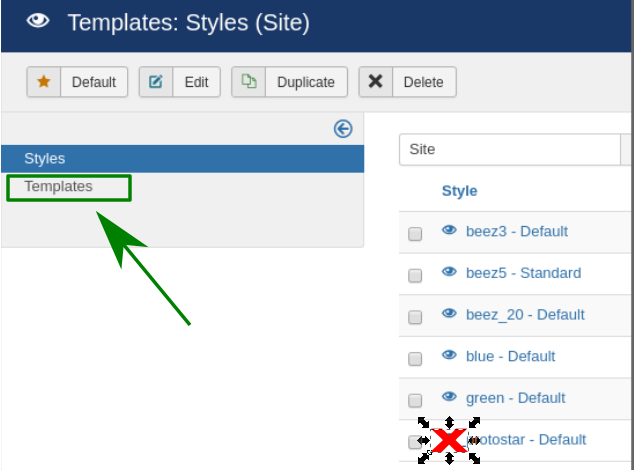
Apparently you clicked on the eye. This is a redirect to the preview. Click on templates (see image).
Important! Always create a backup before you make any changes to your website!
Please Log in or Create an account to join the conversation.
- littlepowell
-
Topic Author
- Offline
- New Member
-
Less
More
- Posts: 6
- Thank you received: 0
6 years 6 months ago #213132
by littlepowell
Replied by littlepowell on topic Topic format and other issues
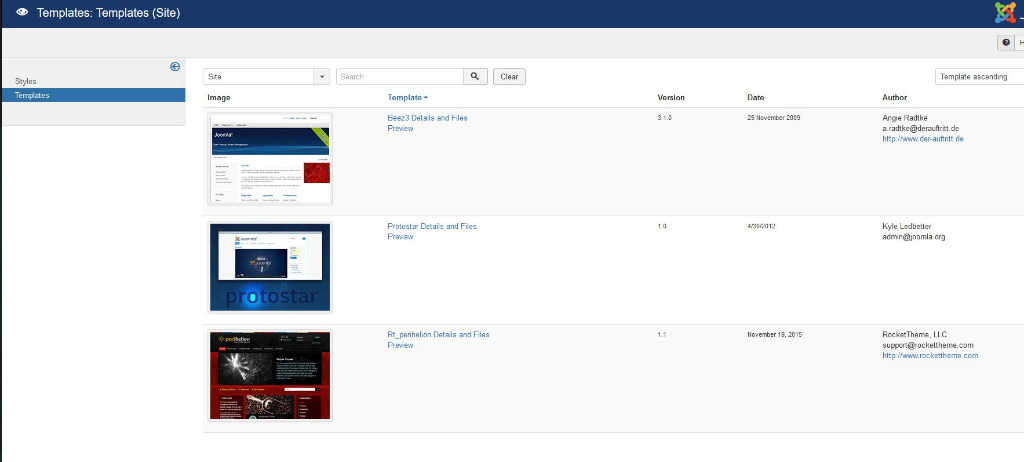
Yes that is where I am clicking and I do not see anywhere to edit the template. See screenshots:
Main template page.
After clicking on "details and files"
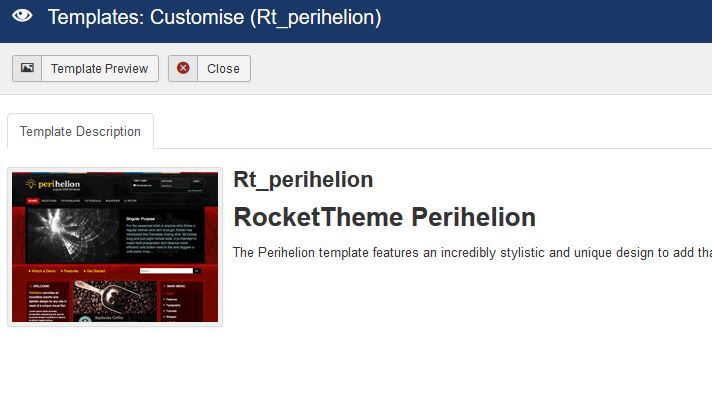
Main template page.
After clicking on "details and files"
Please Log in or Create an account to join the conversation.
Less
More
- Posts: 12299
- Thank you received: 2545
6 years 6 months ago #213133
by rich
Important! Always create a backup before you make any changes to your website!
Replied by rich on topic Topic format and other issues
I don't know this template. If you not have access via ftp then try this code in the Kunena custom.css (use the custom.css instead the custom.less file).
docs.kunena.org/en/manual/backend/templates/edit-less
Important! Always create a backup before you make any changes to your website!
Please Log in or Create an account to join the conversation.
- littlepowell
-
Topic Author
- Offline
- New Member
-
Less
More
- Posts: 6
- Thank you received: 0
6 years 6 months ago #213134
by littlepowell
Wow that fixed it. Thanks!!
Replied by littlepowell on topic Topic format and other issues
rich wrote: I don't know this template. If you not have access via ftp then try this code in the Kunena custom.css (use the custom.css instead the custom.less file). docs.kunena.org/en/manual/backend/templates/edit-less
Wow that fixed it. Thanks!!
Please Log in or Create an account to join the conversation.
Time to create page: 0.124 seconds