
Kunena 7.0.9 & Kunena 6.4.14 – Security Updates Released
The Kunena team has announce the arrival of Kunena 7.0.9 [K 7.0.9] in stable which is now available for download as a native Joomla extension for J! 5.4.x/6.0.x./6.1.x. This version addresses most of the issues that were discovered in K 6.2 / K 6.3 / K 6.4 and issues discovered during the last development stages of K 7.0
Idea How to change Karma position?


I'm using the K 1.5.12 and the issue is that the thread title runs over the karma on the right side. See the circled area in red on the right top of the thread at the image below:
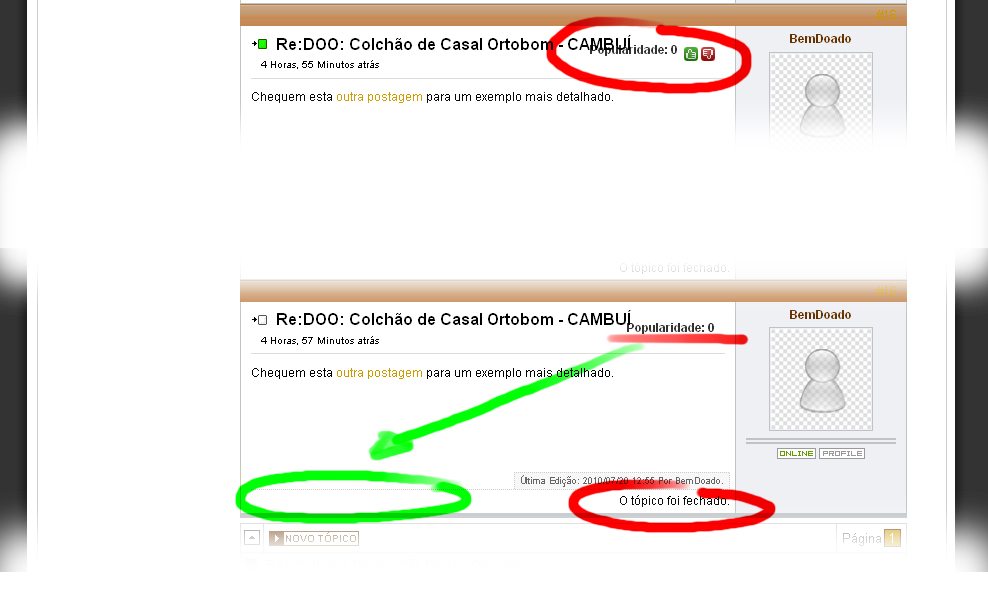
So, I want to place it on the very left at the bottom (Green circled area) on the same line as the message "This thread was closed", well the image is in Portuguese-BR where you can read "O tópico foi fechado." on the right bottom of the thread (circled in red)
So, I wonder what is the filename that I can find and change the karma code position to place it where I want too (green circled area).
Thanks in advance.
Kunena 2.0.4 | 2013-01-18 [ Pharmacopoeia ], J!1.5.25, rhuk_milkyway, CB 1.8.1, AUP 1.5.13, UddeIM 2.5 and Akeeba Backup 3.3.9
EsferaDoBem.com.br | iLucato.com.br | BemDoado.com.br
Please Log in or Create an account to join the conversation.


to do that you need to make changes in message.php
About line 78 you will see that codecomponents / com_kunena / template / default_ex / message.php
move it down in about line 329
<tr>HERE<td class = "fb-msgview-right-b" >
<div class="fb_message_editMarkUp_cover">
Regards
Please Log in or Create an account to join the conversation.
Man, I placed the code where you've suggested (around line 343) as you can see here:
and I got it:
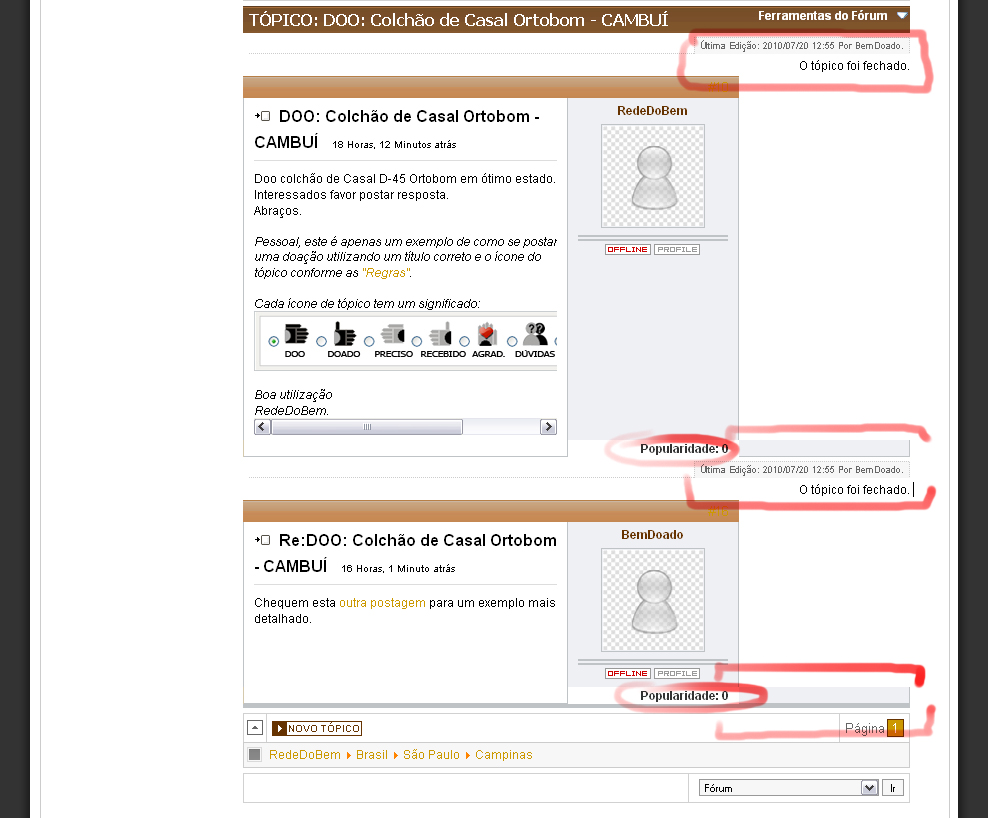
Now I need to try the tds, trs, divs, by guessing once I have no idea how they work, to see if I get a better fit. If you have a better idea, I'll appreciate again your kind help.
Thanks and have a nice day.
Kunena 2.0.4 | 2013-01-18 [ Pharmacopoeia ], J!1.5.25, rhuk_milkyway, CB 1.8.1, AUP 1.5.13, UddeIM 2.5 and Akeeba Backup 3.3.9
EsferaDoBem.com.br | iLucato.com.br | BemDoado.com.br
Please Log in or Create an account to join the conversation.


Blue Eagle vs. Crypsis reference guide
Read my blog and

Please Log in or Create an account to join the conversation.
Kunena 2.0.4 | 2013-01-18 [ Pharmacopoeia ], J!1.5.25, rhuk_milkyway, CB 1.8.1, AUP 1.5.13, UddeIM 2.5 and Akeeba Backup 3.3.9
EsferaDoBem.com.br | iLucato.com.br | BemDoado.com.br
Please Log in or Create an account to join the conversation.
<tr>HERE<td class = "fb-msgview-right-b" >
<div class="fb_message_editMarkUp_cover">
you have placed code AFTER <td class = "fb-msgview-right-b" >
Please Log in or Create an account to join the conversation.