


- Posts: 973
- Thank you received: 153
Kunena 7.0.4 Released
The Kunena team has announce the arrival of Kunena 7.0.4 [K 7.0.4] in stable which is now available for download as a native Joomla extension for J! 5.4.x/6.0.x. This version addresses most of the issues that were discovered in K 6.2 / K 6.3 / K 6.4 and issues discovered during the last development stages of K 7.0
Solved Kunena slow on Index page
Less
More
11 months 1 week ago #233365
by Pinkeltje
Replied by Pinkeltje on topic Kunena slow on Index page
As far as I know you can't delete Cassiopeia, so maybe you've unpublished it? I do that most of the times as well.Ok, thank you. I don't see the Cassiopeia template on Joomla, maybe I have deleted it..... but now I'm trying to download it and don't find the zip package...
Please Log in or Create an account to join the conversation.


11 months 1 week ago #233389
by gioy_80
Replied by gioy_80 on topic Kunena slow on Index page
Hello, and excuse me for my delay on to answering you.... I have worked hard on this issue, mainly because I'm not a professional website admin.
But, I have restored Cassiopeia template without results, disabled Admin tools without resolve, but..... disabling the .htacces file has resolved! The issue was exactly here.
I'm not sure about the part of that file who generates the slowness, but also with the Admin tools default parameters the connection became very slowly. With the AI help (I'm not a developer) I have done so much tries and generated a new .htaccess file who gives me a good security and performance balance and stability.
It was hard to find, but with your help I have found the cause and resolved it. Thank you!
Giordano.
But, I have restored Cassiopeia template without results, disabled Admin tools without resolve, but..... disabling the .htacces file has resolved! The issue was exactly here.
I'm not sure about the part of that file who generates the slowness, but also with the Admin tools default parameters the connection became very slowly. With the AI help (I'm not a developer) I have done so much tries and generated a new .htaccess file who gives me a good security and performance balance and stability.
It was hard to find, but with your help I have found the cause and resolved it. Thank you!
Giordano.
Please Log in or Create an account to join the conversation.
Less
More
- Posts: 973
- Thank you received: 153
11 months 1 week ago #233390
by Pinkeltje
Replied by Pinkeltje on topic Kunena slow on Index page
Glad you found it. Only thing I can see is that your .htaccess isn't used now as you have disabled Use URL Rewriting in Joomla config. So I would suggest testing again with Use URL Rewriting enabled.
===off-topic==
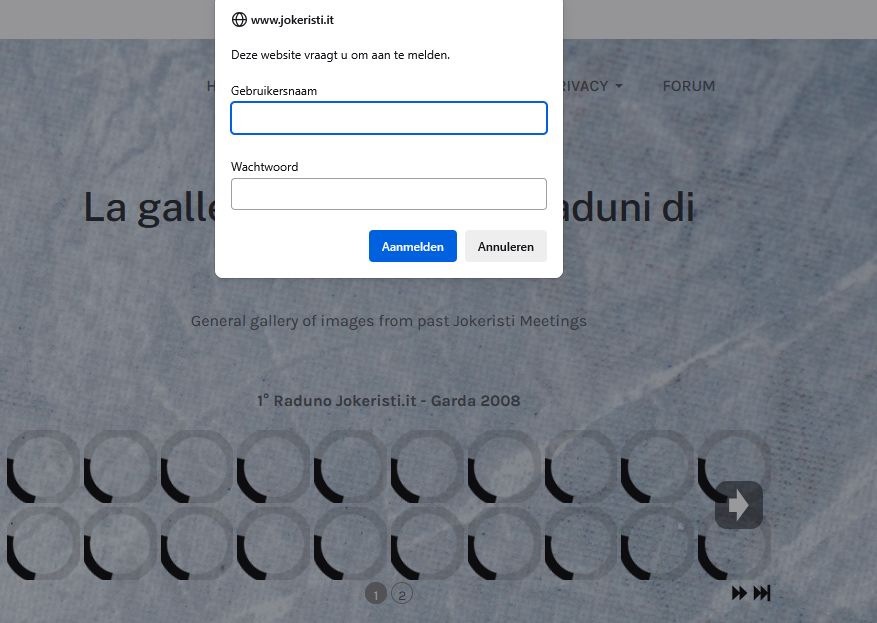
===back to topic===
===off-topic==
I would consider getting rid of sigplus and use Phoca Gallery instead as this construction isn't working. As a visitor I can't see the images.For the url you linked, it is normal... that page loads a Sigplus photogallery plugin, that leverages on the Joomla cache in order to store miniatures of all the galleries images. Every time I do actions on Joomla, I clean the entire Joomla cache, and the first time the page is loaded is very slow, because sigplus needs to generate all the miniatures from scratch. I don't remember to have activate a .htaccess authorization, and I am already logged in because the admin page is for sure under 401 authorization and I have already wrote my credentials. But tomorrow I will retry to restore the .htaccess, maybe without causing errors in the entire website eheheh
===back to topic===
Please Log in or Create an account to join the conversation.
Time to create page: 0.244 seconds