


- Posts: 18
- Thank you received: 1
Kunena 6.4.13 Released
The Kunena team has announce the arrival of Kunena 6.4.13 [6.4.13] in stable which is now available for download as a native Joomla extension for J! 5.4.x/6.0.x./6.1.x. This version addresses most of the issues that were discovered in K 6.2 / K 6.3 / K 6.4 and issues discovered during the last development stages of K 6.0
Hint: This version is primarily intended to facilitate an upgrade if Joomla was first updated to version 6.1 before Kunena was up to dated.
Question Unable to change avatar in profile
6 years 2 weeks ago - 6 years 2 weeks ago #213695
by DeeEmm
Unable to change avatar in profile was created by DeeEmm
I have a vanilla installation of Joomla and Kunena. I am unable to upload a new avatar despite the folder permissions being okay and the avatar dimensions not exceeding the appropriate sizes. When I try to upload an avatar, the process appears to have succeeded, but then when I check my profile, the avatar is the same. Additionally caching is turned off.
Any ideas?
Here's the configuration report...
Any ideas?
Here's the configuration report...
This message contains confidential information
Database collation check: ✔ The collation of your table fields are correct
Joomla! SEF: Enabled | Joomla! SEF rewrite: Enabled | FTP layer: Disabled |
This message contains confidential informationhtaccess: Missing | PHP environment: Max execution time: 30 seconds | Max execution memory: 128M | Max file upload: 16M
Kunena menu details:
Warning: Spoiler!
ID Name Menutype Link Path In trash 123 Forum kunenamenu view=home&defaultmenu=123 forum No 124 Index kunenamenu view=category&layout=list forum/index No 125 Recent Topics kunenamenu view=topics&mode=replies forum/recent No 126 Unread kunenamenu view=topics&layout=unread forum/unread No 127 New Topic kunenamenu view=topic&layout=create forum/newtopic No 128 No Replies kunenamenu view=topics&mode=noreplies forum/noreplies No 129 My Topics kunenamenu view=topics&layout=user&mode=default forum/mylatest No 130 Profile kunenamenu view=user forum/profile No 131 Help kunenamenu view=misc forum/help No 132 Search kunenamenu view=search forum/search No
Joomla default template details : protostar | author: Kyle Ledbetter | version: 1.0 | creationdate: 4/30/2012
Kunena default template details : Crypsis | author: Kunena Team | version: 5.1.18 | creationdate: 2020-06-30
Kunena template params:
Warning: Spoiler!
DefaultCategoryicon profileIconset default DefaultIconset default editorIconset default bootstrap 0 icomoon 1 tooltips 1 borderless 1 SubjectLengthMessage 80 fullactions 1 quick 0 displayMenu 1 displayDropdownMenu 1 displayDropdownContent 1 displayModule 1 displayBreadcrumb 1 displayAnnouncement 1 displayFooter 1 avatarPosition left avatarType img-circle labels 0 whoisonlineName default formRecover 0 topicicontype B2 fontawesome 0 socialshare 0 socialsharetag socialtheme classic optional_username 0 writeaccess 0 localstorage 0 IconColor inherit IconColorNew #48a348 editor 0 video 1 maps 1 emoticons 1 1 ebay 1 link 1 picture 1 hide 1 spoiler 1 table 1 code 1 quote 1 divider 1 1 soundcloud 1 confidential 1 hr 1 listitem 1 supscript 1 subscript 1 numericlist 1 bulletedlist 1 alignright 1 alignleft 1 center 1 underline 1 italic 1 bold 1 strikethrough 1 colors 1 size 1 wysibb avatarSizeX 40 avatarSizeY 90 avatarSizeXThumb 36 avatarSizeYThumb 36 avatarSizeXWelcome 72 avatarSizeYWelcome 72 avatarSizeXList 36 avatarSizeYList 36 avatarSizeXPost 144 avatarSizeYPost 144 avatarSizeXProfile 200 avatarSizeYProfile 200 templatebyText templatebyName templatebyLink
Kunena version detailed: Kunena 5.1.18 | 2020-06-30 [ Rhea ]
| Kunena detailed configuration:| Kunena integration settings:Warning: Spoiler!
Kunena config settings: board_offline 0 enablerss 0 threads_per_page 20 messages_per_page 6 messages_per_page_search 15 showhistory 1 historylimit 6 shownew 1 disemoticons 0 template crypsis showannouncement 1 avataroncat 0 catimagepath category_images showchildcaticon 1 rtewidth 450 rteheight 300 enableforumjump 1 reportmsg 1 username 1 askemail 0 showemail 0 showuserstats 0 showkarma 0 useredit 1 useredittime 0 useredittimegrace 600 editmarkup 1 allowsubscriptions 1 subscriptionschecked 1 allowfavorites 1 maxsubject 50 maxsig 300 regonly 0 pubwrite 0 floodprotection 0 mailmod 0 mailadmin 0 captcha 0 mailfull 1 allowavatarupload 1 allowavatargallery 1 avatarquality 75 avatarsize 2048 imageheight 800 imagewidth 800 imagesize 150 filetypes txt,rtf,pdf,zip,tar.gz,tgz,tar.bz2 filesize 120 showranking 1 rankimages 1 userlist_rows 30 userlist_online 1 userlist_avatar 1 userlist_posts 1 userlist_karma 1 userlist_email 0 userlist_joindate 1 userlist_lastvisitdate 1 userlist_userhits 1 latestcategory showstats 1 showwhoisonline 1 showgenstats 1 showpopuserstats 1 popusercount 5 showpopsubjectstats 1 popsubjectcount 5 showspoilertag 1 showvideotag 1 showebaytag 1 trimlongurls 1 trimlongurlsfront 40 trimlongurlsback 20 autoembedyoutube 1 autoembedebay 1 ebaylanguagecode en-us sessiontimeout 1800 highlightcode 0 rss_type topic rss_timelimit month rss_limit 100 rss_included_categories rss_excluded_categories rss_specification rss2.0 rss_allow_html 1 rss_author_format name rss_author_in_title 1 rss_word_count 0 rss_old_titles 1 rss_cache 900 defaultpage recent default_sort asc sef 1 showimgforguest 1 showfileforguest 1 pollnboptions 4 pollallowvoteone 1 pollenabled 1 poppollscount 5 showpoppollstats 1 polltimebtvotes 00:15:00 pollnbvotesbyuser 100 pollresultsuserslist 1 allow_user_edit_poll 0 maxpersotext 50 ordering_system mesid post_dateformat ago post_dateformat_hover datetime hide_ip 1 imagetypes jpg,jpeg,gif,png checkmimetypes 1 imagemimetypes image/jpeg,image/jpg,image/gif,image/png imagequality 50 thumbheight 32 thumbwidth 32 hideuserprofileinfo put_empty boxghostmessage 0 userdeletetmessage 0 latestcategory_in 1 topicicons 1 debug 0 catsautosubscribed 0 showbannedreason 0 showthankyou 0 showpopthankyoustats 1 popthankscount 5 mod_see_deleted 0 bbcode_img_secure text listcat_show_moderators 1 lightbox 1 show_list_time 720 show_session_type 2 show_session_starttime 1800 userlist_allowed 1 userlist_count_users 1 enable_threaded_layouts 0 category_subscriptions post topic_subscriptions every pubprofile 1 thankyou_max 10 email_recipient_count 0 email_recipient_privacy bcc captcha_post_limit 0 image_upload registered file_upload registered topic_layout flat time_to_create_page 0 show_imgfiles_manage_profile 1 hold_newusers_posts 0 hold_guest_posts 0 attachment_limit 8 pickup_category 0 article_display intro send_emails 1 fallback_english 1 cache 0 cache_time 60 iptracking 1 rss_feedburner_url autolink 1 access_component 0 statslink_allowed 1 superadmin_userlist 0 legacy_urls 0 attachment_protection 0 categoryicons 1 avatarresizemethod 1 avatarcrop 1 user_report 1 searchtime 365 teaser 0 ebay_language 0 allow_change_subject 0 max_links 6 read_only 0 ratingenabled 0 url_subject_topic 0 log_moderation 0 attach_start 0 attach_end 14 attachment_utf8 1 autoembedsoundcloud 1 emailheader /images/DIYFB_banner.jpg user_status 1 signature 1 personal 1 social 1 plain_email 0 moderator_permdelete 0 avatartypes gif, jpeg, jpg, png smartlinking 0 defaultavatar nophoto.png defaultavatarsmall s_nophoto.png quickreply 1 avataredit 1 activemenuitem mainmenu_id home_id index_id moderators_id topiclist_id misc_id profile_id search_id avatar_type 0 sef_redirect 0 allow_edit_poll 1 use_system_emails 0 autoembedinstagram 1 disable_re 0 | Joomla! detailed language files installed:Warning: Spoiler!Kunena - Finder Disabled
Kunena - AltaUserPoints Disabled
Kunena - Community Builder Disabled
Kunena - Easyblog Disabled
Kunena - Easyprofile Disabled
Kunena - Easysocial Disabled
Kunena - Gravatar Disabled
Kunena - JomSocial Disabled
Kunena - Joomla Enabled: access=1 login=1
Kunena - Kunena Enabled: avatar=1 profile=1
Kunena - UddeIM Disabled
Warning: Spoiler!
Joomla! languages installed: en-GB English (United Kingdom)
Third-party components: None
Third-party SEF components: None
Plugins: None
Modules: None
Last edit: 6 years 2 weeks ago by DeeEmm. Reason: Bad spelling :D
Please Log in or Create an account to join the conversation.


6 years 1 week ago #213701
by xillibit
I don't provide support by PM, because this can be useful for someone else.
Replied by xillibit on topic Unable to change avatar in profile
Hello,
Do-you see the avatar just after that you have uploaded it ? Like here :
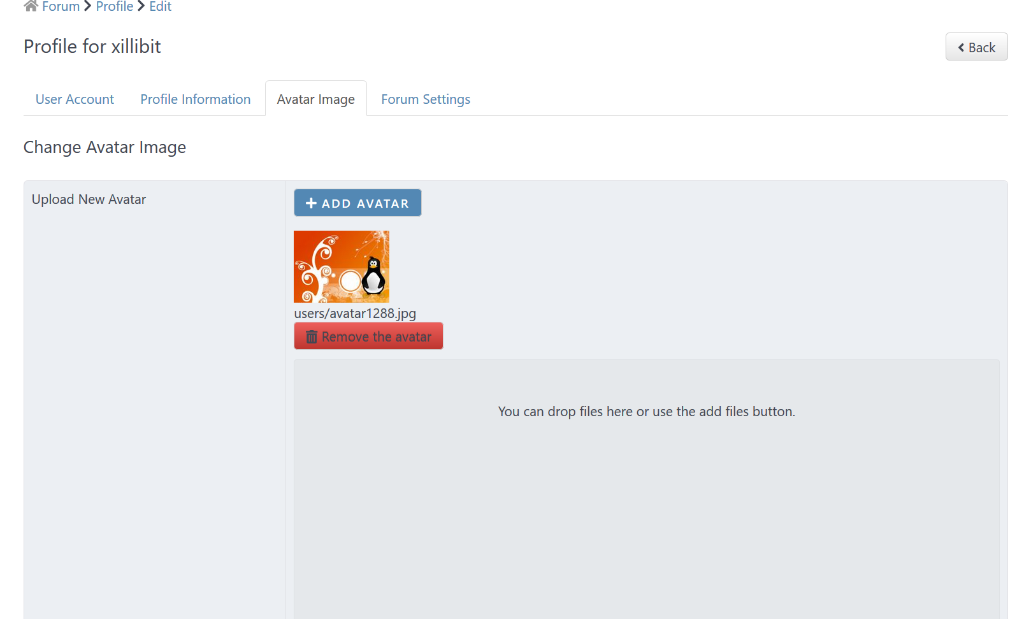
Do-you see the avatar just after that you have uploaded it ? Like here :
I don't provide support by PM, because this can be useful for someone else.
Please Log in or Create an account to join the conversation.
6 years 1 week ago #213702
by DeeEmm
Replied by DeeEmm on topic Unable to change avatar in profile
Yes, when I browse to the file, or drag and drop it, the image appears in place of the default image...
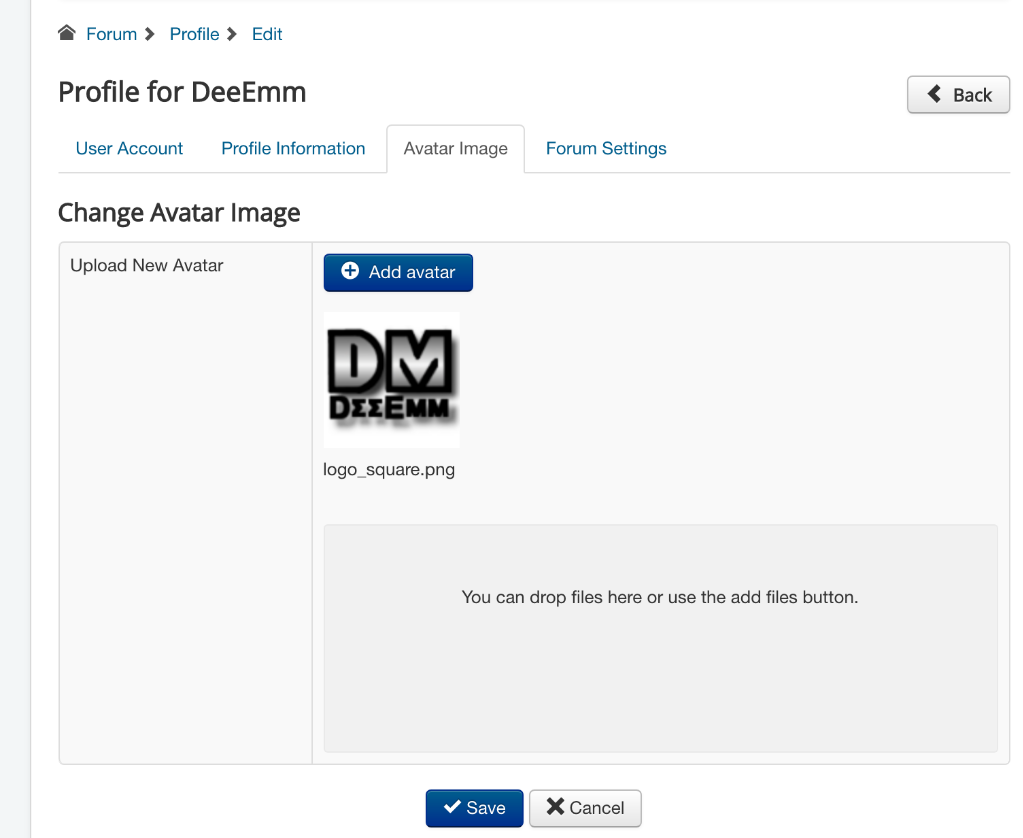
Then when I click submit I get a message that says 'Your Profile has been saved'
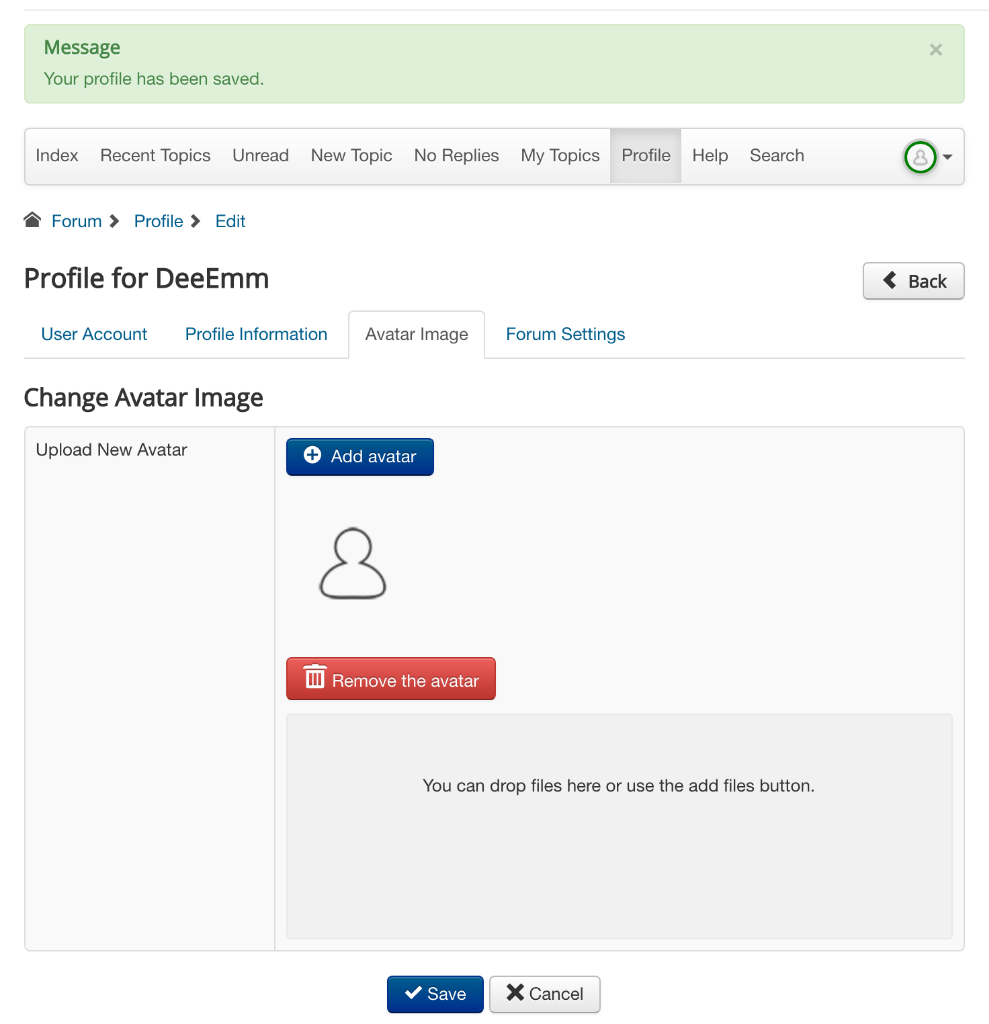
But the image is not changed.
I initially thought it must be a permissions or ownership issue, but these appear to be okay and also checkout in the Joomla folder permissions test...

There's no error message within the server logs either, whatever is causing it to fail, is doing so quietly with no errors.
I did a search here thinking that it might be a rookie error or common problem, but could find nothing. It's been a few years since I've used Kunena and assumed it's something I've missed on the setup / install.
I'm sure it'll be something simple, but I cannot figure it out.
/DM
Then when I click submit I get a message that says 'Your Profile has been saved'
But the image is not changed.
I initially thought it must be a permissions or ownership issue, but these appear to be okay and also checkout in the Joomla folder permissions test...
There's no error message within the server logs either, whatever is causing it to fail, is doing so quietly with no errors.
I did a search here thinking that it might be a rookie error or common problem, but could find nothing. It's been a few years since I've used Kunena and assumed it's something I've missed on the setup / install.
I'm sure it'll be something simple, but I cannot figure it out.
/DM
Please Log in or Create an account to join the conversation.


Less
More
- Posts: 12288
- Thank you received: 2537
6 years 1 week ago #213712
by rich
Important! Always create a backup before you make any changes to your website!
Replied by rich on topic Unable to change avatar in profile
I see on your image, the profile has been saved before the avatar upload was finish. If the upload is success, the avatar name get the link colour (in this case it should be blue). Afterwards you can save the profile. If does not work, then open the browser console, maybe it shows a hint during the upload process.
Try also to switch the Default avatar type in the configuration.
Try also to switch the Default avatar type in the configuration.
Important! Always create a backup before you make any changes to your website!
Please Log in or Create an account to join the conversation.
6 years 1 week ago #213719
by DeeEmm
Replied by DeeEmm on topic Unable to change avatar in profile
Thanks rich.
When submitting the console is reporting a 404...
POST https://my...web...site.com/forum/profile/edit/index.php?option=com_kunena&view=user&task=upload&format=json 404 (Not Found)
Which is originating from jquery...
jquery.min.js?5d924186c7b2f3be1645c9388a24f08d:2
When submitting the console is reporting a 404...
POST https://my...web...site.com/forum/profile/edit/index.php?option=com_kunena&view=user&task=upload&format=json 404 (Not Found)
Which is originating from jquery...
jquery.min.js?5d924186c7b2f3be1645c9388a24f08d:2
Please Log in or Create an account to join the conversation.
Less
More
- Posts: 12288
- Thank you received: 2537
6 years 1 week ago - 6 years 1 week ago #213723
by rich
Important! Always create a backup before you make any changes to your website!
Replied by rich on topic Unable to change avatar in profile
Maybe similar problem:
www.kunena.org/forum/k5-1-support/154646...e-since-k-5-1#204910
Try in the configuration (tab General) the option Direct Component Access = Yes
Try in the configuration (tab General) the option Direct Component Access = Yes
Important! Always create a backup before you make any changes to your website!
Last edit: 6 years 1 week ago by rich.
The following user(s) said Thank You: DeeEmm
Please Log in or Create an account to join the conversation.
Time to create page: 0.297 seconds