


- Posts: 7
- Thank you received: 0
Kunena 7.0.4 Released
The Kunena team has announce the arrival of Kunena 7.0.4 [K 7.0.4] in stable which is now available for download as a native Joomla extension for J! 5.4.x/6.0.x. This version addresses most of the issues that were discovered in K 6.2 / K 6.3 / K 6.4 and issues discovered during the last development stages of K 7.0
Question Gray window after installation
9 years 6 months ago #180660
by Puby14
Replied by Puby14 on topic Gray window after installation
Change to Crypsisb3 and back to crypsis : gray window - no change.
Lightbox module disabled : no change.
Lightbox module disabled : no change.
Please Log in or Create an account to join the conversation.
9 years 6 months ago #180735
by Puby14
Replied by Puby14 on topic Gray window after installation
Change to Crypsisb3 and back to crypsis : gray window - no change.
Lightbox module disabled : no change.
Lightbox module disabled : no change.
Please Log in or Create an account to join the conversation.
9 years 5 months ago - 9 years 5 months ago #181830
by ricart
Replied by ricart on topic Gray window after installation
Bonjour,
I've just subscribe for this forum cause I met this issue with Kumena 4.0.12 and Joomla 3.6.4, so I thought upgrading to Kumena 5.0.3 could fix the issue, Hélas, I still have a gray overlay prohibiting any action on button or menu.
(see the screen shot below)
I went to the url : whiteface2.esy.hu/index.php/forum but it is in flemish language and ... I don't speak any Flemish, just a little english.
Can I solve the trouble with editing the CSS file ?
Thank you for attention, truely, Richard.
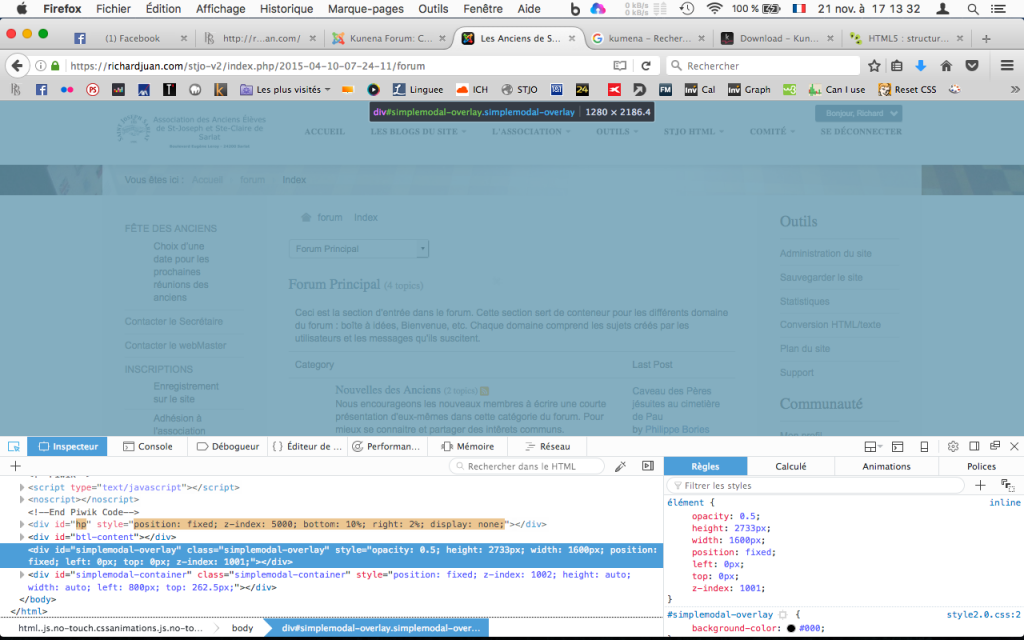
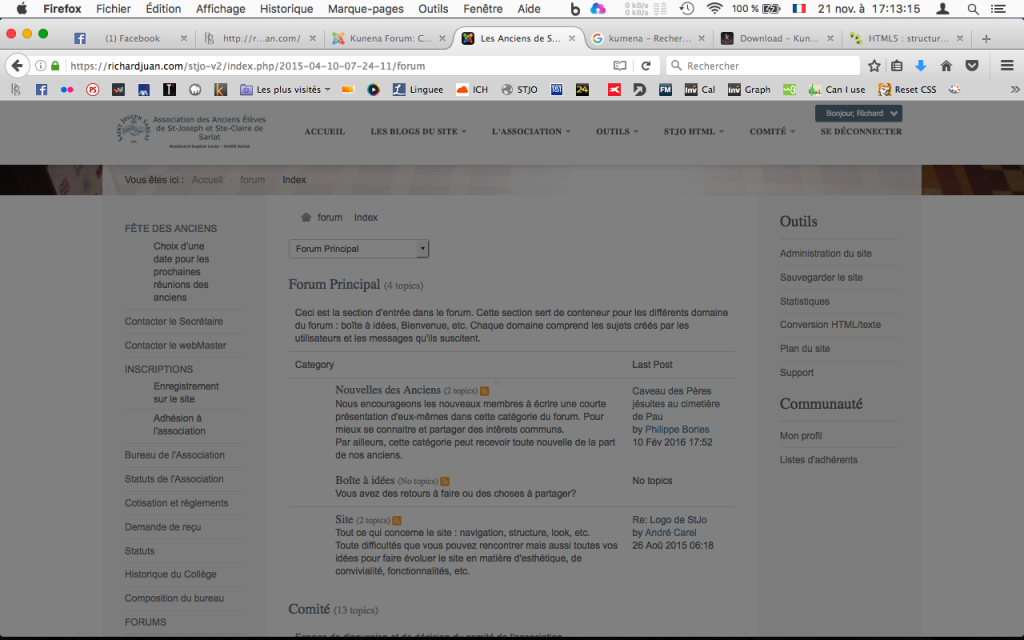
I've just subscribe for this forum cause I met this issue with Kumena 4.0.12 and Joomla 3.6.4, so I thought upgrading to Kumena 5.0.3 could fix the issue, Hélas, I still have a gray overlay prohibiting any action on button or menu.
(see the screen shot below)
I went to the url : whiteface2.esy.hu/index.php/forum but it is in flemish language and ... I don't speak any Flemish, just a little english.
Can I solve the trouble with editing the CSS file ?
Thank you for attention, truely, Richard.
Last edit: 9 years 5 months ago by ricart. Reason: Mist a file to upload
Please Log in or Create an account to join the conversation.


9 years 5 months ago #181832
by rich
Important! Always create a backup before you make any changes to your website!
Replied by rich on topic Gray window after installation
It seems, the forum is available only for registered users.
Important! Always create a backup before you make any changes to your website!
Please Log in or Create an account to join the conversation.
9 years 5 months ago #181833
by rich
Important! Always create a backup before you make any changes to your website!
Replied by rich on topic Gray window after installation
I see now on your image a very high z-index for this element. Try reduce this.
Important! Always create a backup before you make any changes to your website!
Please Log in or Create an account to join the conversation.
9 years 5 months ago #181834
by ricart
Replied by ricart on topic Gray window after installation
I didn't change anything in CSS or what so ever...
If via the inspector, I change the z-index to -5, the overlay disappears but the cursor is stay inoperative, you can't navigate (only on main menu and aside modules).
If via the inspector, I change the z-index to -5, the overlay disappears but the cursor is stay inoperative, you can't navigate (only on main menu and aside modules).
Please Log in or Create an account to join the conversation.
Time to create page: 0.260 seconds