
Kunena 7.0.8 Released
The Kunena team has announce the arrival of Kunena 7.0.8 [K 7.0.8] in stable which is now available for download as a native Joomla extension for J! 5.4.x/6.0.x./6.1.x. This version addresses most of the issues that were discovered in K 6.2 / K 6.3 / K 6.4 and issues discovered during the last development stages of K 7.0
Solved Formatting issue on fresh install of K5b5


810 wrote: I can't sadly not include it to our code, because you need to think also at translations.
For example the Dutch language strings for the action are big, and if you do it without the groups, then it wouldn't fit on the screen.
In a responsive template that should not be an issue as once the width is filled up it would just collapse the items into a menu as you have it. But Reply should definitely be its own button no matter what.
Running some of the strings through google translate, I dont see how its that much of a difference.
Quote = citaat
Edit = Bewerk
moderate = matig
delete = verwijderen
23 vs 28 characters.
Also an Icon only system could be considered, ChronoFoumes has many shortcomings, but the buttons and layout are simple and efficient use of space.
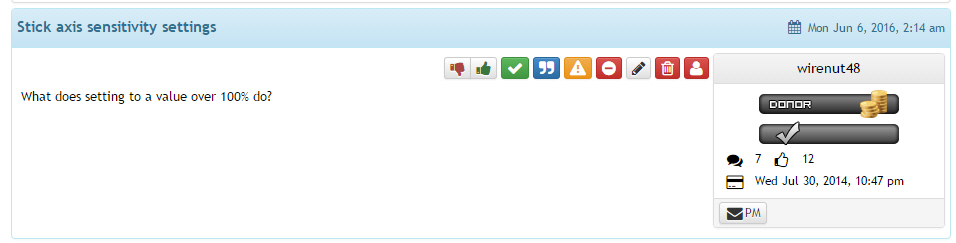
Also aided by the fact that quick reply really has no need to be on each of the posts, as quote is better suited to be part of the post.
Please Log in or Create an account to join the conversation.
810 wrote: I can't sadly not include it to our code, because you need to think also at translations.
For example the Dutch language strings for the action are big, and if you do it without the groups, then it wouldn't fit on the screen.
Any insight into the bugs that im still having with k5.0rc1? www.kunena.org/forum/k5-0-bugs/137263-fo...k5b5?start=20#175813
Please Log in or Create an account to join the conversation.


Please Log in or Create an account to join the conversation.
The Image Icons for the Editor
Its loading the stylesheets just fine now from what I can tell, the issue seems to be with the path used in the stylesheet for the icons.
Click for 404 errors:
If you notice the paths are wrong, it is looking in my root site's media folder rather than the components template images folder.
Paths SHOULD read as
The lightbox for the quick reply
The lightbox style behavior seems to be coming from bootstrap.min.css
You can see the width being specifically set here and as far as I can tell the forums template does not override this to force proper dimensions. If I disable the above css it then looks proper, so my guess is the style for that box needs to be implicitly set in a style tag, or the class needs !important flags.
It may be working for you because you may be implicitly setting the order your stylesheets load, if your forum css is loading after bootstrap, then it takes priority and the css attributes for the model box are replaced with your own, but this cannot be trusted to alwayse be the case. As is my case, bootstrap css loads AFTER the forum css, so classes set without the !important flag get overwritten.

Please Log in or Create an account to join the conversation.


www.kunena.org/forum/k5-0-bugs/137233-missing-the-editoricons .
Please Log in or Create an account to join the conversation.
hvdmeer wrote: Hi! I also have the missing icons in the editor toolbar, switched to Protostar and they are still missing. My first Kunena install was B5 and updated now to RC1 I still have this issue. I get 404's on the images. I already started a topic about this.
www.kunena.org/forum/k5-0-bugs/137233-missing-the-editoricons .
You can edit lines 974 - 1072 of /crypsisb3/css/kunena.css to manually fix this.
Please Log in or Create an account to join the conversation.