
Kunena 7.1.1 & Kunena 6.4.17 – Security Updates Released
The Kunena team has announce the arrival of Kunena 7.1.1 [K 7.1.1] in stable which is now available for download as a native Joomla extension for J! 5.4.x/6.0.x./6.1.x./6.2.x This version addresses most of the issues that were discovered in K 6.2 / K 6.3 / K 6.4 / K7.0 and issues discovered during the last development stages of K 7.1
Just a reminder: K6.4.17 receives only securities fixes until end of 2026, so it's advised for users to upgrade to K7.1.
Question Enable debug mode


At the same place where you had the error message like you had showed in the screenshot of your first messageI have enabled debug mode. Now what? Where do I look for the debug results?
I don't provide support by PM, because this can be useful for someone else.
Please Log in or Create an account to join the conversation.


- Posts: 12299
- Thank you received: 2545
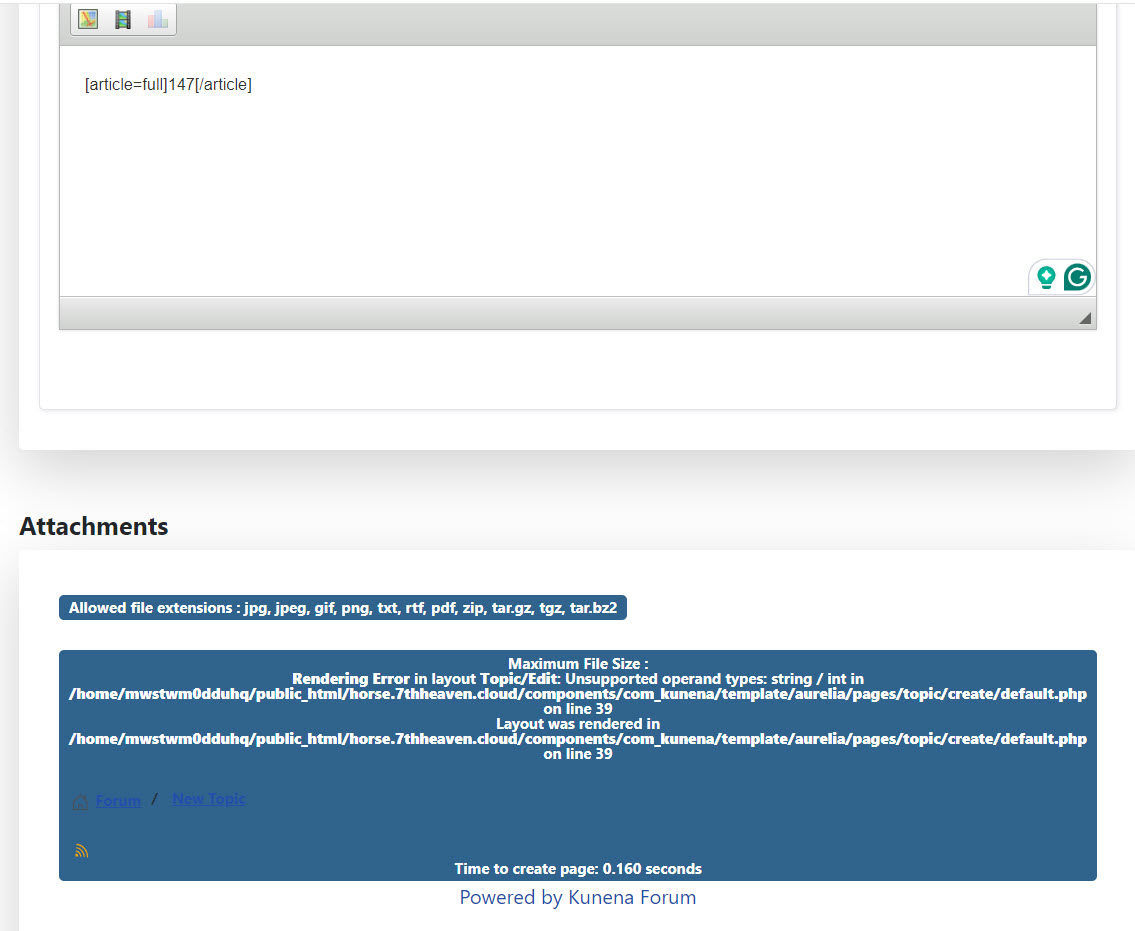
Should be this error:Can reproduce the error when Maximum Image File Size and/or Maximum File Size are empty.
Maximum File Size : 0.1 MB Maximum Image File Size :
Rendering Error in layout Topic/Edit: Unsupported operand types: string / int in .../components/com_kunena/template/aurelia/pages/topic/reply/default.php on line 44
Layout was rendered in .../components/com_kunena/template/aurelia/pages/topic/reply/default.php on line 44
@OldCharlie Please check in the configuration -> tab Uploads the value in the field Maximum Image File Size.
Important! Always create a backup before you make any changes to your website!
Please Log in or Create an account to join the conversation.
- OldCharlie
-
 Topic Author
- Offline
- Senior Member
-

- Posts: 127
- Thank you received: 0
Error in debug mode Kunena
Please Log in or Create an account to join the conversation.
- OldCharlie
-
Topic Author
- Offline
- Senior Member
-
- Posts: 127
- Thank you received: 0
Please Log in or Create an account to join the conversation.
- Posts: 12299
- Thank you received: 2545
And check your settings in Kunena configuration- Uploads for Maximum Image File Size and Maximum File Size
Why don't you respond to answers that could solve the problem for you? Check your configuration. If one of these fields is empty, this error occurs.@OldCharlie Please check in the configuration -> tab Uploads the value in the field Maximum Image File Size.
Important! Always create a backup before you make any changes to your website!
Please Log in or Create an account to join the conversation.
- OldCharlie
-
Topic Author
- Offline
- Senior Member
-
- Posts: 127
- Thank you received: 0

Please Log in or Create an account to join the conversation.