


- Posts: 12279
- Thank you received: 2534
Kunena 7.0.4 Released
The Kunena team has announce the arrival of Kunena 7.0.4 [K 7.0.4] in stable which is now available for download as a native Joomla extension for J! 5.4.x/6.0.x. This version addresses most of the issues that were discovered in K 6.2 / K 6.3 / K 6.4 and issues discovered during the last development stages of K 7.0
Question Kunena Help (menu item for users) in my J5 website: error 'deprecated $body'
2 years 5 months ago #229809
by rich
But the error has been fixed in the meantime, see here: github.com/Kunena/Kunena-Forum/commit/26...015bb6d6ca32f93d29e3
Important! Always create a backup before you make any changes to your website!
Replied by rich on topic Kunena Help (menu item for users) in my J5 website: error 'deprecated $body'
No, there is no other place to deactivate the debug. However, it could be that the page is loaded from the cache together with the displayed error.Is there any other place in the dashboard, where I can switch off debugging, or any other background service?
But the error has been fixed in the meantime, see here: github.com/Kunena/Kunena-Forum/commit/26...015bb6d6ca32f93d29e3
Important! Always create a backup before you make any changes to your website!
Please Log in or Create an account to join the conversation.


2 years 5 months ago #229810
by Leen
With kind regards
Leen
Replied by Leen on topic Kunena Help (menu item for users) in my J5 website: error 'deprecated $body'
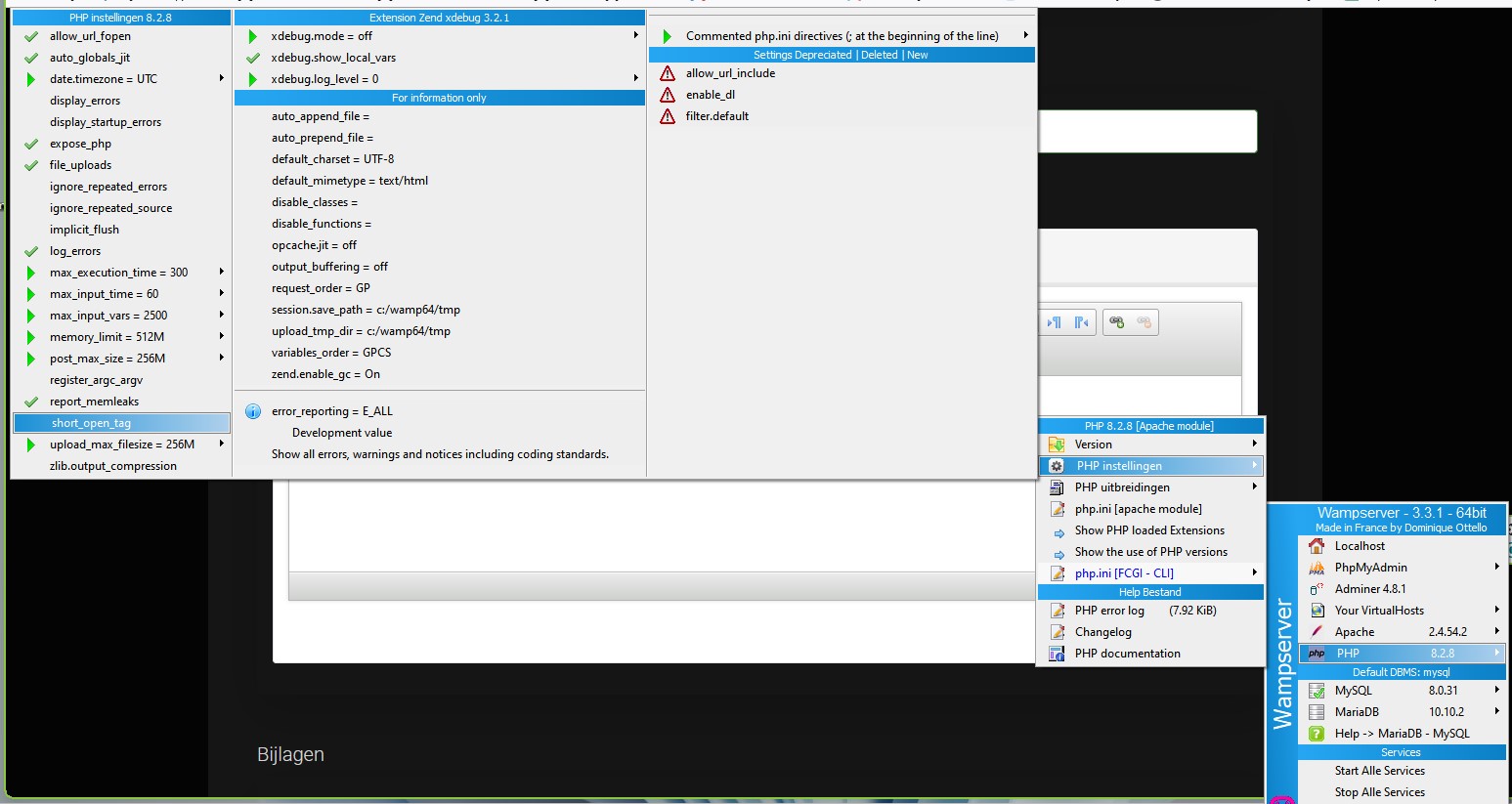
I have my wamp set up like this and I have that problem not so maybe you can compare setting wamp
With kind regards
Leen
Please Log in or Create an account to join the conversation.


2 years 5 months ago #229812
by sthop
Replied by sthop on topic Kunena Help (menu item for users) in my J5 website: error 'deprecated $body'
Thank you for your answer.
I expect that the reparation of 'deprecated $body' will show up in the next update-version of Kunena: v.6.2.1 ?
I expect that the reparation of 'deprecated $body' will show up in the next update-version of Kunena: v.6.2.1 ?
Please Log in or Create an account to join the conversation.


2 years 5 months ago #229813
by xillibit
I don't provide support by PM, because this can be useful for someone else.
Replied by xillibit on topic Kunena Help (menu item for users) in my J5 website: error 'deprecated $body'
hello,
yes the fix for will be present in the Kunena 6.2.1
yes the fix for will be present in the Kunena 6.2.1
I don't provide support by PM, because this can be useful for someone else.
Please Log in or Create an account to join the conversation.
2 years 5 months ago #229815
by sthop
Replied by sthop on topic Kunena Help (menu item for users) in my J5 website: error 'deprecated $body'
Hoi Leen,
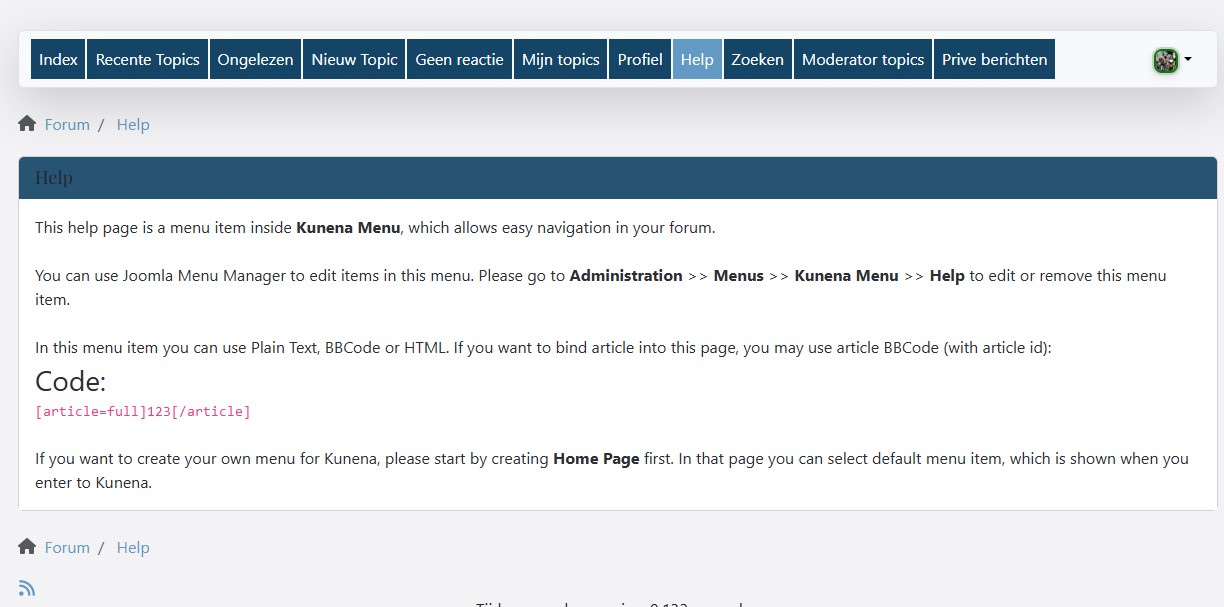
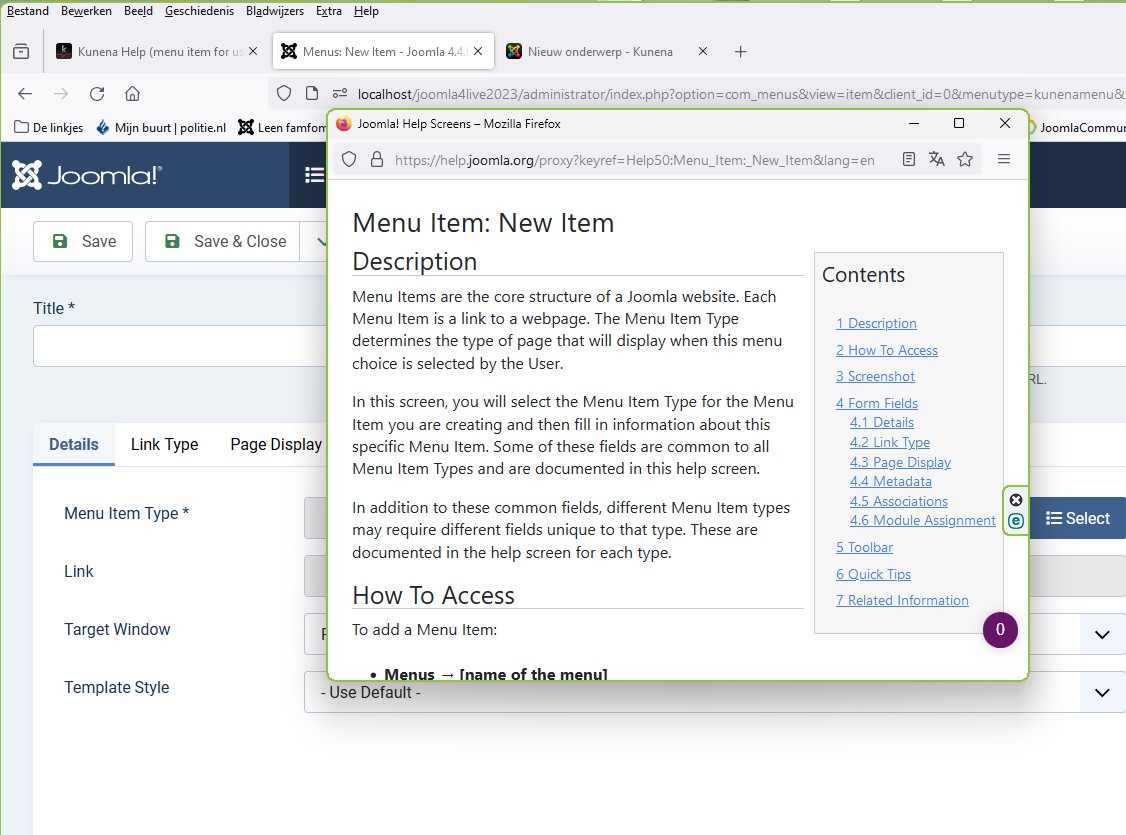
Thank you for your .JPG screenshots.
I compared my WampServer-PHP settings with your screenshot and found 3 differences:
Three settings are different in my php.ini:
ON: display_errors ✓
ON: display_startup_errors ✓
OFF: xdebug.show_local_vars -
Today, I have been experimenting with these settings, but I find 3 instances of php.ini:
Two in ..\wamp64\bin\php\php8.2.0\ :
1) php.ini and 2) phpForApache.ini
One in ..C:\wamp64\bin\apache\apache2.4.54.2\bin\ :
3) php.ini .
A. Display_Errors in php8.2.0
php.ini : When I write manually in php.ini 'display_errors = off', it has no effect on the Help-webpage: error is still displayed.
If I click on de PHP-setting in WampServer (as shown in your screenshot), then WampServer changes display_errors to OFF in phpForApache.ini ! This also does not make the error go away.
In WampServer, I clicked on 'Restart from Zero' (to cleanup possible caches?).
B. Display_Startup_Errors
Setting Display_Startup_Errors to Off had no effect either.
But: Now my website (frontend + backend) has crashed altogether: I get a MyQSLi error:
The MySQLi extension is not available
Joomla\Database\Exception\
A. UnsupportedAdapterException 1
in ..\wamp64\www\joomla4\libraries\vendor\joomla\database\src\Mysqli\MysqliDriver.php (line 198)
return; } // Make sure the MySQLi extension for PHP is installed and enabled. if (!static::isSupported()) { throw new UnsupportedAdapterException('The MySQLi extension is not available'); } /* * Unlike mysql_connect(), mysqli_connect() takes the port and socket as separate arguments. Therefore, we * have to extract them from the host string.
MysqliDriver->connect()
in ..\wamp64\www\joomla4\libraries\vendor\joomla\database\src\Mysqli\MysqliDriver.php (line 394)
.
.
.
B. UnsupportedAdapterException 2
MysqliDriver->connect()
in ..\wamp64\www\joomla4\libraries\vendor\joomla\session\src\Handler\DatabaseHandler.php (line 223)
I restarted my laptop, but the Mysqi crash is still there.
So, now I am stuck!
Should I reinstall Joomla 5 or reinstall WampServer?
Regards, sthop
Windows11, Apache 2.4.54 (Win64), MariaDB 10.10.2, PHP 8.2.0, mod_fcgid 2.3.10-dev
Thank you for your .JPG screenshots.
I compared my WampServer-PHP settings with your screenshot and found 3 differences:
Three settings are different in my php.ini:
ON: display_errors ✓
ON: display_startup_errors ✓
OFF: xdebug.show_local_vars -
Today, I have been experimenting with these settings, but I find 3 instances of php.ini:
Two in ..\wamp64\bin\php\php8.2.0\ :
1) php.ini and 2) phpForApache.ini
One in ..C:\wamp64\bin\apache\apache2.4.54.2\bin\ :
3) php.ini .
A. Display_Errors in php8.2.0
php.ini : When I write manually in php.ini 'display_errors = off', it has no effect on the Help-webpage: error is still displayed.
If I click on de PHP-setting in WampServer (as shown in your screenshot), then WampServer changes display_errors to OFF in phpForApache.ini ! This also does not make the error go away.
In WampServer, I clicked on 'Restart from Zero' (to cleanup possible caches?).
B. Display_Startup_Errors
Setting Display_Startup_Errors to Off had no effect either.
But: Now my website (frontend + backend) has crashed altogether: I get a MyQSLi error:
The MySQLi extension is not available
Joomla\Database\Exception\
A. UnsupportedAdapterException 1
in ..\wamp64\www\joomla4\libraries\vendor\joomla\database\src\Mysqli\MysqliDriver.php (line 198)
return; } // Make sure the MySQLi extension for PHP is installed and enabled. if (!static::isSupported()) { throw new UnsupportedAdapterException('The MySQLi extension is not available'); } /* * Unlike mysql_connect(), mysqli_connect() takes the port and socket as separate arguments. Therefore, we * have to extract them from the host string.
MysqliDriver->connect()
in ..\wamp64\www\joomla4\libraries\vendor\joomla\database\src\Mysqli\MysqliDriver.php (line 394)
.
.
.
B. UnsupportedAdapterException 2
MysqliDriver->connect()
in ..\wamp64\www\joomla4\libraries\vendor\joomla\session\src\Handler\DatabaseHandler.php (line 223)
I restarted my laptop, but the Mysqi crash is still there.
So, now I am stuck!
Should I reinstall Joomla 5 or reinstall WampServer?
Regards, sthop
Windows11, Apache 2.4.54 (Win64), MariaDB 10.10.2, PHP 8.2.0, mod_fcgid 2.3.10-dev
Please Log in or Create an account to join the conversation.
2 years 5 months ago #229816
by sthop
Replied by sthop on topic Kunena Help (menu item for users) in my J5 website: error 'deprecated $body'
Hoi Leen,
Sorry to bother you again.
I found the cause of the crash: I forgot the ';' before my comment line in php.ini (stupid me).
The original Kunena-Forum-Help webpage in my site still remains, though.
Another problem arose:
In your screenshot about the PHP-settings in WampServer: the list displays the parameters neatly beneath each other. That was the case in my WampServer too, but for some strange reason, I now have a laptop-screen display problem (only with WampServer: PHP Settings option)
The long list of parameters is now shown in a long horizontal order that disappears to the right beyond the limit of my screen. So, I cannot see many parameters or reach them with my mouse.
How can I correct the display options of WampServer Menu?
Regards, Sthop
Sorry to bother you again.
I found the cause of the crash: I forgot the ';' before my comment line in php.ini (stupid me).
The original Kunena-Forum-Help webpage in my site still remains, though.
Another problem arose:
In your screenshot about the PHP-settings in WampServer: the list displays the parameters neatly beneath each other. That was the case in my WampServer too, but for some strange reason, I now have a laptop-screen display problem (only with WampServer: PHP Settings option)
The long list of parameters is now shown in a long horizontal order that disappears to the right beyond the limit of my screen. So, I cannot see many parameters or reach them with my mouse.
How can I correct the display options of WampServer Menu?
Regards, Sthop
Please Log in or Create an account to join the conversation.
Time to create page: 0.273 seconds