


- Posts: 12298
- Thank you received: 2544
Kunena 7.0.11 & Kunena 6.4.16 – Security Updates Released and K7.1 in RC1 2
The Kunena team has announce the arrival of three simultaneous security release : K6.4.16, K7.0.11 and K7.1 RC2. Just a reminder K6.4.16 receives only securities fixes untill end of 2026, so it's advised for users to upgrade to K7.0.11. K7.0.11 is the last release of the K7.0 because it's replaced by K7.1 branch with the stable release in the corner. The translations for K7.1 on crowdin.com/project/kunena-forum-7-1 needs to be checked or improved becasue it has been generated by TM (Translation Machine).
Solved The editor text field isn't available after upgrade to 5.2.7
Less
More
4 years 10 months ago #220474
by rich
Important! Always create a backup before you make any changes to your website!
Replied by rich on topic The editor text field isn't available after upgrade to 5.2.7
I assume you've already checked with the console to see if an error was displayed during the loading process. If not, do it, please.
Besides, you can block with your browser tool (tab network) scripts one by one, then refresh the page always. So you can find out, if there are conflicts with a script.
As workaround, you can use the BBCode editor too for now (your Kunena template -> tab BBCode), then you can do the trouble search at a time were there is no activity in the forum.
Besides, you can block with your browser tool (tab network) scripts one by one, then refresh the page always. So you can find out, if there are conflicts with a script.
As workaround, you can use the BBCode editor too for now (your Kunena template -> tab BBCode), then you can do the trouble search at a time were there is no activity in the forum.
Important! Always create a backup before you make any changes to your website!
Please Log in or Create an account to join the conversation.


4 years 10 months ago - 4 years 10 months ago #220479
by guidocx84

I tried to overwrite it with the file extracted directly from the Kunena installer but it's the same file and nothing happened. Same error.
I tried also to check the file permissions and are the same of other files.
Do you have any idea about the meaning of the error?
I don't need the workaround because I'm in test environment but thank you for the suggestion. I confirm that the workaround works for me but I need the editor in production environment
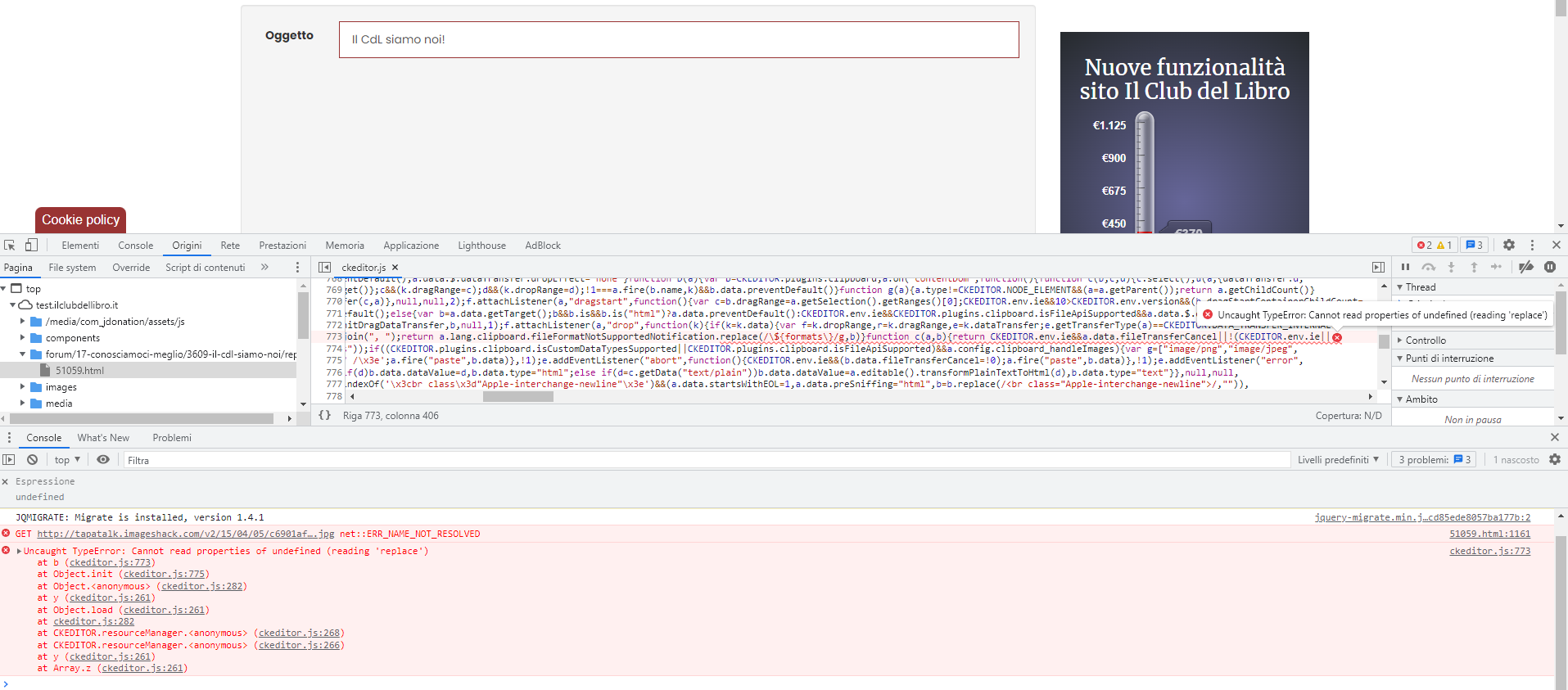
I attached the screenshot of the error in a zip file.
Replied by guidocx84 on topic The editor text field isn't available after upgrade to 5.2.7
Yes, there is an error on ckeditor.jsI assume you've already checked with the console to see if an error was displayed during the loading process. If not, do it, please.Besides, you can block with your browser tool (tab network) scripts one by one, then refresh the page always. So you can find out, if there are conflicts with a script.As workaround, you can use the BBCode editor too for now (your Kunena template -> tab BBCode), then you can do the trouble search at a time were there is no activity in the forum.
I tried to overwrite it with the file extracted directly from the Kunena installer but it's the same file and nothing happened. Same error.
I tried also to check the file permissions and are the same of other files.
Do you have any idea about the meaning of the error?
I don't need the workaround because I'm in test environment but thank you for the suggestion. I confirm that the workaround works for me but I need the editor in production environment
I attached the screenshot of the error in a zip file.
Last edit: 4 years 10 months ago by guidocx84.
Please Log in or Create an account to join the conversation.
Less
More
- Posts: 12298
- Thank you received: 2544
4 years 10 months ago #220482
by rich
Important! Always create a backup before you make any changes to your website!
Replied by rich on topic The editor text field isn't available after upgrade to 5.2.7
The error message is the same as when using an optimize tool. But Kunena 5.2.7 contain also a CKEditor upgrade. What happens, if you test it with the ckeditor.js from a Kunena 5.2.6 installation package?
Important! Always create a backup before you make any changes to your website!
The following user(s) said Thank You: guidocx84
Please Log in or Create an account to join the conversation.
4 years 10 months ago #220516
by guidocx84
Replied by guidocx84 on topic The editor text field isn't available after upgrade to 5.2.7
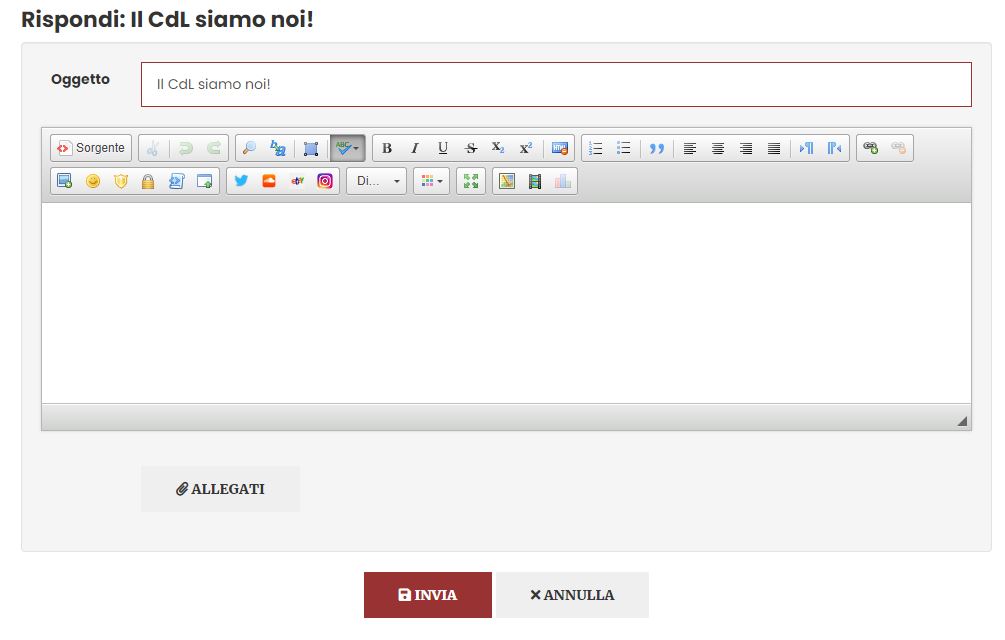
If I test it with the ckeditor.js from my production environment (Kunena 5.2.6) it works!The error message is the same as when using an optimize tool. But Kunena 5.2.7 contain also a CKEditor upgrade. What happens, if you test it with the ckeditor.js from a Kunena 5.2.6 installation package?
Please Log in or Create an account to join the conversation.


4 years 10 months ago - 4 years 10 months ago #220517
by xillibit
I don't provide support by PM, because this can be useful for someone else.
Replied by xillibit on topic The editor text field isn't available after upgrade to 5.2.7
Hello,
I don't find something related to your error :
I don't find something related to your error :
In custom config of CKeditor that your are using, do-you have set an another language than en-GB ?TypeError: Cannot read properties of undefined (reading 'replace')
I don't provide support by PM, because this can be useful for someone else.
Last edit: 4 years 10 months ago by xillibit.
Please Log in or Create an account to join the conversation.
4 years 10 months ago #220522
by guidocx84
The cloned custom file works only with Kunena 5.2.6 ckeditor.js but I noticed also that the settings that I defined in BBCode tab of Crypsis (e.g. I disabled "Align left", "Align right", "Center" and "Justify" buttons) were ignored, similar to other buttons that I disabled from backend.
Replied by guidocx84 on topic The editor text field isn't available after upgrade to 5.2.7
Hi! No, I didn't change anything inside the configuration file. I copied the ckeditor_config.js and I renamed the file as customckeditor_config.js, then I uploaded it.Hello,
I don't find something related to your error :In custom config of CKeditor that your are using, do-you have set an another language than en-GB ?TypeError: Cannot read properties of undefined (reading 'replace')
The cloned custom file works only with Kunena 5.2.6 ckeditor.js but I noticed also that the settings that I defined in BBCode tab of Crypsis (e.g. I disabled "Align left", "Align right", "Center" and "Justify" buttons) were ignored, similar to other buttons that I disabled from backend.
Please Log in or Create an account to join the conversation.
Time to create page: 0.142 seconds