
- Posts: 8
- Thank you received: 0
Kunena 7.0.11 & Kunena 6.4.16 – Security Updates Released and K7.1 in RC1 2
The Kunena team has announce the arrival of three simultaneous security release : K6.4.16, K7.0.11 and K7.1 RC2. Just a reminder K6.4.16 receives only securities fixes untill end of 2026, so it's advised for users to upgrade to K7.0.11. K7.0.11 is the last release of the K7.0 because it's replaced by K7.1 branch with the stable release in the corner. The translations for K7.1 on crowdin.com/project/kunena-forum-7-1 needs to be checked or improved becasue it has been generated by TM (Translation Machine).
Solved How to block photo in my forum post
- Bonaventure116
-

- Offline
- New Member
-

Less
More
10 years 7 months ago #173661
by Bonaventure116
Popular things may not be right
Replied by Bonaventure116 on topic How to use css to hide photo on post
please what do you mean9themestore wrote: Hi Bonaventure116,
Please capture the element you want to hide it.
Popular things may not be right
Please Log in or Create an account to join the conversation.


Less
More
- Posts: 12297
- Thank you received: 2543
10 years 7 months ago - 10 years 7 months ago #173668
by rich
Important! Always create a backup before you make any changes to your website!
Replied by rich on topic How to block photo in my forum post
==Topics merged==
@9themestore
I've merged the topics so you can see what Bonaventure116 means.
@Bonaventure116
Which Kunena template do you use?
@9themestore
I've merged the topics so you can see what Bonaventure116 means.
@Bonaventure116
Which Kunena template do you use?
Important! Always create a backup before you make any changes to your website!
Last edit: 10 years 7 months ago by rich.
Please Log in or Create an account to join the conversation.
- Bonaventure116
-
- Offline
- New Member
-
Less
More
- Posts: 8
- Thank you received: 0
10 years 7 months ago - 10 years 7 months ago #173678
by Bonaventure116
Popular things may not be right
Replied by Bonaventure116 on topic How to block photo in my forum post
am using Blue Eagle
Popular things may not be right
Last edit: 10 years 7 months ago by Bonaventure116.
Please Log in or Create an account to join the conversation.
Less
More
- Posts: 12297
- Thank you received: 2543
10 years 7 months ago - 10 years 7 months ago #173683
by rich
Important! Always create a backup before you make any changes to your website!
Replied by rich on topic How to block photo in my forum post
First select in backend "Kunena -> Templates -> click on Blue Eagle -> Settings" Profile Position = Top.
Then go in backend to "Kunena -> Templats -> mark Blue Eagle -> Edit CSS -> custom.css -> Edit CSS" and enter this code:
Is that what you want?
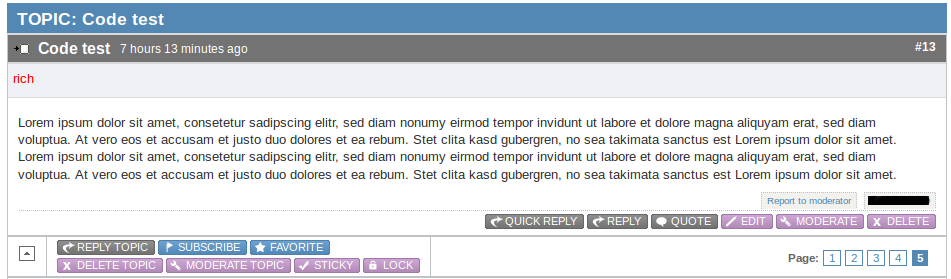
Then go in backend to "Kunena -> Templats -> mark Blue Eagle -> Edit CSS -> custom.css -> Edit CSS" and enter this code:
Code:
#Kunena span.kavatar img,
#Kunena .kbuttononline-yes,
#Kunena .kbuttononline-no,
#Kunena .kicon-profile-gender-unknown,
#Kunena .kicon-profile-gender-male,
#Kunena .kicon-profile-gender-female,
#Kunena ul#kpost-profiletop li.kpost-userrank,
#Kunena ul#kpost-profiletop li.kpost-userrank-img,
#Kunena .kpost-userposts,
#Kunena li.kpost-karma span.kmsgkarma
{
display: none;
}
Is that what you want?
Important! Always create a backup before you make any changes to your website!
Last edit: 10 years 7 months ago by rich.
Please Log in or Create an account to join the conversation.
- Bonaventure321
-
 Topic Author
- Offline
- New Member
-
Less
More
- Posts: 3
- Thank you received: 0
10 years 7 months ago #173726
by Bonaventure321
Replied by Bonaventure321 on topic How to block photo in my forum post
thank you it works perfectly
Please Log in or Create an account to join the conversation.
Time to create page: 0.131 seconds