


- Posts: 75
- Thank you received: 3
Kunena 7.0.4 Released
The Kunena team has announce the arrival of Kunena 7.0.4 [K 7.0.4] in stable which is now available for download as a native Joomla extension for J! 5.4.x/6.0.x. This version addresses most of the issues that were discovered in K 6.2 / K 6.3 / K 6.4 and issues discovered during the last development stages of K 7.0
Topics that are moved into this category are generally considered to be closed. Users may want to add additional information but these topics should not be resurrected in order to discuss new problems or unrelated matters.
Solved Many emails to admin on same post
12 years 1 month ago #154948
by achartier
Replied by achartier on topic Many emails to admin on same post
You are correct that I use another account for normal usage and leave the super user account for special functions. the email associated with my normal account (43) is alex@ and the email associated with the super user account (42) is achartier@.
There are a number of entries in the _kunena_user_categories for ID 43, but no entries for ID 42. The notices however are addressed to the achartier@ email address which is associated with the super user account ID 42.
I have upgraded to 3.0.5 (I was at 3.0.4) and below is my configuration report:
There are a number of entries in the _kunena_user_categories for ID 43, but no entries for ID 42. The notices however are addressed to the achartier@ email address which is associated with the super user account ID 42.
I have upgraded to 3.0.5 (I was at 3.0.4) and below is my configuration report:
This message contains confidential information
Database collation check: The collation of your table fields are correct
Joomla! SEF: Disabled | Joomla! SEF rewrite: Disabled | FTP layer: Disabled |
This message contains confidential informationhtaccess: Exists | PHP environment: Max execution time: 30 seconds | Max execution memory: 256M | Max file upload: 64M
Kunena menu details:
Warning: Spoiler!
ID Name Menutype Link Path 302 Forum kunenamenu view=home&defaultmenu=304 forum 303 Index kunenamenu view=category&layout=list&catid=0 forum/index 304 Recent Topics kunenamenu view=topics&mode=replies forum/recent 305 New Topic kunenamenu view=topic&layout=create&catid= forum/newtopic 306 No Replies kunenamenu view=topics&mode=noreplies forum/noreplies 307 My Topics kunenamenu view=topics&layout=user&mode=default forum/mylatest 308 Profile kunenamenu view=user forum/profile 309 Help kunenamenu view=misc forum/help 310 Search kunenamenu view=search forum/search 312 Rules kunenamenu view=misc forum/rules 616 BB Pending Approval faqmaint view=topics&layout=posts&mode=unapproved&userid= bb-pending-approval
Joomla default template details : tk_responsi_free | author: ThemeKat | version: 1.0.0 | creationdate: Unknown
Kunena default template details : Blue Eagle | author: Kunena Team | version: 3.0.5 | creationdate: 2014-03-09
Kunena version detailed: Kunena 3.0.5 | 2014-03-09 [ Invecchiato ]
| Kunena detailed configuration:| Kunena integration settings:Warning: Spoiler!
Kunena config settings: board_offline 0 enablerss 0 threads_per_page 20 messages_per_page 6 messages_per_page_search 15 showhistory 1 historylimit 6 shownew 1 disemoticons 0 template blue_eagle showannouncement 0 avataroncat 0 catimagepath category_images/ showchildcaticon 1 rtewidth 450 rteheight 300 enableforumjump 1 reportmsg 1 username 0 askemail 0 showemail 0 showuserstats 0 showkarma 0 useredit 1 useredittime 0 useredittimegrace 600 editmarkup 1 allowsubscriptions 1 subscriptionschecked 1 allowfavorites 1 maxsubject 50 maxsig 300 regonly 1 pubwrite 0 floodprotection 0 mailmod 0 mailadmin 0 captcha 0 mailfull 0 allowavatarupload 1 allowavatargallery 1 avatarquality 65 avatarsize 2048 imageheight 800 imagewidth 800 imagesize 1024 filetypes txt,rtf,pdf,zip,tar.gz,tgz,tar.bz2 filesize 1024 showranking 1 rankimages 1 userlist_rows 30 userlist_online 0 userlist_avatar 0 userlist_name 1 userlist_posts 0 userlist_karma 0 userlist_email 0 userlist_joindate 0 userlist_lastvisitdate 1 userlist_userhits 0 latestcategory showstats 0 showwhoisonline 0 showgenstats 0 showpopuserstats 0 popusercount 5 showpopsubjectstats 0 popsubjectcount 5 usernamechange 0 showspoilertag 1 showvideotag 1 showebaytag 1 trimlongurls 1 trimlongurlsfront 40 trimlongurlsback 20 autoembedyoutube 1 autoembedebay 1 ebaylanguagecode en-us sessiontimeout 1800 highlightcode 0 rss_type topic rss_timelimit month rss_limit 100 rss_included_categories rss_excluded_categories rss_specification rss2.0 rss_allow_html 1 rss_author_format name rss_author_in_title 1 rss_word_count 0 rss_old_titles 1 rss_cache 900 defaultpage recent default_sort asc sef 1 showimgforguest 1 showfileforguest 1 pollnboptions 4 pollallowvoteone 1 pollenabled 0 poppollscount 5 showpoppollstats 0 polltimebtvotes 00:15:00 pollnbvotesbyuser 100 pollresultsuserslist 1 maxpersotext 50 ordering_system mesid post_dateformat ago post_dateformat_hover datetime hide_ip 1 imagetypes jpg,jpeg,gif,png,pdf checkmimetypes 0 imagemimetypes image/jpeg,image/jpg,image/gif,image/png imagequality 50 thumbheight 32 thumbwidth 32 hideuserprofileinfo put_empty boxghostmessage 0 userdeletetmessage 2 latestcategory_in 1 topicicons 1 debug 0 catsautosubscribed 0 showbannedreason 0 version_check 1 showthankyou 0 showpopthankyoustats 0 popthankscount 5 mod_see_deleted 0 bbcode_img_secure text listcat_show_moderators 0 lightbox 0 show_list_time 720 show_session_type 0 show_session_starttime 0 userlist_allowed 1 userlist_count_users 1 enable_threaded_layouts 0 category_subscriptions topic topic_subscriptions first pubprofile 0 thankyou_max 10 email_recipient_count 20 email_recipient_privacy bcc captcha_post_limit 0 keywords 0 userkeywords 0 image_upload registered file_upload registered topic_layout flat time_to_create_page 1 show_imgfiles_manage_profile 1 hold_newusers_posts 0 hold_guest_posts 0 attachment_limit 8 pickup_category 0 article_display intro send_emails 1 fallback_english 1 cache 1 cache_time 60 iptracking 1 rss_feedburner_url autolink 1 access_component 1 statslink_allowed 1 userlist_usertype 0 sefutf8 0 changename 0 enablepdf 0 jmambot 0 annmodid 62 userlist_username 0 rules_infb 1 help_infb 1 onlineusers 1 | Joomla! detailed language files installed:Warning: Spoiler!Kunena - AlphaUserPoints Disabled
Kunena - Community Builder Enabled: access=1 login=0 activity=0 avatar=1 profile=1 private=0
Kunena - Gravatar Disabled
Kunena - JomSocial Disabled
Kunena - Joomla Enabled: access=1 login=1
Kunena - Kunena Enabled: avatar=1 profile=1
Kunena - UddeIM Disabled
Warning: Spoiler!
Joomla! languages installed: en-GB English (United Kingdom)
Third-party components: CommunityBuilder 1.9.1
Third-party SEF components: None
Plugins: None
Modules: None
Please Log in or Create an account to join the conversation.


12 years 1 month ago - 12 years 1 month ago #154951
by sozzled
Blue Eagle vs. Crypsis reference guide
Read my blog and

Replied by sozzled on topic Many emails to admin on same post
Let me try to summarise my understanding of what emails can be generated by Kunena.
(1) Configuration » Security » Security Settings » E-mail Administrators
There are three possible values:
(1) Configuration » Security » Security Settings » E-mail Mderators
There are three possible values:
(3) If you subscribe to a category. You will receive an email notifying you of messages posted in all topics in that category, depending on the setting
Configuration » Users » Subscriptions » Category Subscriptions
which has three possible values:
(4) If you subscribe to a topic. You will receive an email notifying you of messages posted to the topics you subscribe to, depending on the setting
Configuration » Users » Subscriptions » Topic Subscriptions
which has three possible values:
(5) Configuration » Users » Subscriptions » Visible E-mail Recipient
This information is not displayed in the configuration report for privacy reasons. The "help text" about this setting states
I have to admit that I do not know how exactly what this setting does and I have never tried it myself. Perhaps this is why you are getting all those emails?
(1) Configuration » Security » Security Settings » E-mail Administrators
There are three possible values:
- No = no emails are sent to the administrators
- Unapproved Posts = when a new message is posted to a category where Review Posts = Yes, an email is generated informing the administrator that there is a message to be approved. This is the default value.
- All New Posts = an email is sent to the administrators whenever there is a new message posted on the forum.
(1) Configuration » Security » Security Settings » E-mail Mderators
There are three possible values:
- No = no emails are sent to moderators
- Unapproved Posts = when a new message is posted to a category where Review Posts = Yes, an email is generated informing the moderators that there is a message to be approved. This is the default value.
- All New Posts = an email is sent to the moderators whenever there is a new message posted on the forum.
(3) If you subscribe to a category. You will receive an email notifying you of messages posted in all topics in that category, depending on the setting
Configuration » Users » Subscriptions » Category Subscriptions
which has three possible values:
- Disabled = no category subscription emails are generated
- Email New Topics = e-mails will only be posted to category subscribers when new topics are created; users will not receive updates to those topics unless they subscribe to the topics individually (see note (4) below)
- Email New Posts = e-mails will be posted for all new postings made in categories that users are subscribed to (this is the default value)
(4) If you subscribe to a topic. You will receive an email notifying you of messages posted to the topics you subscribe to, depending on the setting
Configuration » Users » Subscriptions » Topic Subscriptions
which has three possible values:
- Disabled = no topic subscription emails are generated
- Email First Update = only one e-mail will be sent to subscribers saying that there are new posts in that topic; users will not receive updates to those topics unless they log in and read the topics individually
- Email Every Update = e-mails will be posted for all new postings made in categories that users are subscribed to (this is the default value)
(5) Configuration » Users » Subscriptions » Visible E-mail Recipient
This information is not displayed in the configuration report for privacy reasons. The "help text" about this setting states
Do you have something entered in this field?If a single subscription e-mail is sent to more than one recipient and E-mail Recipient Privacy = Hide Other Recipients (BCC), you should have a valid e-mail address in this field. Warning: this e-mail address will get all the e-mail sent by the forum. If no e-mail address is provided, subscription e-mails may be treated as spam.
I have to admit that I do not know how exactly what this setting does and I have never tried it myself. Perhaps this is why you are getting all those emails?
Blue Eagle vs. Crypsis reference guide
Read my blog and
Last edit: 12 years 1 month ago by sozzled.
Please Log in or Create an account to join the conversation.
12 years 1 month ago - 12 years 1 month ago #154952
by sozzled
Blue Eagle vs. Crypsis reference guide
Read my blog and
Replied by sozzled on topic Many emails to admin on same post
Problems often occur when people change the configuration settings. Most of the time, Kunena will work quite well without making any change to the configuration.
It is, perhaps, unfortunate that there is not a lot of detailed explanation about what each of the couple of hundred configuration settings do. Some settings work independently of one another but, in the case of subscriptions, you can see that some settings depend on other settings.
In cases where people make more changes to the configuration than they can remember, there is always the
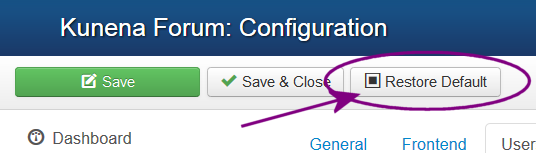
option.
It is, perhaps, unfortunate that there is not a lot of detailed explanation about what each of the couple of hundred configuration settings do. Some settings work independently of one another but, in the case of subscriptions, you can see that some settings depend on other settings.
In cases where people make more changes to the configuration than they can remember, there is always the
option.
Blue Eagle vs. Crypsis reference guide
Read my blog and
Last edit: 12 years 1 month ago by sozzled.
Please Log in or Create an account to join the conversation.
12 years 1 month ago #154954
by achartier
Replied by achartier on topic Many emails to admin on same post
Here are my settings for those options:
(1) Configuration » Security » Security Settings » E-mail Administrators = Unapproved Posts
(2) Configuration » Security » Security Settings » E-mail Mderators = Unapproved Posts
(3) Configuration » Users » Subscriptions » Category Subscriptions = E-Mail New Topics
(4) Configuration » Users » Subscriptions » Topic Subscriptions = E-Mail First Update
(5) Configuration » Users » Subscriptions » Visible E-mail Recipient = forum@....
Note: item 5, there is no email address forum@..., there is a catchall address script that does some redirection of unknown emails but there is nothing done with forum@ so anything to that address is simply dropped.
I would really prefer not to restore defaults as I have no idea what how that will affect the configuration.
(1) Configuration » Security » Security Settings » E-mail Administrators = Unapproved Posts
(2) Configuration » Security » Security Settings » E-mail Mderators = Unapproved Posts
(3) Configuration » Users » Subscriptions » Category Subscriptions = E-Mail New Topics
(4) Configuration » Users » Subscriptions » Topic Subscriptions = E-Mail First Update
(5) Configuration » Users » Subscriptions » Visible E-mail Recipient = forum@....
Note: item 5, there is no email address forum@..., there is a catchall address script that does some redirection of unknown emails but there is nothing done with forum@ so anything to that address is simply dropped.
I would really prefer not to restore defaults as I have no idea what how that will affect the configuration.
Please Log in or Create an account to join the conversation.
12 years 1 month ago #154955
by sozzled
Blue Eagle vs. Crypsis reference guide
Read my blog and
Replied by sozzled on topic Many emails to admin on same post
My first thought is to clear the setting (5)
Configuration » Users » Subscriptions » Visible E-mail Recipient
On a personal note, I am a little disappointed that larrykaiser who posted - at msg #2 - has not engaged with us on this topic. Perhaps he found a cure for the issue and might be able to offer us some suggestions. I will be going away (leaving later today) overseas for about a week. It would be good to hope that, while I am away, someone is able to find the cause of this mysterious behaviour and let us all know!
Alernatively, when I return, there is always the option of following this matter through outside of the forum here.
Configuration » Users » Subscriptions » Visible E-mail Recipient
On a personal note, I am a little disappointed that larrykaiser who posted - at msg #2 - has not engaged with us on this topic. Perhaps he found a cure for the issue and might be able to offer us some suggestions. I will be going away (leaving later today) overseas for about a week. It would be good to hope that, while I am away, someone is able to find the cause of this mysterious behaviour and let us all know!
Alernatively, when I return, there is always the option of following this matter through outside of the forum here.
Blue Eagle vs. Crypsis reference guide
Read my blog and
Please Log in or Create an account to join the conversation.
12 years 1 month ago #154956
by achartier
Replied by achartier on topic Many emails to admin on same post
OK, I have cleared that field and will monitor. My forum is not that busy as it is used only for a retirement community, may be a few days before I know any more.
Have a good trip.
Have a good trip.
Please Log in or Create an account to join the conversation.
Time to create page: 0.283 seconds