
Kunena 7.0.5 & Kunena 6.4.11 – Security Updates Released
The Kunena team has announce the arrival of Kunena 7.0.5 [K 7.0.5] in stable which is now available for download as a native Joomla extension for J! 5.4.x/6.0.x. This version addresses most of the issues that were discovered in K 6.2 / K 6.3 / K 6.4 and issues discovered during the last development stages of K 7.0.
The Kunena team is also pleased to announce the eleventh version of Kunena 6.4, a native Joomla extension for Joomla! 5.0, 5.1, 5.2, 5.3, 5.4 and 6.0.
Solved Getting com-kunena-trash-manager in my SEF URL for the blog
- Jiminimonka
-

- Offline
- Elite Member
-

- YBAS!
See if that works and then report back the results please.
Please Log in or Create an account to join the conversation.
- Soggy Geek
-

- Offline
- New Member
-

- Posts: 5
- Thank you received: 0
However, it only changed my issue slightly. Now all my forum menu items have links like this:
csyowners.com/index.php/com-kunena-configuration/forum/index
instead of what was originally there:
csyowners.com/index.php/forum/index
How do I configure it so that the 'com-kunena-configuration' isn't in the URL?
Attached are screen shots of the Joomla Menu Config pages for the Forum
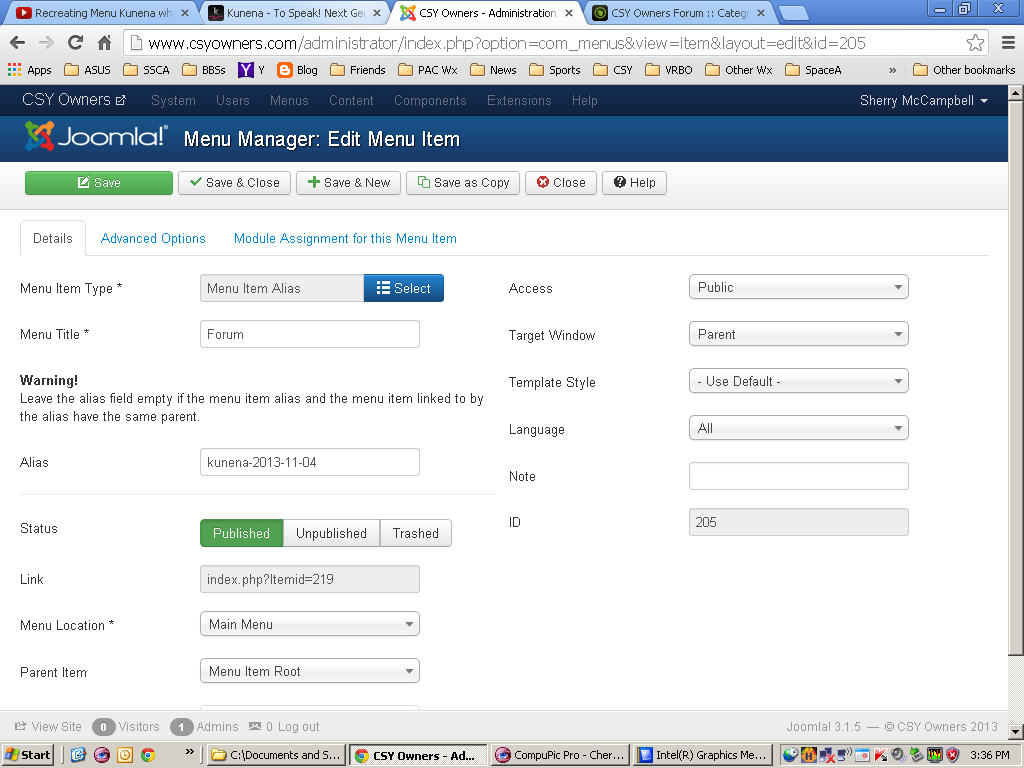
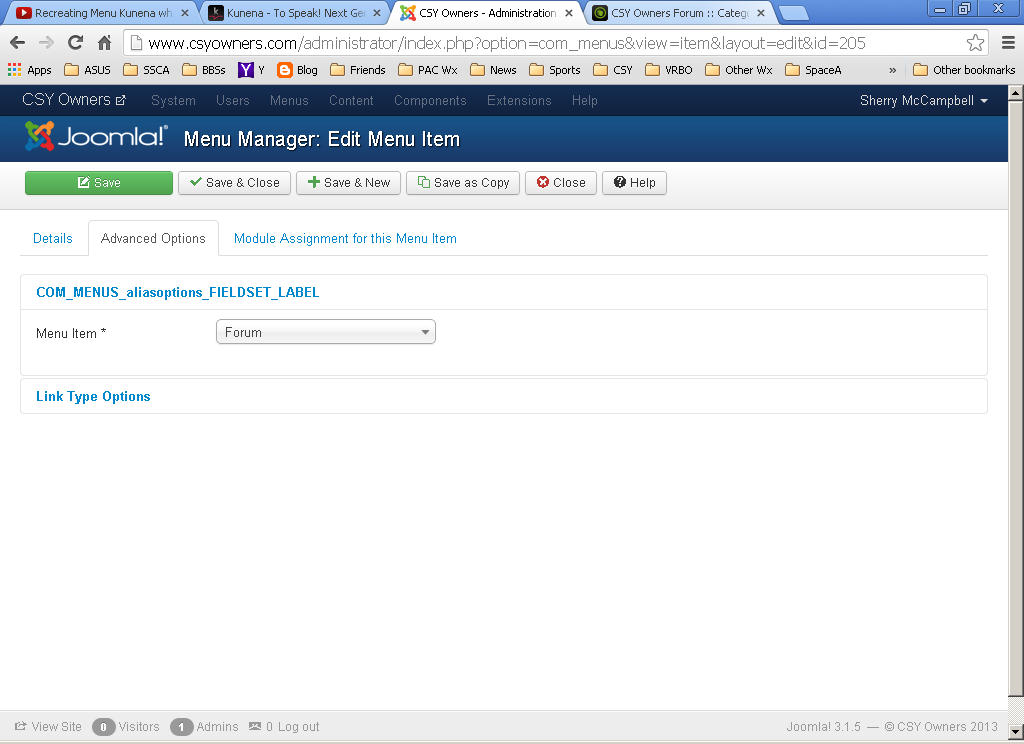
"You only grow old when regrets take the place of dreams."
svsoggypaws.blogspot.com
Please Log in or Create an account to join the conversation.


By "trash-and-burn" I mean to trash the menu items and then empty the menu trash; permanently delete the items from your site. The technique is explained (a little) on our FAQs page.
The next part of your problem - your pages links look like domain-name/index.php/forum/index - is actually related to your original problem. My suspicion is that it's tied-in with how you've implemented SEO. I am sure we've discussed this in the past. The main point that we need to make is that this is not, strictly-speaking, a Kunena issue as it is essentially a Joomla-related matter resulting from how you've set things up on your website before you installed Kunena.
I think this topic may have the help that you are looking for: How do I change the URL of my forum?
Blue Eagle vs. Crypsis reference guide
Read my blog and

Please Log in or Create an account to join the conversation.
Blue Eagle vs. Crypsis reference guide
Read my blog and
Please Log in or Create an account to join the conversation.


Rebuilding menus from menu manager sometimes helps to solve this issue.
Please Log in or Create an account to join the conversation.
- Soggy Geek
-
- Offline
- New Member
-
- Posts: 5
- Thank you received: 0
It only changed my issue slightly. Now all my forum menu items have links like this:
csyowners.com/index.php/com-kunena-configuration/forum/index
instead of what was originally there:
csyowners.com/index.php/forum/index
How do I configure it so that the 'com-kunena-configuration' isn't in the URL?
"You only grow old when regrets take the place of dreams."
svsoggypaws.blogspot.com
Please Log in or Create an account to join the conversation.