
- Posts: 13
- Thank you received: 0
Kunena 7.0.8 Released
The Kunena team has announce the arrival of Kunena 7.0.8 [K 7.0.8] in stable which is now available for download as a native Joomla extension for J! 5.4.x/6.0.x./6.1.x. This version addresses most of the issues that were discovered in K 6.2 / K 6.3 / K 6.4 and issues discovered during the last development stages of K 7.0
Solved Crypsis custom icons
- antonio123
-
 Topic Author
- Offline
- New Member
-

Less
More
10 years 7 months ago #172425
by antonio123
Replied by antonio123 on topic Crypsis custom icons
Sill wont work. Is it possible to edit the preset images?
Please Log in or Create an account to join the conversation.


10 years 7 months ago - 10 years 7 months ago #172427
by 810
Replied by 810 on topic Crypsis custom icons
I just tried again, and for me its working.
1) copy file to: \components\com_kunena\template\blue_eagle\images\icons\
2) Go to backend - kunena - category manager - select category
3) enter at Category Icon: icon-gs
4) Go to template manager - select template - edit css - select custom.css - edit css
5) enter:
6) Click on save, then go to the frontend - kunena - index
There you see your image
1) copy file to: \components\com_kunena\template\blue_eagle\images\icons\
2) Go to backend - kunena - category manager - select category
3) enter at Category Icon: icon-gs
4) Go to template manager - select template - edit css - select custom.css - edit css
5) enter:
Code:
#Kunena .icon-gs {
background-image: url("../images/icons/tweet_icon.png");
width: 16px;
height:16px;
}
6) Click on save, then go to the frontend - kunena - index
There you see your image
Last edit: 10 years 7 months ago by 810.
Please Log in or Create an account to join the conversation.
- antonio123
-
Topic Author
- Offline
- New Member
-
Less
More
- Posts: 13
- Thank you received: 0
10 years 7 months ago #172428
by antonio123
Replied by antonio123 on topic Crypsis custom icons
Thats exactly what I did and it doesn't show up. I’m supposed to use the crypsis folder right?
Please Log in or Create an account to join the conversation.
10 years 7 months ago - 10 years 7 months ago #172430
by 810
Replied by 810 on topic Crypsis custom icons
Blue Eagle:
1) copy file to: \components\com_kunena\template\blue_eagle\images\icons\
2) Go to backend - kunena - category manager - select category
3) enter at Category Icon: icon-gs
4) Go to template manager - select template - edit css - select custom.css - edit css
5) enter:
6) Click on save, then go to the frontend - kunena - index
Crypsis:
1) copy file to: media\kunena\category_icons\
2) Go to backend - kunena - category manager - select category
3) enter at Category Icon: icon-gs
4) Go to template manager - select crypsis - edit less - select custom.less - edit Less
5) enter:
6) Click on save
7) clean cache, then go to the frontend - kunena - index
1) copy file to: \components\com_kunena\template\blue_eagle\images\icons\
2) Go to backend - kunena - category manager - select category
3) enter at Category Icon: icon-gs
4) Go to template manager - select template - edit css - select custom.css - edit css
5) enter:
Code:
#Kunena .icon-gs {
background-image: url("../images/icons/tweet_icon.png");
width: 16px;
height:16px;
}
6) Click on save, then go to the frontend - kunena - index
Crypsis:
1) copy file to: media\kunena\category_icons\
2) Go to backend - kunena - category manager - select category
3) enter at Category Icon: icon-gs
4) Go to template manager - select crypsis - edit less - select custom.less - edit Less
5) enter:
Code:
.icon-gs {
background-image: url("category_icons/tweet_icon.png");
width: 16px;
height:16px;
}
6) Click on save
7) clean cache, then go to the frontend - kunena - index
Last edit: 10 years 7 months ago by 810.
Please Log in or Create an account to join the conversation.
10 years 7 months ago #172431
by 810
Replied by 810 on topic Crypsis custom icons
ok got it now. See post above
Please Log in or Create an account to join the conversation.
- antonio123
-
Topic Author
- Offline
- New Member
-
Less
More
- Posts: 13
- Thank you received: 0
10 years 7 months ago #172433
by antonio123
Replied by antonio123 on topic Crypsis custom icons
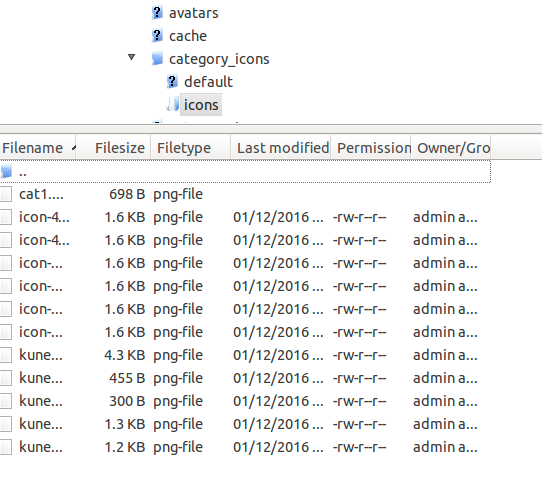
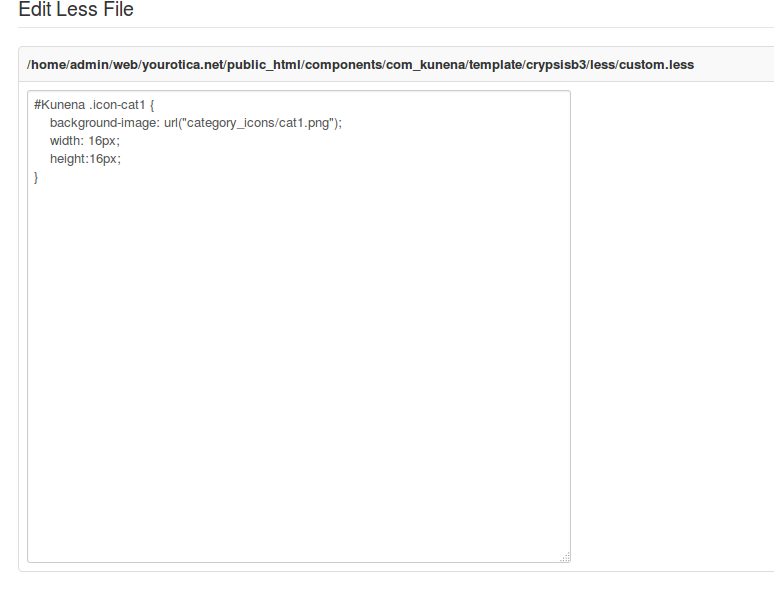
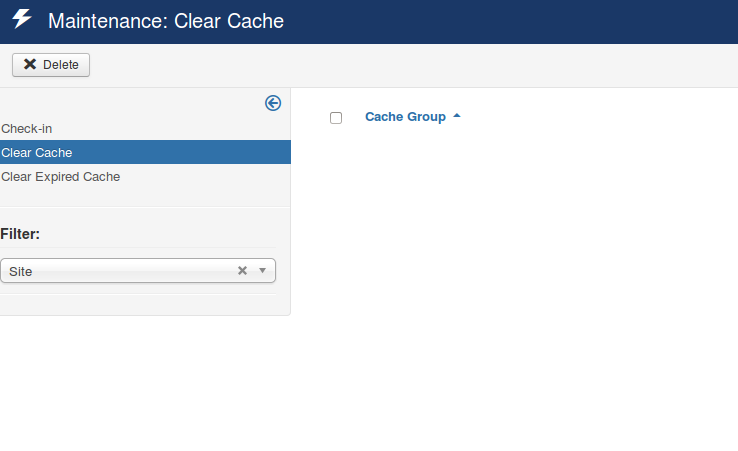
Still not working. Here's some screenshots of what I did.

Please Log in or Create an account to join the conversation.
Time to create page: 0.250 seconds