


- Posts: 63
- Thank you received: 0
Kunena 7.0.9 & Kunena 6.4.14 – Security Updates Released
The Kunena team has announce the arrival of Kunena 7.0.9 [K 7.0.9] in stable which is now available for download as a native Joomla extension for J! 5.4.x/6.0.x./6.1.x. This version addresses most of the issues that were discovered in K 6.2 / K 6.3 / K 6.4 and issues discovered during the last development stages of K 7.0
Topics must relate to a currently supported version of Kunena. If you are unsure what is the current supported version of Kunena, please go to the
download
page.
If you are having problems then, for your own benefit, it would save us all a lot of time if you would kindly post your configuration report when you ask for help from this forum. If you do not post your configuration report we will not ask you for it but you will probably not get your problem solved, either.
If you are having problems then, for your own benefit, it would save us all a lot of time if you would kindly post your configuration report when you ask for help from this forum. If you do not post your configuration report we will not ask you for it but you will probably not get your problem solved, either.
Question Block quote color not able to be seen.
2 years 11 months ago #229520
by lmcclain
Replied by lmcclain on topic Block quote color not able to be seen.
I cleared cache on server and site after adding that code. It still looks the same. What am I doing wrong?
Please Log in or Create an account to join the conversation.


2 years 11 months ago - 2 years 11 months ago #229521
by Leen
With kind regards
Leen
Replied by Leen on topic Block quote color not able to be seen.
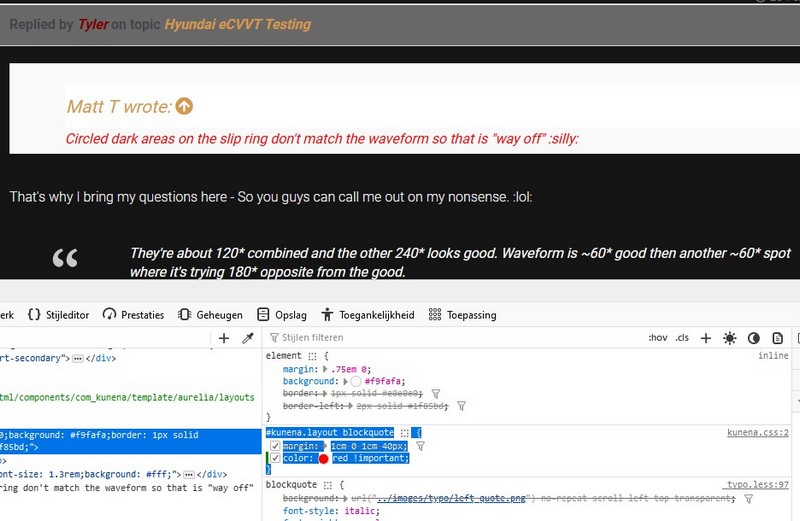
I have no idea if I try it by myself with
So try again with the code below
ps
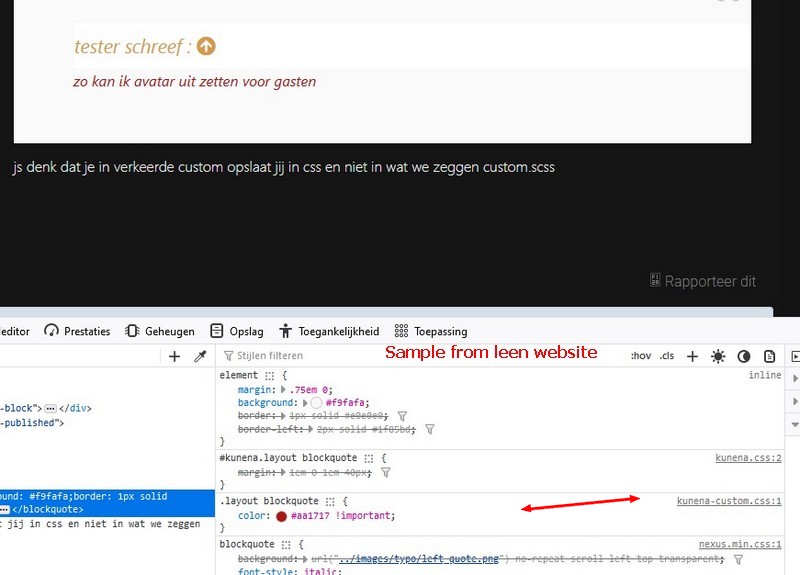
I should note that I actually put it in custom.scss, so I don't know why when I inspect it and see that it is in kunena.custom.scc.
Code:
.layout blockquote {
color: #aa1717 !important;
}
So try again with the code below
Code:
.layout blockquote {
color: red !important;
}
ps
I should note that I actually put it in custom.scss, so I don't know why when I inspect it and see that it is in kunena.custom.scc.
With kind regards
Leen
Last edit: 2 years 11 months ago by Leen.
Please Log in or Create an account to join the conversation.


Less
More
- Posts: 12291
- Thank you received: 2538
2 years 11 months ago #229523
by rich
Important! Always create a backup before you make any changes to your website!
Replied by rich on topic Block quote color not able to be seen.
Did you create the custom.scss manually?
It must be created in this way
, otherwise it will not be recognised!
Important! Always create a backup before you make any changes to your website!
Please Log in or Create an account to join the conversation.
2 years 11 months ago - 2 years 11 months ago #229527
by Leen
With kind regards
Leen
Replied by Leen on topic Block quote color not able to be seen.
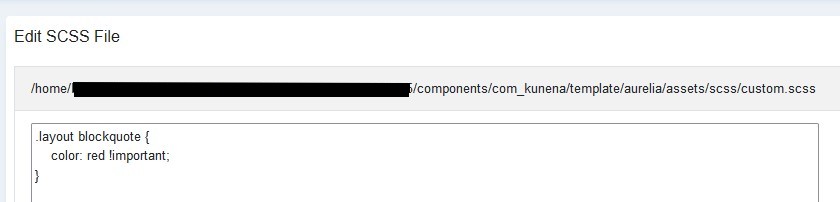
Yes, I use the default custom.scss in the manner described
and I should also note that I did it again in a clean installation (6.2.0-RC1 2023-10-10)also in Version 6.1.4 023-10-05) and this phenomenon also occurs there.
so it's in "mysite/components/com_kunena/template/aurelia/assets/scss/custom.scss" and if I go into
"/public_html/mysite/media/kunena/core/css/custom.css " If you look, it is really empty,
there is also a difference in the path
and I should also note that I did it again in a clean installation (6.2.0-RC1 2023-10-10)also in Version 6.1.4 023-10-05) and this phenomenon also occurs there.
so it's in "mysite/components/com_kunena/template/aurelia/assets/scss/custom.scss" and if I go into
"/public_html/mysite/media/kunena/core/css/custom.css " If you look, it is really empty,
there is also a difference in the path
With kind regards
Leen

Last edit: 2 years 11 months ago by Leen.
Please Log in or Create an account to join the conversation.
2 years 11 months ago #229528
by lmcclain
Replied by lmcclain on topic Block quote color not able to be seen.
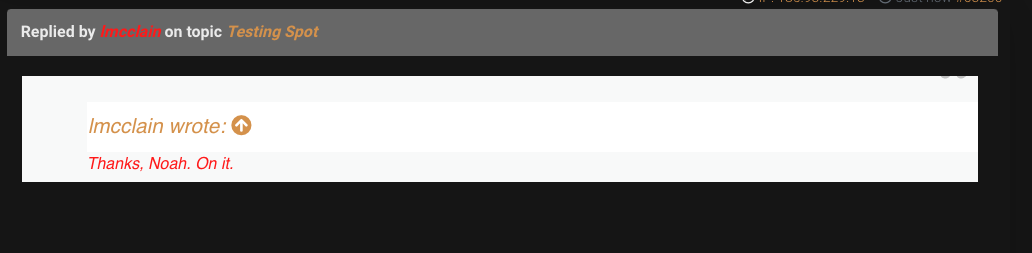
I got the text to change. The white block is still present.
Please Log in or Create an account to join the conversation.
Less
More
- Posts: 12291
- Thank you received: 2538
2 years 11 months ago - 2 years 11 months ago #229529
by rich
Important! Always create a backup before you make any changes to your website!
Replied by rich on topic Block quote color not able to be seen.
@Leen
Those are two different things. Of course, when you type something into the custom.scss, the text field for the custom.css remains empty. But you can try as hard as you like, it won't work because the firewall on lmcclain's page doesn't allow accurate analysis.
@lmcclain
Are your many custom codes still leftovers from the Kunena 5.2 installation? Anyway, these codes interfere with each other and are the problem. If you remove them, the display of the quotes works. I cannot say more about this as your website does not allow analysis.
Those are two different things. Of course, when you type something into the custom.scss, the text field for the custom.css remains empty. But you can try as hard as you like, it won't work because the firewall on lmcclain's page doesn't allow accurate analysis.
@lmcclain
Are your many custom codes still leftovers from the Kunena 5.2 installation? Anyway, these codes interfere with each other and are the problem. If you remove them, the display of the quotes works. I cannot say more about this as your website does not allow analysis.
Important! Always create a backup before you make any changes to your website!
Last edit: 2 years 11 months ago by rich.
The following user(s) said Thank You: Leen
Please Log in or Create an account to join the conversation.
Time to create page: 0.265 seconds