


- Posts: 1250
- Thank you received: 188
Kunena 7.0.9 & Kunena 6.4.14 – Security Updates Released
The Kunena team has announce the arrival of Kunena 7.0.9 [K 7.0.9] in stable which is now available for download as a native Joomla extension for J! 5.4.x/6.0.x./6.1.x. This version addresses most of the issues that were discovered in K 6.2 / K 6.3 / K 6.4 and issues discovered during the last development stages of K 7.0
Topics must relate to a currently supported version of Kunena. If you are unsure what is the current supported version of Kunena, please go to the
download
page.
If you are having problems then, for your own benefit, it would save us all a lot of time if you would kindly post your configuration report when you ask for help from this forum. If you do not post your configuration report we will not ask you for it but you will probably not get your problem solved, either.
If you are having problems then, for your own benefit, it would save us all a lot of time if you would kindly post your configuration report when you ask for help from this forum. If you do not post your configuration report we will not ask you for it but you will probably not get your problem solved, either.
Question Problem with PDF attachments
4 years 1 month ago - 4 years 1 month ago #224291
by Leen
With kind regards
Leen
Replied by Leen on topic Problem with PDF attachments
ha sorry my mistake i had the j3. overlooked
now i see the correct forum with attachment
have you tried it with another pdf? and there are no spaces in the filename?
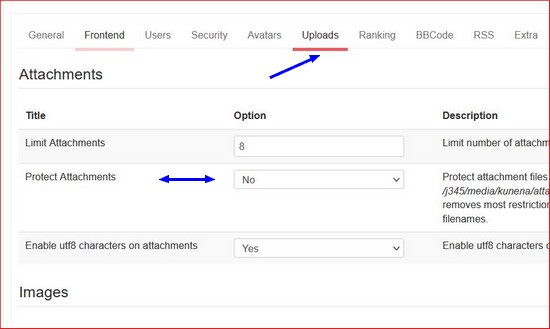
and in Kunena Forum: Configuration>tab uploads>Protect Attachments is set to no ?
now i see the correct forum with attachment
have you tried it with another pdf? and there are no spaces in the filename?
and in Kunena Forum: Configuration>tab uploads>Protect Attachments is set to no ?
With kind regards
Leen
Last edit: 4 years 1 month ago by Leen.
Please Log in or Create an account to join the conversation.


Less
More
- Posts: 12291
- Thank you received: 2538
4 years 1 month ago #224295
by rich
Important! Always create a backup before you make any changes to your website!
Replied by rich on topic Problem with PDF attachments
You have enabled attachment protection in the configuration (Attachments tab), which may cause problems with PDFs. Please try it with disabled protection.
Important! Always create a backup before you make any changes to your website!
Please Log in or Create an account to join the conversation.
- rob parker
-
 Topic Author
- Offline
- Junior Member
-

Less
More
- Posts: 36
- Thank you received: 3
4 years 1 month ago #224297
by rob parker
Replied by rob parker on topic Problem with PDF attachments
The Protect Attachments setting has no effect.
However, the presence of spaces in the pdf filename is the problem. And that's a problem - because we can't control filenames that people may have for their attachments.
It's very odd that this problem exists only for pdf filenames. The other samples on the test site (docx, xlsx, and txt files) all have spaces in the filenames yet work as expected.
However, the presence of spaces in the pdf filename is the problem. And that's a problem - because we can't control filenames that people may have for their attachments.
It's very odd that this problem exists only for pdf filenames. The other samples on the test site (docx, xlsx, and txt files) all have spaces in the filenames yet work as expected.
Please Log in or Create an account to join the conversation.
4 years 1 month ago #224303
by Leen
With kind regards
Leen
Replied by Leen on topic Problem with PDF attachments
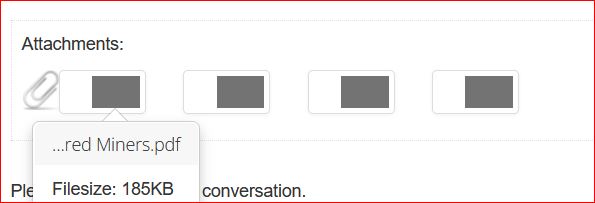
it can't be the case that the name of the pdf(...red Miners) activates your website protection?
the ... is that also part of the file name if you remove those 3 dots does that pdf work? activate your website protection ?
the ... is that also part of the file name if you remove those 3 dots does that pdf work? activate your website protection ?
With kind regards
Leen
Please Log in or Create an account to join the conversation.
- rob parker
-
Topic Author
- Offline
- Junior Member
-
Less
More
- Posts: 36
- Thank you received: 3
4 years 1 month ago #224308
by rob parker
Replied by rob parker on topic Problem with PDF attachments
I very much doubt that's the problem. The shortened filename that appears is governed by the configuration setting (in the Frontend tab) for "Number of characters from end for shorten filename". It's doing the same thing for each of the other filetype attachments in my post on the test site. And there's nothing in that filename - or in the filenames of the attachments in the post on the real site that alerted us to this problem - that would trigger our custom URL protection.
Please Log in or Create an account to join the conversation.
4 years 1 month ago #224309
by Leen
With kind regards
Leen
Replied by Leen on topic Problem with PDF attachments
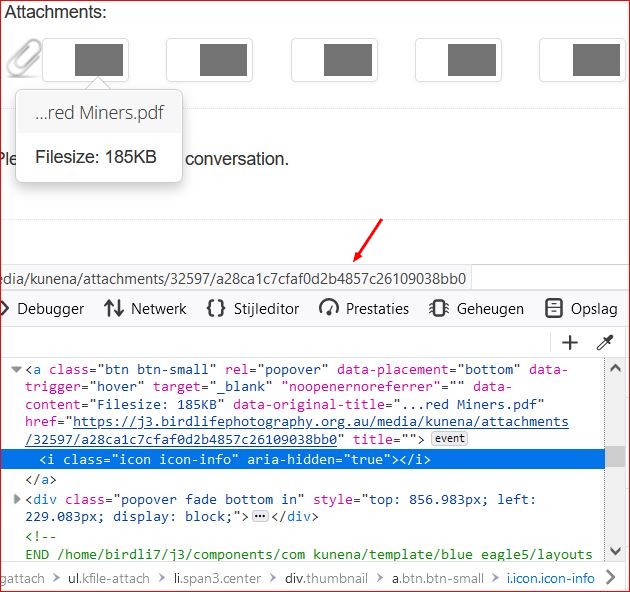
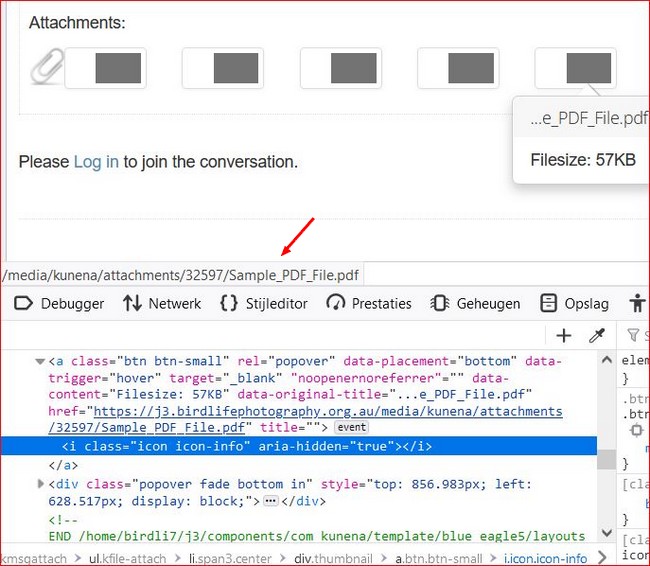
I find it strange that I can choose all attachments what I want to do with it save or read in browsers so also the last one posted Sample_PDF_File.pdf
Except those red miners.pdf
I'm going to think that the file is damaged or incorrectly uploaded, the more so because I don't even inspect file name (numbers and letters only). (as I can see at sample_pdf)
or other way the file itself is somehow secured.
Except those red miners.pdf
I'm going to think that the file is damaged or incorrectly uploaded, the more so because I don't even inspect file name (numbers and letters only). (as I can see at sample_pdf)
or other way the file itself is somehow secured.
With kind regards
Leen
Please Log in or Create an account to join the conversation.
Time to create page: 0.237 seconds