Kunena 7.0.4 Released

The Kunena team has announce the arrival of Kunena 7.0.4 [K 7.0.4] in stable which is now available for download as a native Joomla extension for J! 5.4.x/6.0.x. This version addresses most of the issues that were discovered in K 6.2 / K 6.3 / K 6.4 and issues discovered during the last development stages of K 7.0

Topics must relate to a currently supported version of Kunena. If you are unsure what is the current supported version of Kunena, please go to the download page.

If you are having problems then, for your own benefit, it would save us all a lot of time if you would kindly post your configuration report when you ask for help from this forum. If you do not post your configuration report we will not ask you for it but you will probably not get your problem solved, either.

Question TextArea is hidden

More
5 years 2 weeks ago #216959 by timmangan
Replied by timmangan on topic TextArea is hidden
I have had the same issue as the subject of the post.  After investigating, I found this post and think perhaps the moderator didn't understand the issue.

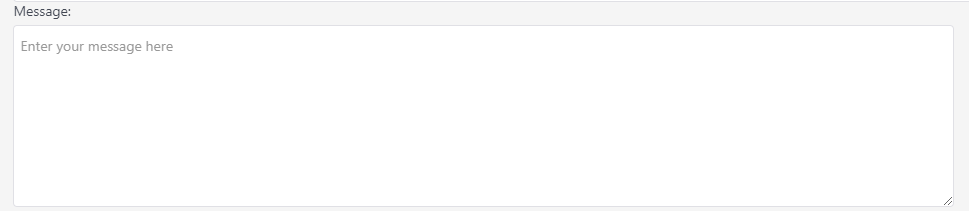
My issue is that when a user attempts to add/edit a post, the form appears with the textarea element hidden.  Every thing else is fine, just that the textarea when the content would go is not visible.  Tracing shows the field present, but with a style added of "visibility:hidden".  I tried editing the ckeditor.php code to override it but it seems to be applied later.

The issue appears to be with my back end Joomla template (or an incompatibility between it an Kunena).  I was able to overcome the issue (for now) by changing out the joomla template in use for the joomla menu for the forum.  Not ideal, but it overcomes the issue.  In my case I was using the JSN Epic Pro template for Joomla. 

I did purchase the Blue Eagle5 template for kunena hoping that might solve it, but any of the free templates or Blue Eagle5 had the same issue.

Please Log in or Create an account to join the conversation.

More
5 years 2 weeks ago - 5 years 2 weeks ago #216960 by rich
Replied by rich on topic TextArea is hidden

I found this post and think perhaps the moderator didn't understand the issue.

Just in my situation excluding ckeditor helps and 'visibility: hidden' is not affecting my text area.
So I think, this one problem is solved.

But it doesn't looks right please see attachements what I have is one with all of the icons above, and what I expect is the other one:

  
I see on the first image an editor with symbols, and on the second image an editor without symbols. Therefore, I think, the user want an editor without symbols. I am sorry, but if its meant differently, then I do not understand it.

I have exclude the /media/kunena/core/js/ckeditor.js will that make any changes to my element?

 
And I don't understand this question either. This solution only ensures that the ckeditor.js is excluded from the page optimization and can be loaded.

Important! Always create a backup before you make any changes to your website!
Last edit: 5 years 2 weeks ago by rich.

Please Log in or Create an account to join the conversation.

More
5 years 2 weeks ago #216962 by Bigbunny
Replied by Bigbunny on topic TextArea is hidden
This may or may not help.  About three years or so ago I had an issue with Joomla images and a few other things that was down to a JSN template that I was testing.  Swapped out the template for another and the issue disappeared.  A good test in my case was to initially test what I was doing  with one of the standard free Joomla templates that came with it. The JSN was stated as being compatible with the Joomla version at the time but it wasn't.  Hopefully JSN have  improved since then, but I have not tried any since my issue.

Please Log in or Create an account to join the conversation.

Time to create page: 0.241 seconds