


- Posts: 10
- Thank you received: 0
Kunena 7.0.4 Released
The Kunena team has announce the arrival of Kunena 7.0.4 [K 7.0.4] in stable which is now available for download as a native Joomla extension for J! 5.4.x/6.0.x. This version addresses most of the issues that were discovered in K 6.2 / K 6.3 / K 6.4 and issues discovered during the last development stages of K 7.0
Topics must relate to a currently supported version of Kunena. If you are unsure what is the current supported version of Kunena, please go to the
download
page.
If you are having problems then, for your own benefit, it would save us all a lot of time if you would kindly post your configuration report when you ask for help from this forum. If you do not post your configuration report we will not ask you for it but you will probably not get your problem solved, either.
If you are having problems then, for your own benefit, it would save us all a lot of time if you would kindly post your configuration report when you ask for help from this forum. If you do not post your configuration report we will not ask you for it but you will probably not get your problem solved, either.
Question TextArea is hidden
5 years 3 weeks ago #216908
by Spqr
TextArea is hidden was created by Spqr
Hello,
I become an administrator of joomla project recently with no experience with, we have a problem with text area which is set to be hidden in 'new topic' option.
I have exclude the /media/kunena/core/js/ckeditor.js file which helps and we can see the panel but it is format s basic with lots of icons above. Can someone help me to find the file which is responsible for the format of that particular text area so I could reformat it, please?
Regards,
Marcin
I become an administrator of joomla project recently with no experience with, we have a problem with text area which is set to be hidden in 'new topic' option.
I have exclude the /media/kunena/core/js/ckeditor.js file which helps and we can see the panel but it is format s basic with lots of icons above. Can someone help me to find the file which is responsible for the format of that particular text area so I could reformat it, please?
Regards,
Marcin
Please Log in or Create an account to join the conversation.


5 years 3 weeks ago #216909
by rich
Important! Always create a backup before you make any changes to your website!
Replied by rich on topic TextArea is hidden
I'm sorry, but we can't realize from your information what exactly you want to change.
Important! Always create a backup before you make any changes to your website!
Please Log in or Create an account to join the conversation.
5 years 3 weeks ago - 5 years 3 weeks ago #216910
by Spqr
Replied by Spqr on topic TextArea is hidden
I am appologise,
In kunena forum there is a 'new topic' option where we have a textarea to be filled by the user. But that element is hidden please see the link thats pretty same issue:
www.kunena.org/forum/k-5-2-support/16098...rking-anymore#216062
Just in my situation excluding ckeditor helps and 'visibility: hidden' is not affecting my text area.
But it doesn't looks right please see attachements what I have is one with all of the icons above, and what I expect is the other one:

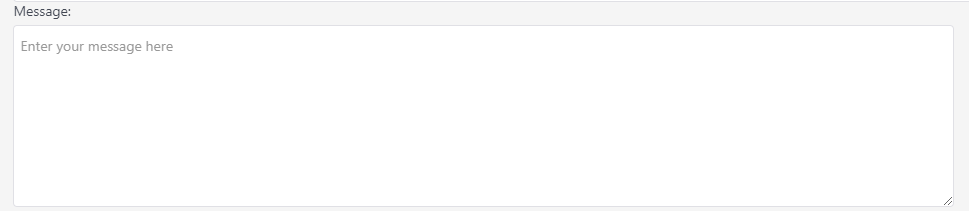
In kunena forum there is a 'new topic' option where we have a textarea to be filled by the user. But that element is hidden please see the link thats pretty same issue:
www.kunena.org/forum/k-5-2-support/16098...rking-anymore#216062
Just in my situation excluding ckeditor helps and 'visibility: hidden' is not affecting my text area.
But it doesn't looks right please see attachements what I have is one with all of the icons above, and what I expect is the other one:
Last edit: 5 years 3 weeks ago by Spqr. Reason: attachement foulty
Please Log in or Create an account to join the conversation.
5 years 3 weeks ago - 5 years 3 weeks ago #216912
by rich
If you want an editor without symbols, remove the toolbar group in the ckeditor_config.js
Path: /media/kunena/core/js/ckeditor_config.js
From
to
Important! Always create a backup before you make any changes to your website!
Replied by rich on topic TextArea is hidden
If I understood it right, then your question has neither to do with the topic title nor with the other linked topic.But it doesn't looks right please see attachements what I have is one with all of the icons above, and what I expect is the other one:
If you want an editor without symbols, remove the toolbar group in the ckeditor_config.js
Path: /media/kunena/core/js/ckeditor_config.js
From
Code:
config.toolbarGroups = [
{ name: 'document', groups: [ 'mode', 'document', 'doctools' ] },
{ name: 'clipboard', groups: [ 'clipboard', 'undo' ] },
{ name: 'editing', groups: [ 'find', 'selection', 'spellchecker', 'editing' ] },
{ name: 'forms', groups: [ 'forms' ] },
{ name: 'basicstyles', groups: [ 'basicstyles', 'cleanup' ] },
{ name: 'paragraph', groups: [ 'list', 'indent', 'blocks', 'align', 'bidi', 'paragraph' ] },
{ name: 'links', groups: [ 'links' ] },
{ name: 'insert', groups: [ 'insert' ] },
{ name: 'social', groups: [ 'social' ] },
{ name: 'styles', groups: [ 'styles' ] },
{ name: 'colors', groups: [ 'colors' ] },
{ name: 'tools', groups: [ 'tools' ] },
{ name: 'others', groups: [ 'others' ] },
{ name: 'about', groups: [ 'about' ] }
];
Code:
config.toolbarGroups = [];
Important! Always create a backup before you make any changes to your website!
Last edit: 5 years 3 weeks ago by rich.
Please Log in or Create an account to join the conversation.
5 years 3 weeks ago #216916
by Spqr
Replied by Spqr on topic TextArea is hidden
HI Rich,
Thanks for help and sorry for misplaceing the topic.
But if I have exclude the /media/kunena/core/js/ckeditor.js will that make any changes to my element?
Regards! Marcin
Thanks for help and sorry for misplaceing the topic.
But if I have exclude the /media/kunena/core/js/ckeditor.js will that make any changes to my element?
Regards! Marcin
Please Log in or Create an account to join the conversation.
5 years 3 weeks ago #216926
by rich
Important! Always create a backup before you make any changes to your website!
Replied by rich on topic TextArea is hidden
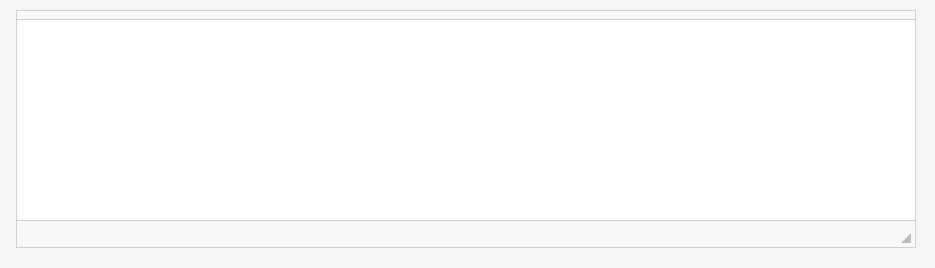
I don't know what you mean with "make any changes to my element?" You get with this change a text field without symbols such as in your second image.But if I have exclude the /media/kunena/core/js/ckeditor.js will that make any changes to my element?
Important! Always create a backup before you make any changes to your website!
Please Log in or Create an account to join the conversation.
Time to create page: 0.440 seconds