


- Posts: 12282
- Thank you received: 2534
Kunena 7.0.4 Released
The Kunena team has announce the arrival of Kunena 7.0.4 [K 7.0.4] in stable which is now available for download as a native Joomla extension for J! 5.4.x/6.0.x. This version addresses most of the issues that were discovered in K 6.2 / K 6.3 / K 6.4 and issues discovered during the last development stages of K 7.0
Topics must relate to a currently supported version of Kunena. If you are unsure what is the current supported version of Kunena, please go to the
download
page.
If you are having problems then, for your own benefit, it would save us all a lot of time if you would kindly post your configuration report when you ask for help from this forum. If you do not post your configuration report we will not ask you for it but you will probably not get your problem solved, either.
If you are having problems then, for your own benefit, it would save us all a lot of time if you would kindly post your configuration report when you ask for help from this forum. If you do not post your configuration report we will not ask you for it but you will probably not get your problem solved, either.
Question COM_KUNENA_WARNING_MENU and all other _MENUS appeared
8 years 8 months ago #195013
by rich
Important! Always create a backup before you make any changes to your website!
Replied by rich on topic COM_KUNENA_WARNING_MENU and all other _MENUS appeared
Maybe this line is not translated in your language, but it has nothing do to with broken menu items.I just installed language packs if you remember.
Maybe it helps if you click the Rebuild button. Example: Menus -> Main Menu -> mark menu items -> Rebuild ( but create a database backup previously).How can I check my menus? Please give me details.
Important! Always create a backup before you make any changes to your website!
Please Log in or Create an account to join the conversation.


8 years 8 months ago #195044
by Kotsolis
Replied by Kotsolis on topic COM_KUNENA_WARNING_MENU and all other _MENUS appeared
I don't want to risk it.
So tell me how can I translate this greek file. What file should I edit (exact path) and in which line?
Also I can help you with greek translation as I have worked in 3 joomla components in the past. JReviews, JomSocial and JFB Connect.
So tell me how can I translate this greek file. What file should I edit (exact path) and in which line?
Also I can help you with greek translation as I have worked in 3 joomla components in the past. JReviews, JomSocial and JFB Connect.
Please Log in or Create an account to join the conversation.
8 years 8 months ago #195055
by rich
Exactly should that be displayed "Το προκαθορισμένο στοιχείο μενού στην Σελίδα Εισόδου δεν δείχνει στο Kunena."
So check the menu Kunena item "Home Page" ( see also here ).
Important! Always create a backup before you make any changes to your website!
Replied by rich on topic COM_KUNENA_WARNING_MENU and all other _MENUS appeared
I've checked it, this line is correctly translated. But is has nothing do to, that the message is displayed.Maybe this line is not translated in your language
Exactly should that be displayed "Το προκαθορισμένο στοιχείο μενού στην Σελίδα Εισόδου δεν δείχνει στο Kunena."
So check the menu Kunena item "Home Page" ( see also here ).
If you want help, please create a account on Transifex , then click on Request for Greek language.Also I can help you with greek translation as I have worked in 3 joomla components in the past. JReviews, JomSocial and JFB Connect.
Important! Always create a backup before you make any changes to your website!
Please Log in or Create an account to join the conversation.
8 years 7 months ago #195873
by Kotsolis
Replied by Kotsolis on topic COM_KUNENA_WARNING_MENU and all other _MENUS appeared
Ok so Iam a bit confused. Shall I click the "rebuild" button? Where is that?
I found the menu in Main Menu but I can't find the Rebuild button.
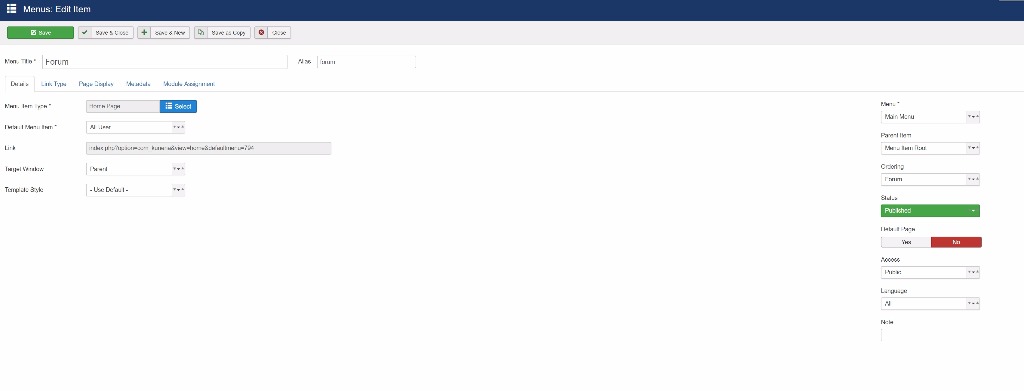
Also what should I backup before doing this?
I found the menu in Main Menu but I can't find the Rebuild button.
Also what should I backup before doing this?
Please Log in or Create an account to join the conversation.
8 years 7 months ago #195929
by rich
Important! Always create a backup before you make any changes to your website!
Replied by rich on topic COM_KUNENA_WARNING_MENU and all other _MENUS appeared
Create a backup from your database.Also what should I backup before doing this?
Example: Go to main menu and mark the menu items. On top you find the Rebuild button.Ok so Iam a bit confused. Shall I click the "rebuild" button? Where is that?
I found the menu in Main Menu but I can't find the Rebuild button.
Important! Always create a backup before you make any changes to your website!
Please Log in or Create an account to join the conversation.
8 years 7 months ago #195970
by Kotsolis
Replied by Kotsolis on topic COM_KUNENA_WARNING_MENU and all other _MENUS appeared
Hello, please respond.
Thanks.
Thanks.
Please Log in or Create an account to join the conversation.
Time to create page: 0.226 seconds