


- Posts: 12282
- Thank you received: 2534
Kunena 7.0.4 Released
The Kunena team has announce the arrival of Kunena 7.0.4 [K 7.0.4] in stable which is now available for download as a native Joomla extension for J! 5.4.x/6.0.x. This version addresses most of the issues that were discovered in K 6.2 / K 6.3 / K 6.4 and issues discovered during the last development stages of K 7.0
Topics must relate to a currently supported version of Kunena. If you are unsure what is the current supported version of Kunena, please go to the
download
page.
If you are having problems then, for your own benefit, it would save us all a lot of time if you would kindly post your configuration report when you ask for help from this forum. If you do not post your configuration report we will not ask you for it but you will probably not get your problem solved, either.
If you are having problems then, for your own benefit, it would save us all a lot of time if you would kindly post your configuration report when you ask for help from this forum. If you do not post your configuration report we will not ask you for it but you will probably not get your problem solved, either.
Question How to increase fonts size in Kunena v5 [SOLVED]
8 years 9 months ago #194113
by rich
But it works also if you add the codes at the end of your Joomla template.css.
Important! Always create a backup before you make any changes to your website!
Replied by rich on topic How to increase fonts size in Kunena v5
Yes, optimal is the custom.less. If you have a custom.less then use for changes in your Kunena template only this file.Ηere with this method? - docs.kunena.org/en/manual/backend/templates/edit-less , by editing custom.less ?
But it works also if you add the codes at the end of your Joomla template.css.
Important! Always create a backup before you make any changes to your website!
Please Log in or Create an account to join the conversation.


8 years 9 months ago - 8 years 9 months ago #194118
by Kotsolis
Replied by Kotsolis on topic How to increase fonts size in Kunena v5
I have edited the less file. I prefer that than to risk editing template.css
I've put this code, I saved, I cleared cache, and I see no changes.
Look in www.gameworld.gr/forum
Can you help? Also, I tried both Edit .css and edit .less and can't find the difference between them!
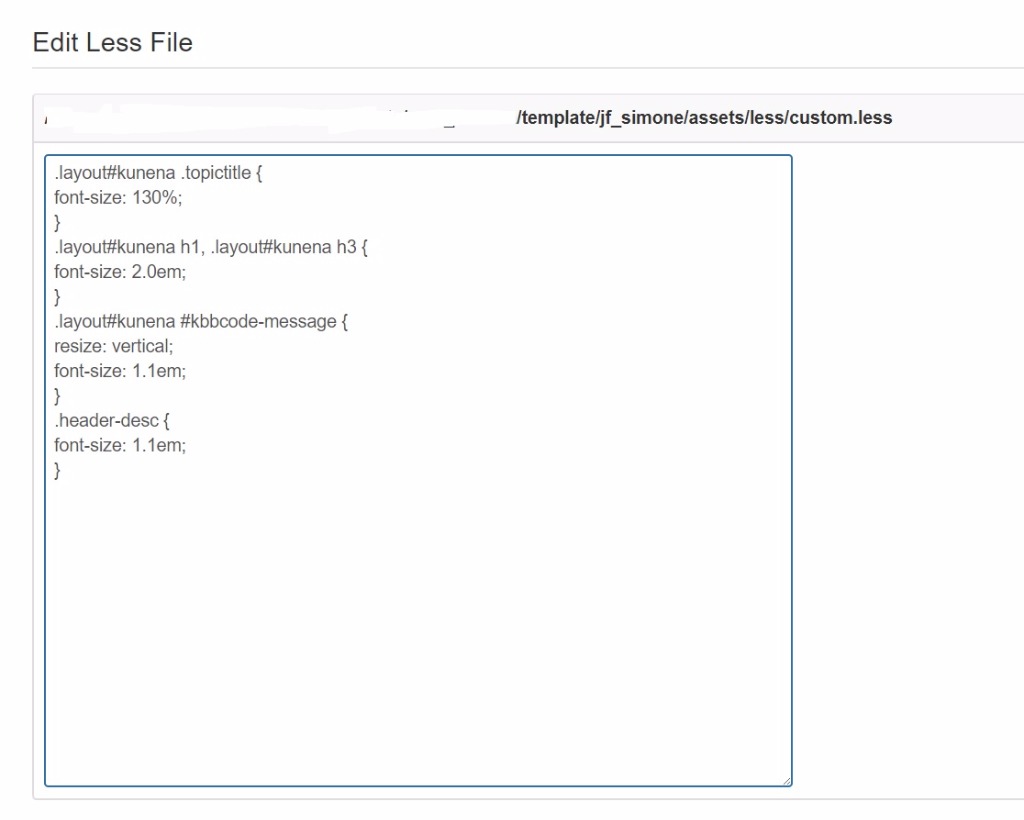
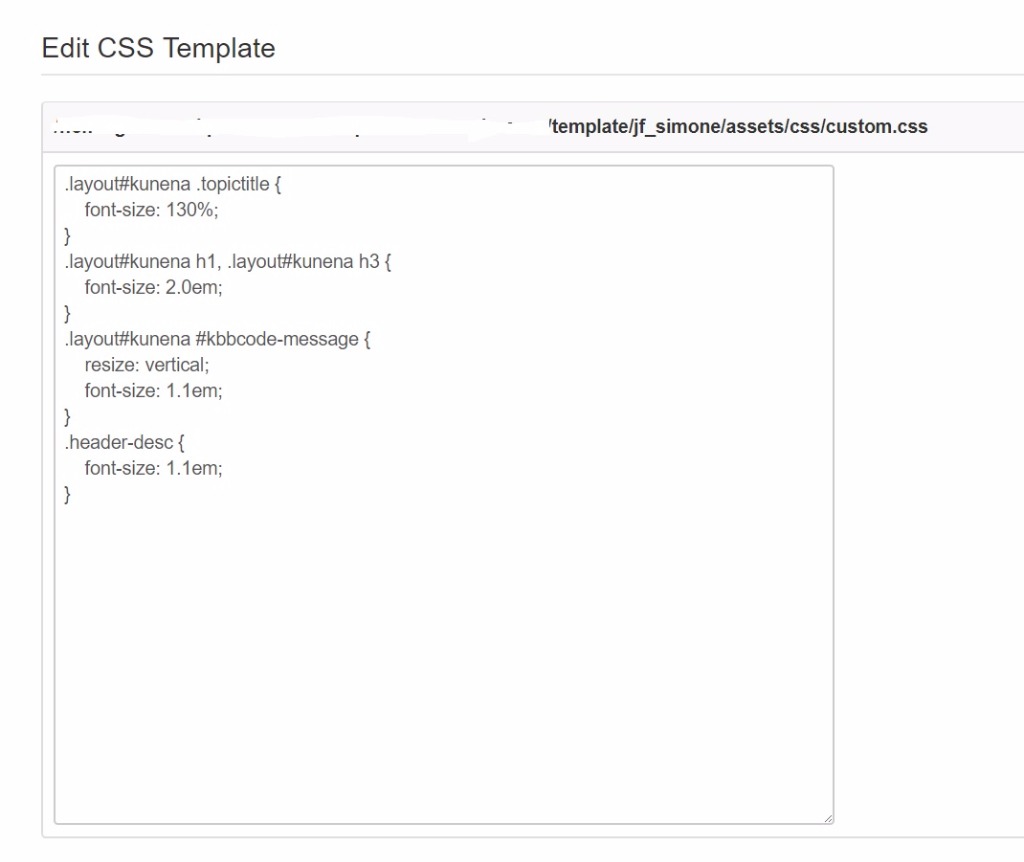
I've put this code, I saved, I cleared cache, and I see no changes.
Look in www.gameworld.gr/forum
Can you help? Also, I tried both Edit .css and edit .less and can't find the difference between them!
Last edit: 8 years 9 months ago by Kotsolis.
Please Log in or Create an account to join the conversation.
8 years 9 months ago - 8 years 9 months ago #194126
by rich
Important! Always create a backup before you make any changes to your website!
Replied by rich on topic How to increase fonts size in Kunena v5
Your template creates the custom.files in another folder. It's not the path as it show on your added image. You should report this your template author.
The correct path is "/components/com_kunena/template/jf_simone/jf/assets/"
The custom file in this folder is empty, therefore it cannot work.
The correct path is "/components/com_kunena/template/jf_simone/jf/assets/"
The custom file in this folder is empty, therefore it cannot work.
Important! Always create a backup before you make any changes to your website!
Last edit: 8 years 9 months ago by rich.
Please Log in or Create an account to join the conversation.
8 years 8 months ago #194814
by Kotsolis
Replied by Kotsolis on topic How to increase fonts size in Kunena v5
I have put the above code here:
"/components/com_kunena/template/jf_simone/jf/assets/jf_custom.css"
The file was empty, now it has your code. Still it doesn't work even if I cleared cache and cookies.
"/components/com_kunena/template/jf_simone/jf/assets/jf_custom.css"
The file was empty, now it has your code. Still it doesn't work even if I cleared cache and cookies.
Please Log in or Create an account to join the conversation.
8 years 8 months ago #195043
by Kotsolis
Replied by Kotsolis on topic How to increase fonts size in Kunena v5
One week has passed!
Please respond!
Please respond!
Please Log in or Create an account to join the conversation.
8 years 8 months ago - 8 years 8 months ago #195054
by rich
Important! Always create a backup before you make any changes to your website!
Replied by rich on topic How to increase fonts size in Kunena v5
You mean there is no difference? As you can see, is the current font size (on image left) bigger than on the right side (without codes). If you want more then change the size specification.

Important! Always create a backup before you make any changes to your website!
Last edit: 8 years 8 months ago by rich.
Please Log in or Create an account to join the conversation.
Time to create page: 0.322 seconds