
Kunena 7.0.4 Released
The Kunena team has announce the arrival of Kunena 7.0.4 [K 7.0.4] in stable which is now available for download as a native Joomla extension for J! 5.4.x/6.0.x. This version addresses most of the issues that were discovered in K 6.2 / K 6.3 / K 6.4 and issues discovered during the last development stages of K 7.0
This category contains miscellaneous, uncategorised third-party extensions (e.g. JomSocial, Community Builder, etc.) relating to older versions of Kunena that are no longer supported.
This category may also contain a few topics relating to K 1.6 that may have been moved here possibly by mistake.
The topics in this category are for historical interest only. Owing to the structural differences between K 1.6 and K 1.7, the ideas in these topics may not work with later versions and, for that reason, the topics are locked.
This category may also contain a few topics relating to K 1.6 that may have been moved here possibly by mistake.
The topics in this category are for historical interest only. Owing to the structural differences between K 1.6 and K 1.7, the ideas in these topics may not work with later versions and, for that reason, the topics are locked.
Question K 1.5.8 & K 1.5.9: Large CB avatar images


16 years 2 months ago #41082
by jplamp
Kunena 4.0.11, Joomla 3.5.1, CB 2.0.14, DOCman 2.1.5, uddeIM 3.8
Replied by jplamp on topic Re:Problem with CB avatar in K1.5.8
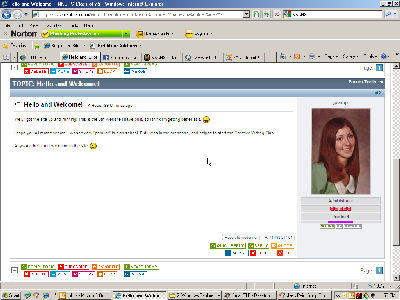
I tried it and added the line correctly, but it didn't work. I even set the width to 100, but I'm still getting this, which is about twice the size I want it to be:

Thanks for any help you can give.
Thanks for any help you can give.
Kunena 4.0.11, Joomla 3.5.1, CB 2.0.14, DOCman 2.1.5, uddeIM 3.8
Please Log in or Create an account to join the conversation.


16 years 2 months ago - 16 years 2 months ago #41085
by sozzled
Blue Eagle vs. Crypsis reference guide
Read my blog and

Replied by sozzled on topic Re:Problem with CB avatar in K1.5.8
In my forums, I have set the width to 90px. Are you sure that you're changing the correct CSS file?
#Kunena span.fb_avatar img {
border:1px solid #BFC3C6;
margin:5px;
max-width:90px;
padding:1px;
}
#Kunena span.fb_avatar img {
border:1px solid #BFC3C6;
margin:5px;
max-width:90px;
padding:1px;
}
Blue Eagle vs. Crypsis reference guide
Read my blog and
Last edit: 16 years 2 months ago by sozzled.
Please Log in or Create an account to join the conversation.
16 years 2 months ago #41111
by jplamp
Kunena 4.0.11, Joomla 3.5.1, CB 2.0.14, DOCman 2.1.5, uddeIM 3.8
Replied by jplamp on topic Re:Problem with CB avatar in K1.5.8
Your version seems to have solved the problem. It looks like I had the lines out of order (padding was before max-width). I don't know if that's what it was, but I copied and pasted your code into the .css file, and now it works just great. Thanks so much! 
Kunena 4.0.11, Joomla 3.5.1, CB 2.0.14, DOCman 2.1.5, uddeIM 3.8
Please Log in or Create an account to join the conversation.


16 years 2 months ago #41203
by freaks
Replied by freaks on topic Re:Problem with CB avatar in K1.5.8
Still this causes IE not showing the right column of the forum correctly.
I'd prefer to change the image source from
ROOT/images/comprofiler/82_12356789.jpg
to
ROOT/images/comprofiler/tn82_12356789.jpg
which shows the thumbnail-file, not the actual avatar-fullsize-file.
Any idea how to change that?
Thanks!
I'd prefer to change the image source from
ROOT/images/comprofiler/82_12356789.jpg
to
ROOT/images/comprofiler/tn82_12356789.jpg
which shows the thumbnail-file, not the actual avatar-fullsize-file.
Any idea how to change that?
Thanks!
Please Log in or Create an account to join the conversation.


16 years 2 months ago #41236
by darksoul
Replied by darksoul on topic Re:Problem with CB avatar in K1.5.8
I have this problem also in K.1.5.9
Please, how to set it?
Please, how to set it?
Please Log in or Create an account to join the conversation.
16 years 2 months ago #41239
by sozzled
Blue Eagle vs. Crypsis reference guide
Read my blog and
Replied by sozzled on topic Re:Problem with CB avatar in K1.5.8
darksoul wrote:
Change Kunena CSS file:
#Kunena span.fb_avatar img {
border:1px solid #BFC3C6;
margin:5px;
max-width:90px;
padding:1px;
}
Does the advice, repeated at least three times in this topic, not work for you?I have this problem also in K.1.5.9
Please, how to set it?
Change Kunena CSS file:
#Kunena span.fb_avatar img {
border:1px solid #BFC3C6;
margin:5px;
max-width:90px;
padding:1px;
}
Blue Eagle vs. Crypsis reference guide
Read my blog and
Please Log in or Create an account to join the conversation.
Time to create page: 0.251 seconds