
Kunena 7.0.4 Released
The Kunena team has announce the arrival of Kunena 7.0.4 [K 7.0.4] in stable which is now available for download as a native Joomla extension for J! 5.4.x/6.0.x. This version addresses most of the issues that were discovered in K 6.2 / K 6.3 / K 6.4 and issues discovered during the last development stages of K 7.0
Question Help in getting rid of the dots or diamonds?
- CheechDogg
-

- Offline
- Premium Member
-

Let me know if you are interested and I will send you some information.

CAG Clan 1st and 3rd Person Shooter Clan on XBOX 360 & PS3
Please Log in or Create an account to join the conversation.


Having said that, CSS is relatively straightforward if you know how. If you don't know how, there are plenty of people who undertake this kind of work on a fee-for-service basis. However, we will do our best to help. I think it's a small thing to ask that people keep their sites up-to-date software-wise because it makes our job a lot easier. Also, the support we give you also may help other people faced with similar issues.

Blue Eagle vs. Crypsis reference guide
Read my blog and

Please Log in or Create an account to join the conversation.


sozzled wrote: That is my way of saying that K 1.6.5 and Kunena Discuss 1.6.4 are not supported.
I don't know if upgrading will eliminate the problems that you are having but, if you upgrade, we will be in a better position to assist you.
Your website has the following CSS rule in place (../templates/gk_music/css/template.css at line 96) that affects all your <LI> elements:You will obtain some relief if you comment out the line "list-style-type: disc;", like this:Code:.box li, .box_text li { font-weight: normal; line-height: 28px; list-style-position: inside; list-style-type: disc; padding-left: 3px; }Whether or not that will answer your question, I can't say. This looks more to be a question about CSS than about anything else. However, I am trying to help you by encouraging you to update your Kunena software.Code:.box li, .box_text li { font-weight: normal; line-height: 28px; list-style-position: inside; // list-style-type: disc; padding-left: 3px; }
You might also consider modifying the current rule like this, too:Code:.box li, .box_text li { font-weight: normal; line-height: 16px; list-style-position: inside; // list-style-type: disc; padding-left: 3px; }
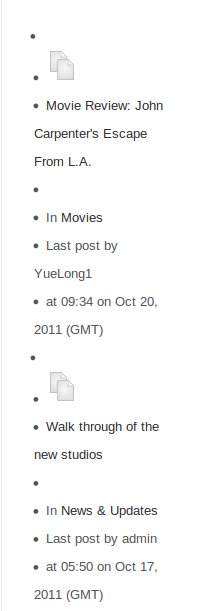
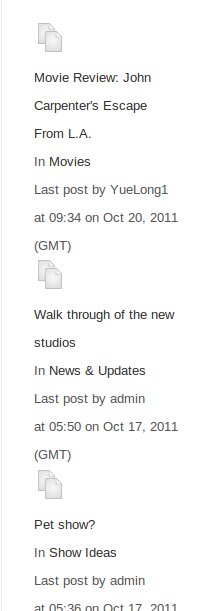
This tip from sozzled is ok. Comment out this code "list-style-type: disc;" and the points are gone.
before
afterwards
Important! Always create a backup before you make any changes to your website!
Please Log in or Create an account to join the conversation.
- CheechDogg
-
- Offline
- Premium Member
-
I don't know if you know , but a lot of the issues that are surfacing as of late have to do with RocketTheme templates and unless you are a "RocketTheme Joomla Club member" you won't get any kind of help or support. Now I don't know if danielles has experienced this with RocketTheme.com and I hope he or she doesn't, but others have who have come on here with similar situations.
So again, will this work for IE browswers?
CAG Clan 1st and 3rd Person Shooter Clan on XBOX 360 & PS3
Please Log in or Create an account to join the conversation.
Blue Eagle vs. Crypsis reference guide
Read my blog and
Please Log in or Create an account to join the conversation.
Actually already but test it with IE. You can also try with "list-style:none;"CheechDogg wrote: So again, will this work for IE browswers?
Important! Always create a backup before you make any changes to your website!
Please Log in or Create an account to join the conversation.