


- Posts: 17
- Thank you received: 0
Kunena 7.0.4 Released
The Kunena team has announce the arrival of Kunena 7.0.4 [K 7.0.4] in stable which is now available for download as a native Joomla extension for J! 5.4.x/6.0.x. This version addresses most of the issues that were discovered in K 6.2 / K 6.3 / K 6.4 and issues discovered during the last development stages of K 7.0
This category is for K 1.7 issues only.
To get started please see
K 1.6 & K 1.7 Installation Guide
in our
Documentation Wiki
Question Fresh install of 1.6.1 failing -- code is showing
15 years 5 months ago #76563
by Toolie
Fresh install of 1.6.1 failing -- code is showing was created by Toolie
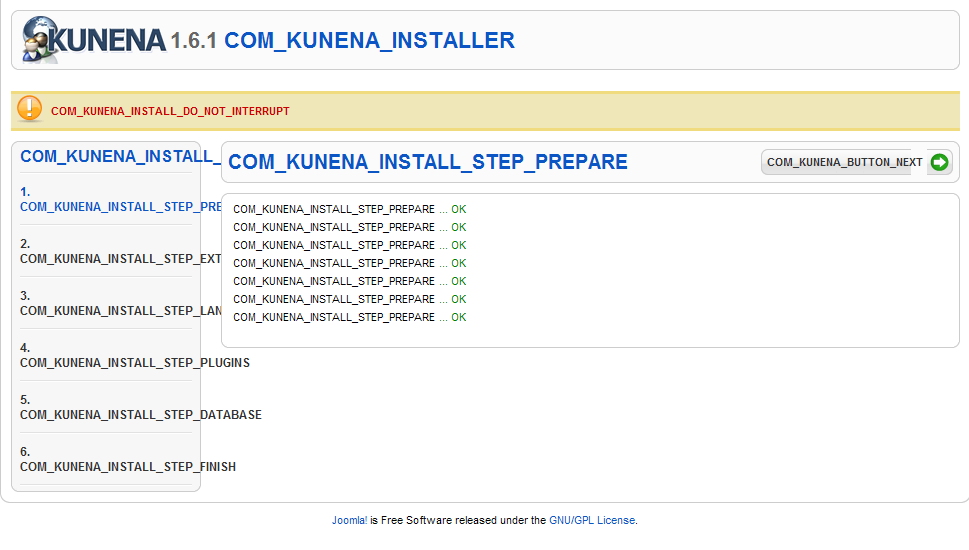
Hi there, I read through the Kunena readme, but missed the step that said I should not have installed Artof User before I installed Kunena. I uninstalled Artof User and tried reinstalling Kunena 1.6.1 in my freshly installed Joomla site. The installation appears to work, but when I try to select anything of Kunena from the Component menu in Joomla, I see what appears to be an installation screen with multiple steps, but instead of text, there are just language strings like:
COM_KUNENA_INSTALL_STEP_PREPARE
COM_KUNENA_BUTTON_NEXT
When I click on the button text to try to complete the installation, I get an HTTP 500 error and can't get any further. I've attached a partial screen capture so you can see what I'm seeing.
Help! What's going on here?? Did having Artof User installed first cause this problem? I can uninstall and reinstall, but can't get past the installation non-functioning screen.
Please advise, time is NOT on my side...
Thanks!
COM_KUNENA_INSTALL_STEP_PREPARE
COM_KUNENA_BUTTON_NEXT
When I click on the button text to try to complete the installation, I get an HTTP 500 error and can't get any further. I've attached a partial screen capture so you can see what I'm seeing.
Help! What's going on here?? Did having Artof User installed first cause this problem? I can uninstall and reinstall, but can't get past the installation non-functioning screen.
Please advise, time is NOT on my side...
Thanks!
Please Log in or Create an account to join the conversation.


15 years 5 months ago #76567
by xillibit
I don't provide support by PM, because this can be useful for someone else.
Replied by xillibit on topic Re: Fresh install of 1.6.1 failing -- code is showing
Hello,
What is default language on your Joomla! installation ?
Which is the step where the installation is failing ?
What is default language on your Joomla! installation ?
Which is the step where the installation is failing ?
I don't provide support by PM, because this can be useful for someone else.
Please Log in or Create an account to join the conversation.
15 years 5 months ago #76878
by Toolie
Replied by Toolie on topic Re: Fresh install of 1.6.1 failing -- code is showing
You ask a good question; when I was trying to install, it was en-GB. I have just installed en-US (since I live in the USA), which installed successfully. I tried installing Kunena again, and it's still giving me the same error. Here are the steps I followed:
1. Uploaded the Kunena files, unzipped, to a folder on my server.
2. Went to the Extensions | Intall/Uninstall menu, and installed Kunena from the "Install from Directory" box.
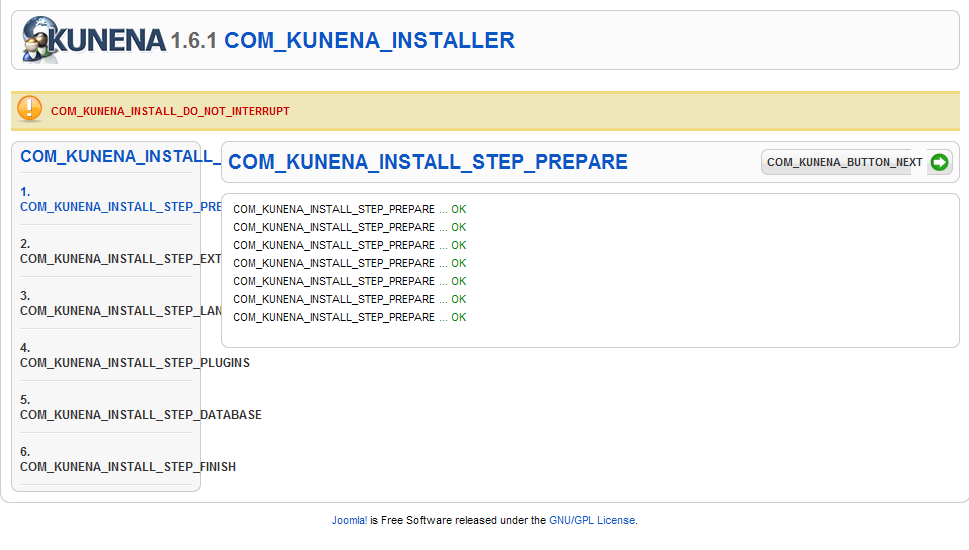
3. Kunena appeared as a choice in the Components menu. Selecting any of the Kunena submenu items brings up the screen in the attached #1 image below -- what appears to be the start of the Kunena installation steps.
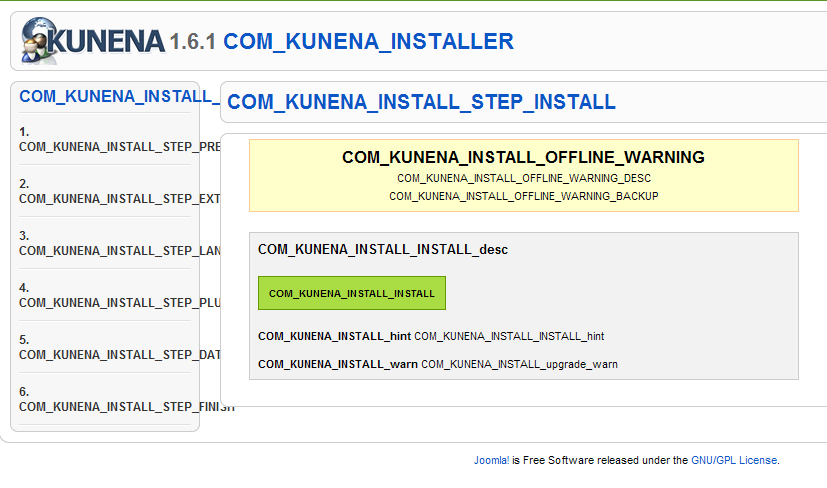
4. If I click on the "com_kunena_install_install" green button in that screen shot, then I see the attached #2 image below. Clicking the "Next" button brings up the HTTP 500 error screen, and I can't get any further.
Does this help?
1. Uploaded the Kunena files, unzipped, to a folder on my server.
2. Went to the Extensions | Intall/Uninstall menu, and installed Kunena from the "Install from Directory" box.
3. Kunena appeared as a choice in the Components menu. Selecting any of the Kunena submenu items brings up the screen in the attached #1 image below -- what appears to be the start of the Kunena installation steps.
4. If I click on the "com_kunena_install_install" green button in that screen shot, then I see the attached #2 image below. Clicking the "Next" button brings up the HTTP 500 error screen, and I can't get any further.
Does this help?
Please Log in or Create an account to join the conversation.
15 years 5 months ago - 15 years 5 months ago #77012
by xillibit
I don't provide support by PM, because this can be useful for someone else.
Replied by xillibit on topic Re: Fresh install of 1.6.1 failing -- code is showing
Can-you give me a super admin access on your site like that i can make a try ?
I don't provide support by PM, because this can be useful for someone else.
Last edit: 15 years 5 months ago by xillibit.
Please Log in or Create an account to join the conversation.
15 years 5 months ago #77158
by Toolie
Replied by Toolie on topic Re: Fresh install of 1.6.1 failing -- code is showing
Yes, I can give you access, but I'd prefer to use my GoToMeeting account. Please see the private message for details.
Please Log in or Create an account to join the conversation.
15 years 4 months ago #78077
by Toolie
Replied by Toolie on topic Re: Fresh install of 1.6.1 failing -- code is showing
To be thorough, I tried completely deleting my Joomla installation and reinstalled it over again. Next I installed the en-US language pack, then tried installing Kunena 1.6. I'm getting exactly the same errors as before.
I noticed that with other plugins and components, my Joomla installation didn't seem to know how to unzip files; I ended up unzipping the files on my hard drive and uploading the uncompressed files to my TMP folder for installation. I see that Kunena has ZIP files in subdirectories; would it help if I unzipped ADMIN, MEDIA, and SITE zip files in the ARCHIVE directory along with the en-GB language archive THEN uploaded it to my TMP directory for installation?
Please advise, and thank you.
Toolie
I noticed that with other plugins and components, my Joomla installation didn't seem to know how to unzip files; I ended up unzipping the files on my hard drive and uploading the uncompressed files to my TMP folder for installation. I see that Kunena has ZIP files in subdirectories; would it help if I unzipped ADMIN, MEDIA, and SITE zip files in the ARCHIVE directory along with the en-GB language archive THEN uploaded it to my TMP directory for installation?
Please advise, and thank you.
Toolie
Please Log in or Create an account to join the conversation.
Time to create page: 0.302 seconds