
- Posts: 4
- Thank you received: 0
Kunena 7.0.9 & Kunena 6.4.14 – Security Updates Released
The Kunena team has announce the arrival of Kunena 7.0.9 [K 7.0.9] in stable which is now available for download as a native Joomla extension for J! 5.4.x/6.0.x./6.1.x. This version addresses most of the issues that were discovered in K 6.2 / K 6.3 / K 6.4 and issues discovered during the last development stages of K 7.0
Before posting in this category, please read sticky topics and, as general background,
My Joomla site template makes a mess of Kunena
.
If you have questions about third-party templates, please use the User-written Templates category or contact the author directly. This category should only be used for questions about templates developed and supported by the Kunena project.
If you have questions about third-party templates, please use the User-written Templates category or contact the author directly. This category should only be used for questions about templates developed and supported by the Kunena project.
Sticky How do I change the colors of my template in Kunena 1.6?
15 years 7 months ago #84123
by avion123
Replied by avion123 on topic Re: How do I change the colors of my template in Kunena 1.6?
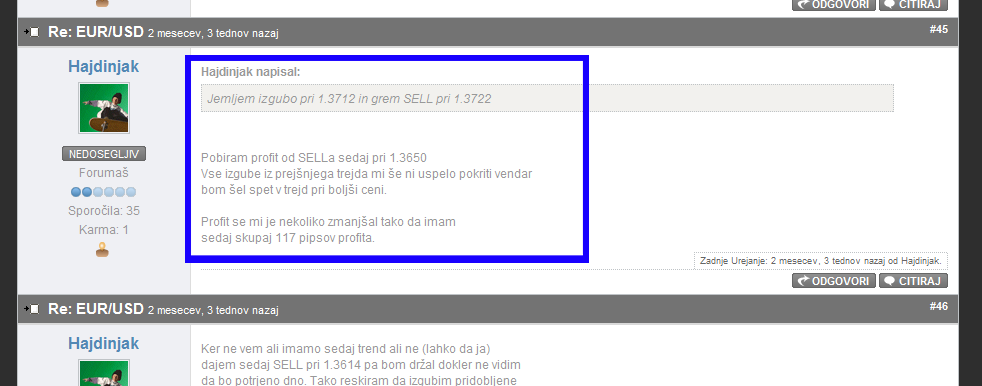
Im havinh troubles with changing post text color as seen in picture, it just seems too white, and i would like tochange to different color.I have tryed many options by changing template.css but just cant get it right.Hope somebody can help, i guess i just have to add the right code in template.css .Best regards
The topic has been locked.
- profesionalas
-

- Offline
- Junior Member
-

Less
More
- Posts: 37
- Thank you received: 0
15 years 7 months ago #85915
by profesionalas
Replied by profesionalas on topic Re: How do I change the colors of my template in Kunena 1.6?
I just lost in components/com_kunena/template/default/css (Blue Eagle (default))file kunena.forum-min.css anyone have orginal without changes? Or Where I can download default kunena teplates? thanks
The topic has been locked.

15 years 7 months ago #85919
by ender
Replied by ender on topic Re: How do I change the colors of my template in Kunena 1.6?
The topic has been locked.
- escherbach
-

- Offline
- New Member
-

Less
More
- Posts: 7
- Thank you received: 0
15 years 6 months ago #89779
by escherbach
Replied by escherbach on topic Re: How do I change the colors of my template in Kunena 1.6?
Operation Failed: COM_KUNENA_A_TEMPLATE_MANAGER_FAILED_WRITE_FILE.
This is what I get when I try to change the colors in the default template. Any ideas why?
This is what I get when I try to change the colors in the default template. Any ideas why?
The topic has been locked.
- StevieGooGs
-
- Offline
- New Member
-
Less
More
- Posts: 1
- Thank you received: 0
15 years 4 months ago #97037
by StevieGooGs
Replied by StevieGooGs on topic Re: How do I change the colors of my template in Kunena 1.6?
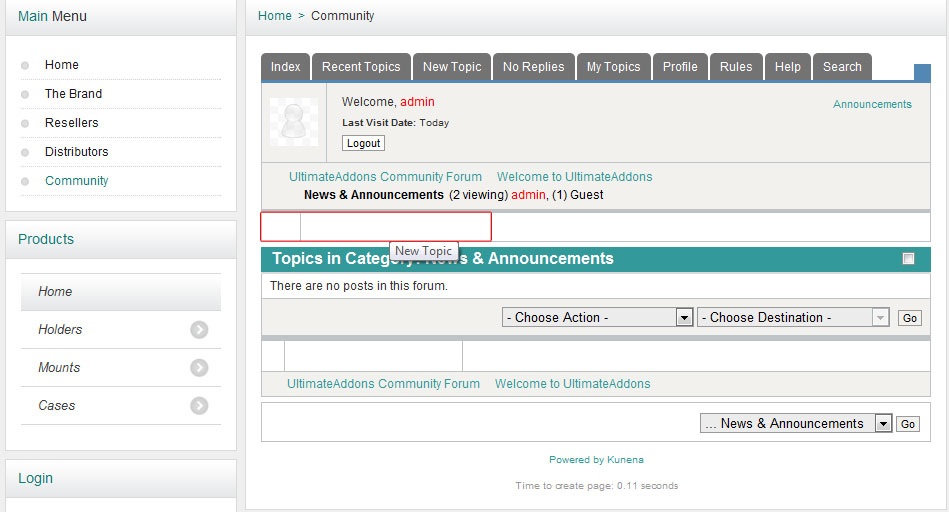
I have a slight problem, i have got the colours pretty much as i want but regarless if i manually edit the colours or use the template merge i keep getting this problem.
Kunena 6.1.4
Kunena 6.1.4
The topic has been locked.


15 years 4 months ago - 15 years 4 months ago #97073
by sozzled
Blue Eagle vs. Crypsis reference guide
Read my blog and

Replied by sozzled on topic Re: How do I change the colors of my template in Kunena 1.6?
G'day, Steve, and welcome to Kunena.
I can understand that when you looked at this forum and saw a few thousand messages that explained how people could adapt Kunena to their own website, you were probably a little overwhelmed. Every day we receive many questions from people who are having difficulties accommodating Kunena into their own sites. It's not surprising that people stumble on a topic that has the subject "How do I change the colours of my template in Kunena 1.6?" and think to themselves "A-ha! I have found exactly what I am looking for." Then they add their own problem to the end of the discussion in the hope that someone will answer it.
Well, here's the thing: people have forgotten what is the purpose of this topic. The purpose of this topic (and the reason why it is featured as a sticky topic) is to outline the general approach that people should use when they want to solve their own problems. It's important for me to re-state this point, at this time in a discussion that started 7½ months ago, because over this time the approach has changed and the original purpose of this topic has been lost and now is the time for this topic to be closed.
We are not saying that we are refusing to assist people with individual problems but no one particular topic is the way to address each and every possible specific question that the community may have.
The general answer to the question "How do I change the colours of my template in Kunena 1.6?" is contained in msg #1 of this topic. In the time that this topic started there have been many improvements to the Blue Eagle template resulting in options that we see today in K 1.6.4.
Beyond what has already been written, people have four choices:
(1) Further refine, themselves, their own site by hand-crafting CSS rules (or develop their own templates) using the information contained in the Wiki together with web design aids like Firebug . I, personnaly, do not generally recommend changing anything in any files installed by Kunena because they are subject to change when you upgrade; if I want to make minor CSS tailoring I do that with my Joomla site template.
(2) Use a third party template (see the KED or the User-written Templates category) if there is something more suitable for their purposes.
(3) Search this forum for possible answers to specific questions or, if there don't seem to be any topics that deal with their specific questions, to ask a question as a new topic and wait patiently for another member of the community to answer it.
(4) Employ someone else to perform the work, particularly if their need is urgent or they lack the know-how to do the work themselves.
I can understand that when you looked at this forum and saw a few thousand messages that explained how people could adapt Kunena to their own website, you were probably a little overwhelmed. Every day we receive many questions from people who are having difficulties accommodating Kunena into their own sites. It's not surprising that people stumble on a topic that has the subject "How do I change the colours of my template in Kunena 1.6?" and think to themselves "A-ha! I have found exactly what I am looking for." Then they add their own problem to the end of the discussion in the hope that someone will answer it.
Well, here's the thing: people have forgotten what is the purpose of this topic. The purpose of this topic (and the reason why it is featured as a sticky topic) is to outline the general approach that people should use when they want to solve their own problems. It's important for me to re-state this point, at this time in a discussion that started 7½ months ago, because over this time the approach has changed and the original purpose of this topic has been lost and now is the time for this topic to be closed.
We are not saying that we are refusing to assist people with individual problems but no one particular topic is the way to address each and every possible specific question that the community may have.
The general answer to the question "How do I change the colours of my template in Kunena 1.6?" is contained in msg #1 of this topic. In the time that this topic started there have been many improvements to the Blue Eagle template resulting in options that we see today in K 1.6.4.
Beyond what has already been written, people have four choices:
(1) Further refine, themselves, their own site by hand-crafting CSS rules (or develop their own templates) using the information contained in the Wiki together with web design aids like Firebug . I, personnaly, do not generally recommend changing anything in any files installed by Kunena because they are subject to change when you upgrade; if I want to make minor CSS tailoring I do that with my Joomla site template.
(2) Use a third party template (see the KED or the User-written Templates category) if there is something more suitable for their purposes.
(3) Search this forum for possible answers to specific questions or, if there don't seem to be any topics that deal with their specific questions, to ask a question as a new topic and wait patiently for another member of the community to answer it.
(4) Employ someone else to perform the work, particularly if their need is urgent or they lack the know-how to do the work themselves.
Blue Eagle vs. Crypsis reference guide
Read my blog and
Last edit: 15 years 4 months ago by sozzled.
The topic has been locked.
Time to create page: 0.275 seconds