


- Posts: 18
- Thank you received: 2
Kunena 7.0.9 & Kunena 6.4.14 – Security Updates Released
The Kunena team has announce the arrival of Kunena 7.0.9 [K 7.0.9] in stable which is now available for download as a native Joomla extension for J! 5.4.x/6.0.x./6.1.x. This version addresses most of the issues that were discovered in K 6.2 / K 6.3 / K 6.4 and issues discovered during the last development stages of K 7.0
Topics that are moved into this category are generally considered to be closed. Users may want to add additional information but these topics should not be resurrected in order to discuss new problems or unrelated matters.
Sticky [Merged topic] How to upload, insert and display an image attachment
16 years 2 weeks ago - 14 years 5 months ago #60216
by aeyeight
I don't know, why the image does not show in full size?
Pls advise me too.
Thank you very much.
Br,
Aey
Pls advise me too.
Thank you very much.
Br,
Aey
Last edit: 14 years 5 months ago by sozzled. Reason: Merge topics: change subject and topic icon
Please Log in or Create an account to join the conversation.
16 years 2 weeks ago #60217
by aeyeight
Replied by aeyeight on topic Re: Show image in Topic area?
Pls tell me, how can I config Kunena forum?
Tks again.
Br,
Aey
Tks again.
Br,
Aey
Please Log in or Create an account to join the conversation.


16 years 2 weeks ago - 16 years 2 weeks ago #60218
by sozzled
Blue Eagle vs. Crypsis reference guide
Read my blog and

Replied by sozzled on topic Re: Show image in Topic area?
As a general answer, images that are larger than the area allowed for the message display are resized so as to not break the template. Resized images can be viewed full size by clicking the image that is then opened in a lightbox. For example see below:

The example you've given does not suggest that your image is especially large. I think we would need to see further evidence of what is happening at your website. Your configuration report, posted here, might give us some clues.
The example you've given does not suggest that your image is especially large. I think we would need to see further evidence of what is happening at your website. Your configuration report, posted here, might give us some clues.
Blue Eagle vs. Crypsis reference guide
Read my blog and
Last edit: 16 years 2 weeks ago by sozzled.
Please Log in or Create an account to join the conversation.
16 years 2 weeks ago - 16 years 2 weeks ago #60220
by aeyeight
Replied by aeyeight on topic Re: Show image in Topic area?
Dear Sozzled,
Image size is height 950 and width 950
Pls advise me too.
Br,
Aey
Image size is height 950 and width 950
Pls advise me too.
Br,
Aey
This message contains confidential information
Database collation check: The collation of your table fields are correct
Legacy mode: Enabled | Joomla! SEF: Disabled | Joomla! SEF rewrite: Disabled | FTP layer: Disabled |
This message contains confidential informationhtaccess: Exists | PHP environment: Max execution time: 30 seconds | Max execution memory: 128M | Max file upload: 8M
Kunena version detailled: Installed version: 1.6.0-RC2 | Build: 3373 | Version name: Jadili | Kunena detailled configuration:
Warning: Spoiler![th]Kunena config settings:[/th]
board_title 3DMC Forum.. board_offline 0 board_ofset 0 offline_message <h2>กำลังปรับปรุงฐานข้อมูล กรุณาเข้ามาใหม่ ซักครู่ๆๆ..</h2> enablerss 1 enablepdf 0 threads_per_page 20 messages_per_page 10 messages_per_page_search 100 showhistory 1 historylimit 6 shownew 1 jmambot 0 disemoticons 0 template default showannouncement 1 avataroncat 0 catimagepath category_images/ showchildcaticon 1 annmodid 63 rtewidth 450 rteheight 300 enableforumjump 1 reportmsg 1 username 0 askemail 0 showemail 0 showuserstats 1 showkarma 1 useredit 1 useredittime 0 useredittimegrace 600 editmarkup 1 allowsubscriptions 0 subscriptionschecked 0 allowfavorites 1 maxsubject 50 maxsig 300 regonly 1 changename 0 pubwrite 0 floodprotection 0 mailmod 0 mailadmin 0 captcha 1 mailfull 1 allowavatar 1 allowavatarupload 1 allowavatargallery 1 imageprocessor gd2 avatarquality 65 avatarsize 2048 allowimageupload 0 allowimageregupload 1 imageheight 950 imagewidth 950 imagesize 100 allowfileupload 0 allowfileregupload 0 filetypes zip,txt,doc,gz,tgz filesize 120 showranking 1 rankimages 1 avatar_src fb_profile pm_component userlist_rows 30 userlist_online 1 userlist_avatar 1 userlist_name 1 userlist_username 1 userlist_posts 1 userlist_karma 1 userlist_email 0 userlist_usertype 0 userlist_joindate 1 userlist_lastvisitdate 1 userlist_userhits 1 latestcategory 10,9,19,12,8,3,14,16,15,23,17,18,22 showstats 1 showwhoisonline 1 showgenstats 1 showpopuserstats 1 popusercount 5 showpopsubjectstats 1 popsubjectcount 5 usernamechange 0 rules_infb 1 rules_cid 1 rules_link www.bestofjoomla.com/ help_infb 1 help_cid 1 help_link www.bestofjoomla.com/ showspoilertag 1 showvideotag 1 showebaytag 1 trimlongurls 1 trimlongurlsfront 40 trimlongurlsback 20 autoembedyoutube 1 autoembedebay 1 ebaylanguagecode en-us fbsessiontimeout 3600 highlightcode 0 rss_type thread rss_timelimit month rss_limit 100 rss_included_categories rss_excluded_categories rss_specification rss2.0 rss_allow_html 1 rss_author_format name rss_author_in_title 1 rss_word_count 0 rss_old_titles 1 fbdefaultpage recent default_sort asc alphauserpointsnumchars 0 sef 1 sefcats 0 sefutf8 0 showimgforguest 1 showfileforguest 1 pollnboptions 4 pollallowvoteone 1 pollenabled 1 poppollscount 5 showpoppollstats 1 polltimebtvotes 00:15:00 pollnbvotesbyuser 100 pollresultsuserslist 1 maxpersotext 50 ordering_system mesid post_dateformat ago post_dateformat_hover datetime hide_ip 1 js_actstr_integration 0 imagetypes jpg,jpeg,gif,png checkmimetypes 1 imagemimetypes image/jpeg,image/jpg,image/gif,image/png imagequality 50 thumbheight 32 thumbwidth 32 hideuserprofileinfo put_empty integration_access joomla integration_login joomla integration_avatar kunena integration_profile kunena integration_private uddeim integration_activity none boxghostmessage 0 userdeletetmessage 2 latestcategory_in 1 topicicons 1 onlineusers 1 debug 0 catsautosubscribed 0 showbannedreason 0 version_check 1 showthankyou 1 showpopthankysoustats 1 popthankscount 5 mod_see_deleted 0 bbcode_img_secure image
Third-party components: AlphaUserPoints: Disabled or not installed | CommunityBuilder: Enabled (Version : 1.2.3) | Jomsocial: Disabled or not installed | UddeIm: Enabled (Version : 2)
Plugins: System - Mootools12: Disabled | System - Mootools Upgrade: Enabled | JFirePHP: Disabled or not installed | Kunena Discuss: Disabled or not installed | Kunena Search: Disabled or not installed | My Kunena Forum Menu: Disabled or not installed
Modules: Kunena Latest: Disabled or not installed | Kunena Stats: Disabled or not installed | Kunena Login: Disabled or not installed
Last edit: 16 years 2 weeks ago by aeyeight.
Please Log in or Create an account to join the conversation.
16 years 2 weeks ago #60222
by sozzled
Blue Eagle vs. Crypsis reference guide
Read my blog and
Replied by sozzled on topic Re: Show image in Topic area?
Until you enable Mootools 1.2.4 support, the lightbox effect won't work.
See also important information about Legacy mode .
See also important information about Legacy mode .
Blue Eagle vs. Crypsis reference guide
Read my blog and
Please Log in or Create an account to join the conversation.
16 years 2 weeks ago #60236
by aeyeight
Replied by aeyeight on topic Re: Show image in Topic area?
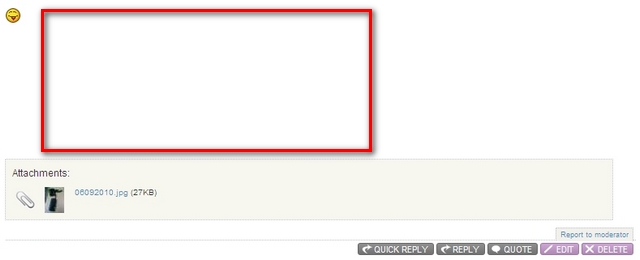
I think something missing, pls see as below
This my message.

And this one is your message.

See hi-light red, how can I show as you.
Br,
Aey
This my message.
And this one is your message.
See hi-light red, how can I show as you.
Br,
Aey
Please Log in or Create an account to join the conversation.
Time to create page: 0.230 seconds