

- Posts: 17
- Thank you received: 0
Kunena 7.0.4 Released
The Kunena team has announce the arrival of Kunena 7.0.4 [K 7.0.4] in stable which is now available for download as a native Joomla extension for J! 5.4.x/6.0.x. This version addresses most of the issues that were discovered in K 6.2 / K 6.3 / K 6.4 and issues discovered during the last development stages of K 7.0
This is for users to help other users, to discuss topics that are related to forum administration in general or problems in running Joomla. This is not the place to ask for Joomla support. If you want assistance with Joomla please ask at
forum.joomla.org
Merged Invalid Token
15 years 2 months ago #87393
by tgotch
Replied by tgotch on topic Re: Invalid Token
I set kunena session to 2700 (=to 45 jooomla). Set handler to "none". That caused "invalid token" on original login. (step #1 above)
Please Log in or Create an account to join the conversation.


15 years 2 months ago #87395
by sozzled
Blue Eagle vs. Crypsis reference guide
Read my blog and

Replied by sozzled on topic Re: Invalid Token
I suggest that you may need to ask your question at the Joomla support forum (
forum.joomla.org
) "Invalid token" is a Joomla issue. It's not really a Kunena issue.
Blue Eagle vs. Crypsis reference guide
Read my blog and
Please Log in or Create an account to join the conversation.

15 years 4 days ago - 15 years 4 days ago #94928
by teratyke
Replied by teratyke on topic Re: Invalid Token
Hi
I just had this exact problem - in fact I've had it before. I appreciate this is an old topic, but posting here in-case others find the same. Also this is a Joomla! issue, not Kunena - I'm sure of that.
Invalid tokens have been caused for me because of having the system-cache plugin enabled. This caches whole pages including the login modules, both in Kunena and other pages on the site. effectively it can end up looking like you are logged out - because you are seeing a cached page.
My setup has cache enabled in the site-global configuration, but the system cache plugin, must be disabled or I get all sorts of problems.
What I can't work out is how that system cache keeps getting turned on!
Hope this helps someone one day.
Rob
I just had this exact problem - in fact I've had it before. I appreciate this is an old topic, but posting here in-case others find the same. Also this is a Joomla! issue, not Kunena - I'm sure of that.
Invalid tokens have been caused for me because of having the system-cache plugin enabled. This caches whole pages including the login modules, both in Kunena and other pages on the site. effectively it can end up looking like you are logged out - because you are seeing a cached page.
My setup has cache enabled in the site-global configuration, but the system cache plugin, must be disabled or I get all sorts of problems.
What I can't work out is how that system cache keeps getting turned on!
Hope this helps someone one day.
Rob
Last edit: 15 years 4 days ago by teratyke.
Please Log in or Create an account to join the conversation.
- farmerinmo
-

- Offline
- New Member
-

Less
More
- Posts: 1
- Thank you received: 0
14 years 2 weeks ago #123642
by farmerinmo
Replied by farmerinmo on topic Re: Invalid Token
I fixed the invalid token by turning off sef all together. Its working so far, so looking for a solution so I can have sef in our website.
Please Log in or Create an account to join the conversation.
14 years 1 week ago #123665
by sozzled
Blue Eagle vs. Crypsis reference guide
Read my blog and
Replied by sozzled on topic Invalid Token
G'day, farmerinmo, and welcome to Kunena.
What "SEF" where you using? Were you, for example, using sh404SEF?
What "SEF" where you using? Were you, for example, using sh404SEF?
Blue Eagle vs. Crypsis reference guide
Read my blog and
Please Log in or Create an account to join the conversation.

14 years 2 days ago #124318
by MarioMari
Joomla 2.5.8, and 3.0 K.2.0.3, default Chrome
Replied by MarioMari on topic Is there a problem with the probe Kunena
Hi!
OS X 10.6.8 | Chrome
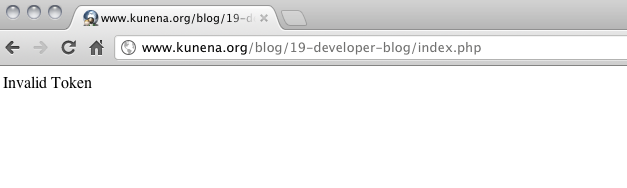
REGARDS!
OS X 10.6.8 | Chrome
REGARDS!
Joomla 2.5.8, and 3.0 K.2.0.3, default Chrome
Please Log in or Create an account to join the conversation.
Time to create page: 0.289 seconds