
- Posts: 7
- Thank you received: 0
Kunena 7.0.4 Released
The Kunena team has announce the arrival of Kunena 7.0.4 [K 7.0.4] in stable which is now available for download as a native Joomla extension for J! 5.4.x/6.0.x. This version addresses most of the issues that were discovered in K 6.2 / K 6.3 / K 6.4 and issues discovered during the last development stages of K 7.0
Topics that are moved into this category are generally considered to be closed. Users may want to add additional information but these topics should not be resurrected in order to discuss new problems or unrelated matters.
Question Remove menu, breadcrumb and link directly to specified cathegory
- tomasgusta
-
 Topic Author
- Offline
- New Member
-

Less
More
16 years 8 months ago - 16 years 8 months ago #27646
by tomasgusta
Hello!
Kunena is really a fantastic tool! A bit tricky in the beginning thought...
Could anyone take a look at my forum at "medicinhistoria.nu" forum-button?
First, I would like that the forum button linked directly to the cathegory "Medicinhistorisk diskussion". I tried to do it as an external link, but the page disapeared when I removed the old link.
For the second I would like to remove the "kategorier, senaste diskussioner, avancerad sökning"-meny.
And finally I would like to remove the breadcrumb with the arrow from the little house.
Is this possible to do?
Best regards Tomas
Kunena is really a fantastic tool! A bit tricky in the beginning thought...
Could anyone take a look at my forum at "medicinhistoria.nu" forum-button?
First, I would like that the forum button linked directly to the cathegory "Medicinhistorisk diskussion". I tried to do it as an external link, but the page disapeared when I removed the old link.
For the second I would like to remove the "kategorier, senaste diskussioner, avancerad sökning"-meny.
And finally I would like to remove the breadcrumb with the arrow from the little house.
Is this possible to do?
Best regards Tomas
Last edit: 16 years 8 months ago by tomasgusta.
Please Log in or Create an account to join the conversation.


16 years 8 months ago #27653
by Matias
Replied by Matias on topic Re: Remove menu, breadcrumb and link directly to specified cathegory
You need to do some manual coding in order to change default page and to remove kunena menu.
Menu can be hidden by disabling function call in your template:
fb_layout.php, around line 170 there is something like this:
Just add
in the beginning of that function:
To point into your main category (if there will be no other main categories!) you need to change line 307-320 from:
to:
It should work..
For the breadcrumb look at fb_pathway.php file. It lists the path to current forum/action. Calling return in the beginning of the code should remove most of it..
Menu can be hidden by disabling function call in your template:
fb_layout.php, around line 170 there is something like this:
Code:
function KUNENA_get_menu($cbitemid, $fbConfig, $fbIcons, $my_id, $type, $view = "", $catid = 0, $id = 0, $thread = 0, $is_moderator = false, $numPending = 0)
{
$func = strtolower(JRequest::getCmd('func', ''));
if ($func == '') // Set default as per config settings
{
Just add
Code:
return '';
Code:
function KUNENA_get_menu($cbitemid, $fbConfig, $fbIcons, $my_id, $type, $view = "", $catid = 0, $id = 0, $thread = 0, $is_moderator = false, $numPending = 0)
{
return '';
$func = strtolower(JRequest::getCmd('func', ''));
if ($func == '') // Set default as per config settings
{
To point into your main category (if there will be no other main categories!) you need to change line 307-320 from:
Code:
if ($func == '') // Set default start page as per config settings
{
switch ($fbConfig->fbdefaultpage)
{
case 'recent':
$func = 'latest';
break;
case 'my':
$func = $kunena_my->id > 0 ? 'mylatest' : 'latest';
break;
default:
$func = 'listcat';
}
}
to:
Code:
if ($func == '') // Set default start page as per config settings
{
$func = 'showcat';
$catid = YOUR_CATEGORY_ID_HERE;
}
It should work..
For the breadcrumb look at fb_pathway.php file. It lists the path to current forum/action. Calling return in the beginning of the code should remove most of it..
Please Log in or Create an account to join the conversation.
- tomasgusta
-
Topic Author
- Offline
- New Member
-
Less
More
- Posts: 7
- Thank you received: 0
16 years 8 months ago #27762
by tomasgusta
Replied by tomasgusta on topic Re: Remove menu, breadcrumb and link directly to specified cathegory
Thank you very much Matias!
With your help I managed to remove the meny "category, advanced..." and the breadcrumbs. Unfortunately, the forum doesn't start inside the category of my choice.
I use a template called "we love kunena". The two lines you gave the advice to change is right next to each other at line 170:
function KUNENA_get_menu($cbitemid, $fbConfig, $fbIcons, $my_id, $type, $view = "", $catid = 0, $id = 0, $thread = 0, $is_moderator = false, $numPending = 0)
{
return '';
$func = strtolower(JRequest::getVar('func', ''));
if ($func == '') // Set default start page as per config settings
{
$func = 'showcat';
$catid = 4;
}
Still the forum won't start inside category 4. Have I written the forum id in a false way?
Best regards Tomas
With your help I managed to remove the meny "category, advanced..." and the breadcrumbs. Unfortunately, the forum doesn't start inside the category of my choice.
I use a template called "we love kunena". The two lines you gave the advice to change is right next to each other at line 170:
function KUNENA_get_menu($cbitemid, $fbConfig, $fbIcons, $my_id, $type, $view = "", $catid = 0, $id = 0, $thread = 0, $is_moderator = false, $numPending = 0)
{
return '';
$func = strtolower(JRequest::getVar('func', ''));
if ($func == '') // Set default start page as per config settings
{
$func = 'showcat';
$catid = 4;
}
Still the forum won't start inside category 4. Have I written the forum id in a false way?
Best regards Tomas
Please Log in or Create an account to join the conversation.

16 years 8 months ago #27768
by 810
Replied by 810 on topic Re: Remove menu, breadcrumb and link directly to specified cathegory
try
Regards
810
Code:
$catid = '4';
810
Please Log in or Create an account to join the conversation.
- tomasgusta
-
Topic Author
- Offline
- New Member
-
Less
More
- Posts: 7
- Thank you received: 0
16 years 8 months ago - 16 years 8 months ago #27775
by tomasgusta
Replied by tomasgusta on topic Re: Remove menu, breadcrumb and link directly to specified cathegory
Hi 810!
I tried to change the line to:
$catid = '4';
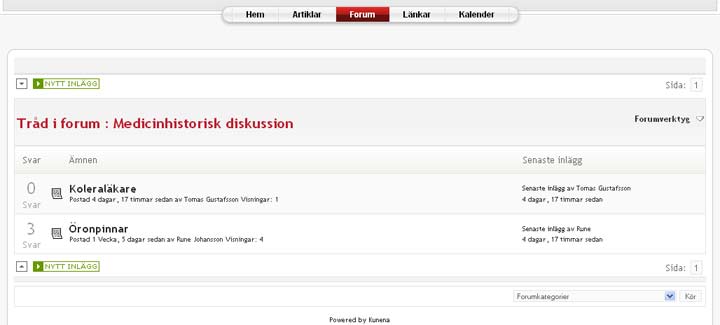
but the forum still starts up in the main forum "medicinhistoriskt forum":

I tried to change the line to:
$catid = '4';
but the forum still starts up in the main forum "medicinhistoriskt forum":
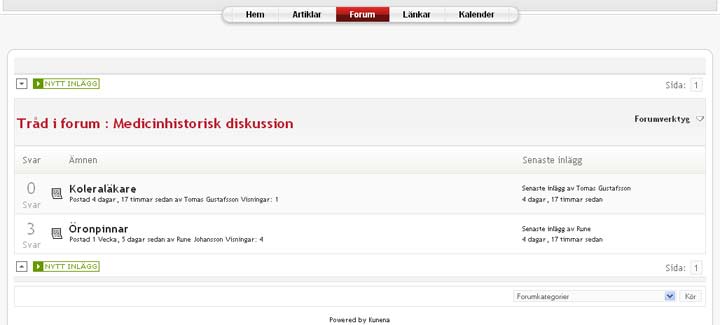
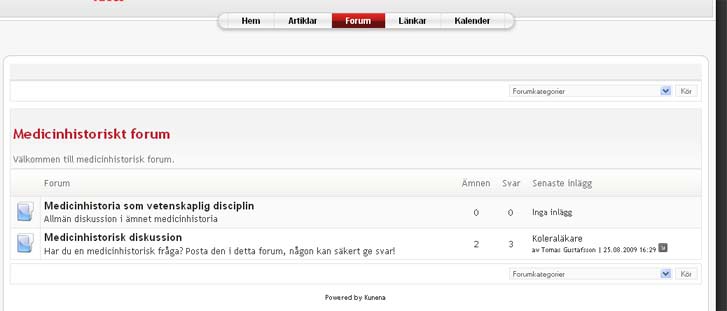
Last edit: 16 years 8 months ago by tomasgusta.
Please Log in or Create an account to join the conversation.
- tomasgusta
-
Topic Author
- Offline
- New Member
-
Less
More
- Posts: 7
- Thank you received: 0
16 years 8 months ago - 16 years 8 months ago #27776
by tomasgusta
Replied by tomasgusta on topic Re: Remove menu, breadcrumb and link directly to specified cathegory
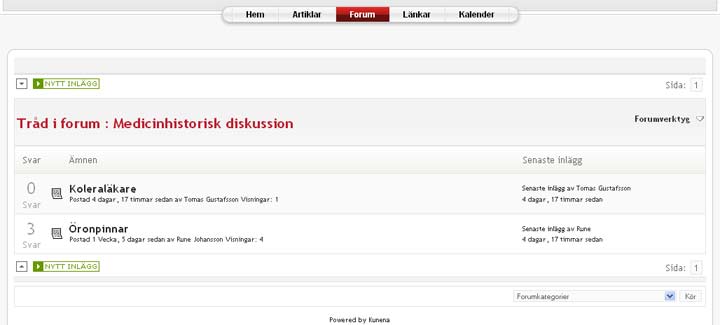
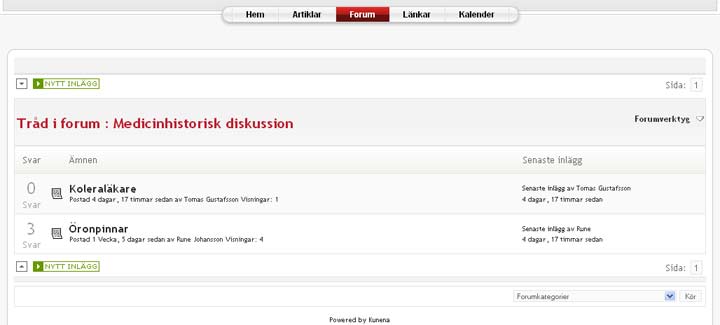
Instead I would like it to start inside the category "medicinhistorisk diskussion" as in this link:
medicinhistoria.nu/index.php/forum/4-med...historisk-diskussion
What can be wrong?
Best regards Tomas
medicinhistoria.nu/index.php/forum/4-med...historisk-diskussion
What can be wrong?
Best regards Tomas
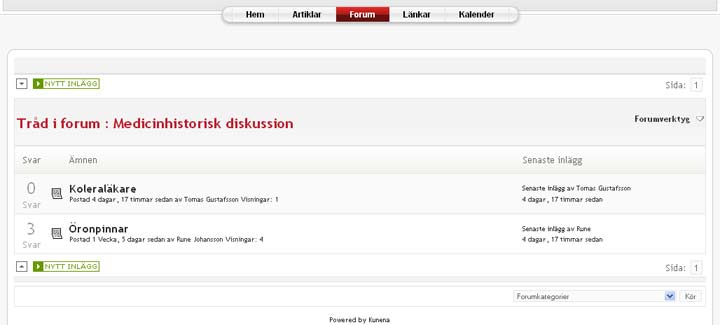
Last edit: 16 years 8 months ago by tomasgusta.
Please Log in or Create an account to join the conversation.
Time to create page: 0.262 seconds