
Search Results (Searched for: message)

I tried the basic template. I tried turning off the cache in Joomla.
Database collation check: The collation of your table fields are correct
Joomla! SEF: Enabled | Joomla! SEF rewrite: Enabled | FTP layer: Disabled |
This message contains confidential informationhtaccess: Exists | PHP environment: Max execution time: 30 seconds | Max execution memory: 256M | Max file upload:
Kunena menu details:
Warning: Spoiler!
ID Name Menutype Link Path In trash 426 Forum forumizbornik view=home&defaultmenu=427 forum-izbornik No 427 Početna forumizbornik view=category&layout=list&catid=0 forum-izbornik/index No 428 Nedavne Teme forumizbornik view=topics&mode=replies forum-izbornik/recent No 429 Nepročitano forumizbornik view=topics&layout=unread forum-izbornik/unread No 430 Nova Tema forumizbornik view=topic&layout=create forum-izbornik/newtopic No 431 Bez Odgovora forumizbornik view=topics&mode=noreplies forum-izbornik/noreplies No 432 Moje Teme forumizbornik view=topics&layout=user&mode=default forum-izbornik/mylatest No 433 Profil forumizbornik view=user forum-izbornik/profile No 434 Pomoć forumizbornik view=misc forum-izbornik/help No 435 Traži forumizbornik view=search forum-izbornik/search No 436 Forum mainmenu Itemid=426 forum-tehnofrik No
Joomla default template details : YOOtheme | author: YOOtheme | version: 5.0.30 | creationdate: April 2026
Kunena default template details : NTS KFora | author: Nice Theme Store Team | version: 7.0.1 | creationdate: 2026-04-25
Kunena template params:
Warning: Spoiler!
DefaultCategoryicon fa-regular fa-comments profileIconset default DefaultIconset default editorIconset default bootstrap 1 borderless 0 tooltips 1 SubjectLengthMessage 80 fullactions 1 quick 0 displayMenu 1 displayDropdownMenu 1 displayDropdownContent 1 displayModule 1 displayBreadcrumb 1 displayAnnouncement 0 displayFooter 1 avatarPosition left formRecover 0 labels 0 whoisonlineName default avatarType img-thumbnail topicicontype fa fontawesome 0 optional_username 0 writeaccess 0 localstorage 0 moduleIdWebauthn 0 kPreset default kPrimary #5787ff kAccent #be9ac7 kSuccess #15803d kWarning #f9a510 kDanger #dc2626 kText #374151 kLink #2563eb kLinkHover #1d4ed8 kNavInactive #374151 kNavHover #5787ff kNavActive #5787ff kheaderText #414141 kHeaderLink #414141 kHeaderLinkHover #414141 kIconBg #f0f0f0 kIcon #999999 kIconHover #5787ff IconColorNew #48a348 editorType ckeditor Bold 1 Italic 1 Underline 1 Strike 1 Subscript 1 Smiley 1 Superscript 1 RemoveFormat 1 BulletedList 1 NumberedList 1 Blockquote 1 JustifyLeft 1 JustifyCenter 1 JustifyRight 1 JustifyBlock 1 Link_Unlink 1 Image 1 Confidential 1 Hidetext 1 Spoiler 1 Code 1 Ebay 1 X_Social 1 1 Soundcloud 1 FontSize 1 TextColor 1 Maximize 1 Map 1 Video 1 editorButtons nameskinckeditor ckeditorcustomprefixconfigfile avatarSizeX 40 avatarSizeY 90 avatarSizeXThumb 40 avatarSizeYThumb 40 avatarSizeXWelcome 72 avatarSizeYWelcome 72 avatarSizeXList 40 avatarSizeYList 40 avatarSizeXPost 144 avatarSizeYPost 144 avatarSizeXProfile 200 avatarSizeYProfile 200 templatebyText templatebyName templatebyLink
Kunena version detailed: Kunena 7.0.4 | 2026-04-19 [ Git Repository ]
| Kunena detailed configuration:| Kunena integration settings:Warning: Spoiler!
Kunena config settings: template nts_kfora emailSenderName Tehnofrik Forum sendEmails 1 boardOffline 0 readOnly 0 sessionTimeOut 1800 enableRss 0 debug 0 profiler 0 fallbackEnglish 1 timeToCreatePage 1 sef 1 accessComponent 1 sefRedirect 1 cache 1 cacheTime 60 threadsPerPage 20 messagesPerPage 10 messagesPerPageSearch 15 showHistory 0 historyLimit 6 postDateFormat datetime postDateFormatHover datetime_today showNew 1 showAnnouncement 0 avatarOnCategory 1 listCatShowModerators 0 showChildCatIcon 1 enableForumJump 1 reportMsg 1 orderingSystem mesid hideIp 1 latestCategoryIn 1 topicIcons 1 lightbox 1 showListTime 720 topicLayout flat pickupCategory 1 articleDisplay intro defaultSort asc searchTime 365 allowChangeSubject 1 ratingEnabled 1 attachStart 0 attachEnd 14 quickReply 1 disableRe 0 displayFilenameAttachment 0 datePickerFormat d.m.Y username 1 askEmail 0 showEmail 0 showUserStats 1 showKarma 1 showThankYou 1 thankYouMax 10 userEdit 1 userEditTime 0 userEditTimeGrace 600 editMarkup 1 allowFavorites 1 boxGhostMessage 0 showBannedReason 0 showImgFilesManageProfile 1 userReport 1 logModeration 0 userStatus 1 signature 1 maxSig 300 personal 1 privateMessage 0 emailHeader media/kunena/email/hero-wide.png emailHeaderSizeY 560 emailHeaderSizeX 560 allowSubscriptions 1 mailFull 1 plainEmail 0 categorySubscriptions post topicSubscriptions every subscriptionsChecked 1 emailRecipientCount 10 emailRecipientPrivacy bcc useSystemEmails 0 utmSource 0 sendMailUserBanned 0 mailBodyUserBanned mailBodyUserUnBanned pubWrite 0 holdGuestPosts 0 userlistAllowed 1 pubProfile 1 regOnly 0 holdNewUsersPosts 0 userDeleteMessage 0 modSeeDeleted 0 floodProtection 0 mailModerators 0 mailAdministrators 0 ipTracking 1 statsLinkAllowed 1 maxLinks 6 teaser 0 urlSubjectTopic 0 moderatorPermDelete 0 newUsersPreventPostUrlImages 0 minimalUserPostsAddUrlImage 10 captcha -1 captchaPostLimit 0 stopForumSpamNewUserCheck 0 avatarType 0 defaultAvatar nophoto.png defaultAvatarSmall s_nophoto.png avatarTypes gif,jpeg,jpg,png,webp,avif allowAvatarUpload 1 allowAvatarGallery 1 avatarSize 2048 avatarQuality 75 avatarCrop 0 avatarEdit 0 attachmentLimit 8 attachmentProtection 0 attachmentUtf8 1 imageUpload registered showImgForGuest 1 imageTypes jpg,jpeg,gif,png,webp,avif checkMimeTypes 1 imageMimeTypes image/jpeg,image/jpg,image/gif,image/png,image/webp,image/avif imageSize 5120 imageWidth 800 imageHeight 800 thumbWidth 32 thumbHeight 32 imageQuality 50 fileUpload registered showFileForGuest 1 fileTypes txt,rtf,pdf,zip,tar.gz,tgz,tar.bz2,rar fileSize 5120 showRanking 1 rankImages 1 trimLongUrls 1 trimLongUrlsFront 40 trimLongUrlsBack 20 autoLink 0 smartLinking 0 autoEmbedYoutube 1 autoEmbedEbay 1 autoEmbedInstagram 1 autoEmbedSoundcloud 1 highlightCode 0 bbcodeImgSecure image ebayLanguage 0 ebayCertId rssType topic rssSpecification rss2.0 rssTimeLimit 1 month rssLimit 100 rssAllowHtml 1 rssAuthorFormat name rssAuthorInTitle 1 rssWordCount 0 rssOldTitles 1 rssCache 900 rssFeedBurnerUrl userlistRows 30 userlistOnline 1 userlistAvatar 1 userlistPosts 1 userlistKarma 1 userlistEmail 0 userlistJoinDate 1 userlistLastVisitDate 1 userlistUserHits 1 superAdminUserlist 0 userListUserType 0 showSessionType 2 showSessionStartTime 1800 showWhoIsOnline 1 showStats 1 showGenStats 1 showPopUserStats 1 popUserCount 5 showPopSubjectStats 1 popSubjectCount 5 showPopPollStats 1 popPollsCount 5 showPopThankYouStats 1 popThanksCount 5 userlistCountUsers 1 pollEnabled 1 pollNbOptions 6 pollTimeBtVotes 00:15:00 pollNbVotesByUser 100 pollAllowVoteOne 1 pollResultsUserslist 1 allowUserEditPoll 0 defaultPage recent activeMenuItem mainMenuId homeId indexId moderatorsId topicListId miscId profileId searchId rules | Joomla! detailed language files installed:Warning: Spoiler!Kunena - Finder Disabled
Kunena - Community Builder Disabled
Kunena - Easyblog Disabled
Kunena - Easysocial Disabled
Kunena - Gravatar Disabled
Kunena - JomSocial Disabled
Kunena - Joomla Enabled: access=1 login=1
Kunena - Kunena Enabled: avatar=1 profile=1
Kunena - UddeIm Disabled
Warning: Spoiler!
Joomla! languages installed: en-GB English (United Kingdom) hr-HR Hrvatski (Hrvatska)
Third-party components: None
Third-party SEF components: None
Plugins: None
Modules: Kunena Latest 6.2.0

on line 31, i have changed it and added the width and height attibutes :
To use it you need to have that in the message column #__kunena_messages_text
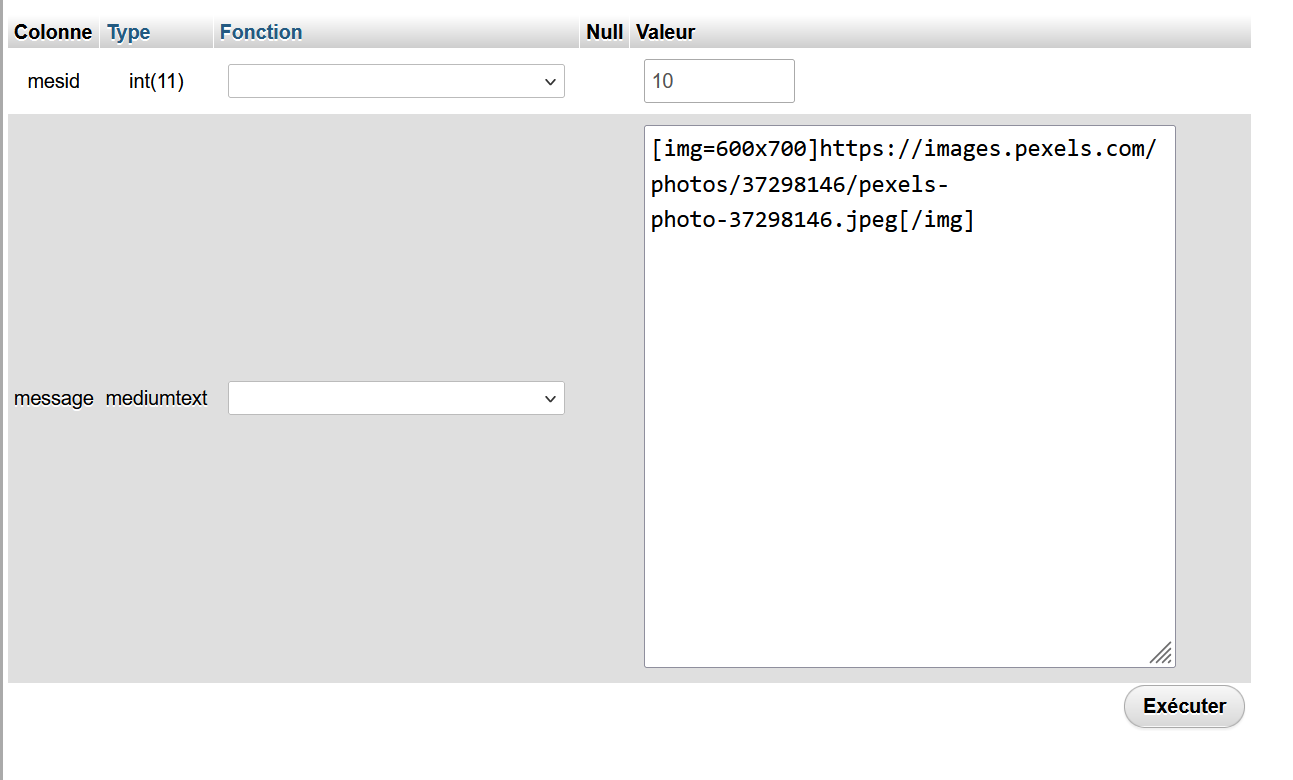
It's not keeped when you create/edit your message
I had made a Pull Request with your cahnges on this : github.com/Kunena/Kunena-Forum/pull/10051 . I'am waiting your feedback on this
There is a version 3.2.1 of SCeditor and i have updated it in developpement branch : github.com/Kunena/Kunena-Forum/commit/e1...2451928c95f256e08f0f
that's fine - I will look if there are important changes.
Nevertheless, as SCEditor generates a width x height property there is the need to change the lKunenaBBCode.php
to allow the 'x' letter (allow /^\d*x\d*$ line 728), otherwise Kunena would ignore it
(also the change to attribute 'size=' would be useful, so SCEditor could read old message styles)

I don't understand why you want change this regex
because of the 2nd problem.
1. is the missing "translation" of image properties to bbcode
2. error when opening CKeditor if img has some attributes added within the tag using whitespace.
(disabling the bbcode does open the editor as it should be, so there must be a problem within bbcode)
for the first I'm ready with the insertation, but as there is the 2nd bug I cannot
test if the bbcode is correctly read and translated to html.
also I'm not shure if the CK bbcode plugin basicly will work with all the special addons like ebay, video etc.
In the demo it works : ckeditor.com/docs/ckeditor4/latest/examples/image.html , so it's probably the bbcode plugin which disable it when used
that's correct. the original bbcode plugin disables the properties settings of images (see "tab.remove('basic') in the screenshot,
mainly because the there is no implenentation of properties to the bbcode or
the main problem, as each addition (style= or direct width=) will be added using whitespace in the img tag, which causes problems.
In the moment I have done this:
in the ckeditor_config.js
config.removePlugins = 'bbcode'; //disable the original bbcode plugin, because included in the big minified file
config.extraPlugins = 'bbcode2'; //just renaming the standalone bbcode to bbcode2, so I can easily edit it
1st steps:
disabling the remove of properties dialog (see screenshot)
adding properties inclusion
I attach the bbcode2 plugin without any edition, (only the neccearry renaming to bbcode2 in the .add comand line 558)
- also I packed the plugin-edited.js version with my first test correction for imgsize
basicly I found this statement to the original bbcode plugin.js
The BBCode plugin is more of a showcase plugin which presents how to make your own implementation for bbcode. This is not a full bbcode implementation but more of a jump start code. This plugin doesn't support width for images and it is a user responsibility to add it.
There is a version 3.2.1 of SCeditor and i have updated it in developpement branch : github.com/Kunena/Kunena-Forum/commit/e1...2451928c95f256e08f0f
that's fine - I will look if there are important changes.
Nevertheless, as SCEditor generates a width x height property there is the need to change the lKunenaBBCode.php
to allow the 'x' letter (allow /^\d*x\d*$ line 728), otherwise Kunena would ignore it
(also the change to attribute 'size=' would be useful, so SCEditor could read old message styles)

If I want to moderate two topics to merge them, I get this message:
I am using the template NTS KSamurai. If I switch to the standard Kunena template, I do not get this message.Rendering Error in layout Topic/Moderate: Class "Kunena\Forum\Site\KunenaUserHelper" not found. Please enable debug mode for more information.
So I suspect it is caused by the Smurai template.
Is that correct or is it something I can solve by changing something in Kunena?
I am using Samurai 7.0.1 and Kunena 7.0.4
an admin will see that editing this message is not possible (not loading the message)
main aspect was to keep old messages (may be from update) in db also work.
old img tag was
so 1. edit the bbcode.js from sceditor (media/kunena/core/js/sceditor/bbcode.js)
line 566: (add 'size' attribute name) attribs = ' size=' + dom.width(element) + 'x' + dom.height(element)
to recognize the new 'size' attribute add these after line 578
//handle [img size=340x240]url[/img]
_important_ 2. in libraries/src/BBCode/KunenaBBCode.php
we must define the size connector 'x' to be allowed now (formerly only numbers \d*)
so line 728 must be edited to: allow /^\d*x\d*$/[/b]']
after this images will display in forum view and preview correctly, no matter if they come with
the new style from sceditor [img size=340x240] or from old kunena messages having [img size=340]
the big thing missing in SCEditor is, that the script has no possibility to edit img attributes
(if you activate an image and click the picture icon it does not load the properties of the selected image,
you have to delete and add new to change properties - or use the source code)
I could find out anything about CKEditor because Kunena has cut out property settings
can anyone help please ???
you can try with the attached files:
I have made some changes with this new PR : github.com/Kunena/Kunena-Forum/pull/10034
Now if you don't have any text in private tab, you haven't the pm box which are displayed
Can-you test it please ?
thanks again for your effort.
I tested the code changes and it still does not really fix my issue:
In your line 1616:
I have made an another Pull Request with others changes : github.com/Kunena/Kunena-Forum/pull/10032
the most confusing thing is, that CK Editor works well on all messages #2 and up of a topic, but NOT on the first (opening) message.Could be a javascript which is corrupted or could be an issue with the language file for Ckeditor which is a javascript file
(also as written, SK Editor works on ALL)
so what I'm interested in, from the kunena insiders, if there is some db setting in this new versions 6-7 for the opening (first) message,
which I may have missed during my import (also because CK Editor works on the first message of the new created kunena 'welcome' message.
so what is the difference on calling the CK Editor on the top, first message against loading on a following message?
as there are no problems on higher messages the JS files seems to be ok, but as all are minified it is hard to read
thank you
EDIT:
I found out some more details:
it is not the first or second or somthing message, it depends on images.
(as mostly in the first message there are images, I thought just of the first as reason)
it only happens (or better does not
 ) if the image is inline, which means included by using a link with the URL tag,
images included as attachment are no problems.
so CK Editor must have a problem with images included the "old way" not using attachment
any ideas ???
I will later today to improve my PR, this message in private part is useless is you have something in the normal message part
thanks for your fast answer and pull request.
You are right, I have a public part and just want to delete the private part of the message.
If I just change the if in line 1588 like you provided, the message automatically fallbacks to "No private message has been set, only private attachments" because of line 1612:
Also even if I would unset the $private->body there,
However if I quickly try to unset both, $private->body and $private->attachments, the private part is deleted as I would expect.
I don't have a Github account at work but I try to find the time to do some more debugging in private and will then answer your pull request.
Thanks again for your help.