


- Posts: 4
- Thank you received: 0
Kunena 7.0.9 & Kunena 6.4.14 – Security Updates Released
The Kunena team has announce the arrival of Kunena 7.0.9 [K 7.0.9] in stable which is now available for download as a native Joomla extension for J! 5.4.x/6.0.x./6.1.x. This version addresses most of the issues that were discovered in K 6.2 / K 6.3 / K 6.4 and issues discovered during the last development stages of K 7.0
Solved CK editor error with German language
1 year 3 months ago - 1 year 3 months ago #233536
by HKS1981
CK editor error with German language was created by HKS1981
Hello,I have installed the Kunena forum. When I switch the Joomla language to German (DE), it is not possible to reply to a thread! Only a grey window appears and the CKEditor does not load. (See Image 1)However, when I switch to English (EN), the CKEditor loads correctly and everything works fine.What do I need to do to make it work with the German language? I have already installed the Kunena language pack, but that didn’t help either.I would appreciate your help — thank you very much!
my install versions: Joomla 5.3.1 and Kunena 6.4.3
my install versions: Joomla 5.3.1 and Kunena 6.4.3
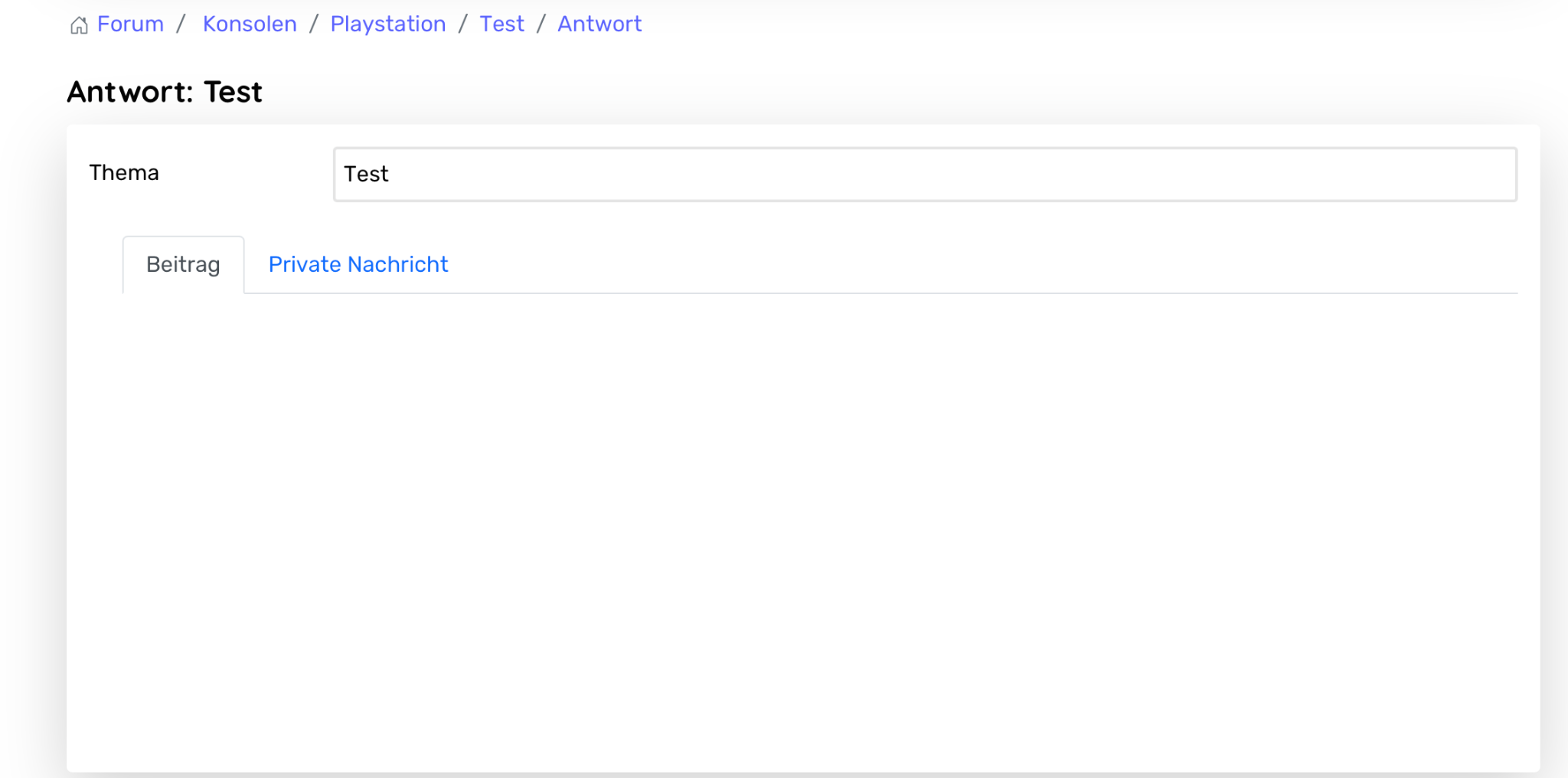
Last edit: 1 year 3 months ago by HKS1981.
Please Log in or Create an account to join the conversation.


Less
More
- Posts: 1014
- Thank you received: 162
1 year 3 months ago #233538
by Pinkeltje
Replied by Pinkeltje on topic CK editor error with German language
Do you see any errors? There are no known problems with German language and I can't reproduce your problem.
Please Log in or Create an account to join the conversation.
1 year 3 months ago - 1 year 3 months ago #233540
by HKS1981
Replied by HKS1981 on topic CK editor error with German language
Good morning,
Not on the front page side! When I checked with the inspector, I saw a CKEditor error:”Errorcode: c[a].dir = c.rtl[a] ? "rtl" : "ltr"; b(a, c[a]); (see image in attach)
thank you
Not on the front page side! When I checked with the inspector, I saw a CKEditor error:”Errorcode: c[a].dir = c.rtl[a] ? "rtl" : "ltr"; b(a, c[a]); (see image in attach)
thank you

Last edit: 1 year 3 months ago by HKS1981.
Please Log in or Create an account to join the conversation.
Less
More
- Posts: 1014
- Thank you received: 162
1 year 3 months ago #233541
by Pinkeltje
Replied by Pinkeltje on topic CK editor error with German language
Which OS and which browser are you using?
The following user(s) said Thank You: HKS1981
Please Log in or Create an account to join the conversation.
- 9themestore
-

- Offline
- Premium Member
-

1 year 3 months ago #233547
by 9themestore
- Please provide your site url if it has been lived.
- Please share tip if it worked fine with you.
- Don't be shy about using the "Thanks" button below if you found my comment helpful
Replied by 9themestore on topic CK editor error with German language
Hi,
Try to add below CSS rules to the custom.css file in your Joomla template.
This is also one of the reasons why you lose the content editing part.
Kind regards,
Try to add below CSS rules to the custom.css file in your Joomla template.
Code:
#kunena.layout .tab-content > .active { display: block !important; opacity: 1 !important; }
This is also one of the reasons why you lose the content editing part.
Kind regards,
- Please provide your site url if it has been lived.
- Please share tip if it worked fine with you.
- Don't be shy about using the "Thanks" button below if you found my comment helpful
The following user(s) said Thank You: HKS1981
Please Log in or Create an account to join the conversation.
1 year 3 months ago #233548
by HKS1981
Replied by HKS1981 on topic CK editor error with German language
That solved the problem- thank you so much!
Please Log in or Create an account to join the conversation.
Time to create page: 0.255 seconds