


- Posts: 22
- Thank you received: 1
Kunena 7.0.8 Released
The Kunena team has announce the arrival of Kunena 7.0.8 [K 7.0.8] in stable which is now available for download as a native Joomla extension for J! 5.4.x/6.0.x./6.1.x. This version addresses most of the issues that were discovered in K 6.2 / K 6.3 / K 6.4 and issues discovered during the last development stages of K 7.0
Solved New post, user redirection going wrong
1 year 10 months ago #232277
by rwillems
New post, user redirection going wrong was created by rwillems
Hi all, using Kunena 6.3.5. Have some strange behaviour I'd like to report. Would expect the user to go to the newly posted item instead of the new post action.
1. User posts a new topic
2. After posting it is shown in the database and frontend
3. User is redirect to https://../topic/create
1. User posts a new topic
2. After posting it is shown in the database and frontend
3. User is redirect to https://../topic/create
Please Log in or Create an account to join the conversation.


Less
More
- Posts: 978
- Thank you received: 153
1 year 10 months ago #232278
by Pinkeltje
Replied by Pinkeltje on topic New post, user redirection going wrong
Unable to reproduce.
URL when creating new topic:
Create new topic:
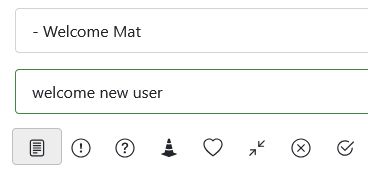
URL after submitting:
URL when creating new topic:
Code:
forum/newtopic
URL after submitting:
Code:
forum/welcome-mat/29-welcome-new-user
Please Log in or Create an account to join the conversation.
1 year 10 months ago #232280
by rwillems
Replied by rwillems on topic New post, user redirection going wrong
How would you advise me to go forward with this? I have reinstalled the plugin (kept the database).
Please Log in or Create an account to join the conversation.
Less
More
- Posts: 978
- Thank you received: 153
1 year 10 months ago #232281
by Pinkeltje
Replied by Pinkeltje on topic New post, user redirection going wrong
First step is to post your Kunena configuration report
Please Log in or Create an account to join the conversation.
1 year 10 months ago #232282
by rwillems
Replied by rwillems on topic New post, user redirection going wrong
This message contains secure information
Please Log in or Create an account to join the conversation.


Less
More
- Posts: 12288
- Thank you received: 2537
1 year 10 months ago #232283
by rich
Important! Always create a backup before you make any changes to your website!
Replied by rich on topic New post, user redirection going wrong
1. first go to Kunena -> Templates in the backend and select Aurelia as the default.
2. customise the collation of the database. Joomla and Kunena should have utf8mb3_general_ci or utf8mb3_unicode_ci. This must be done for both tables and columns.
3. Fix the menu item in the main menu that leads to the forum. It must be the menu type Alias ( see here )
4. I am irritated by the two menu items in the hidden menu that should lead to the same destination (category) with different addresses. If these also have different authorisations, e.g. for special users, then normal users cannot create posts in the category.
If you generally only want to release the forum for registered users, then do this via the Kunena configuration Security tab -> Registered users only).
With your configuration, you can currently call up the index and Recent Topics by manually entering the address in the browser. However (as you have already mentioned) there are no posts available.
2. customise the collation of the database. Joomla and Kunena should have utf8mb3_general_ci or utf8mb3_unicode_ci. This must be done for both tables and columns.
3. Fix the menu item in the main menu that leads to the forum. It must be the menu type Alias ( see here )
4. I am irritated by the two menu items in the hidden menu that should lead to the same destination (category) with different addresses. If these also have different authorisations, e.g. for special users, then normal users cannot create posts in the category.
If you generally only want to release the forum for registered users, then do this via the Kunena configuration Security tab -> Registered users only).
With your configuration, you can currently call up the index and Recent Topics by manually entering the address in the browser. However (as you have already mentioned) there are no posts available.
Important! Always create a backup before you make any changes to your website!
Please Log in or Create an account to join the conversation.
Time to create page: 0.219 seconds