


- Posts: 1265
- Thank you received: 188
Kunena 7.1.1 & Kunena 6.4.17 – Security Updates Released
The Kunena team has announce the arrival of Kunena 7.1.1 [K 7.1.1] in stable which is now available for download as a native Joomla extension for J! 5.4.x/6.0.x./6.1.x./6.2.x This version addresses most of the issues that were discovered in K 6.2 / K 6.3 / K 6.4 / K7.0 and issues discovered during the last development stages of K 7.1
Just a reminder: K6.4.17 receives only securities fixes until end of 2026, so it's advised for users to upgrade to K7.1.
Solved View kunena menu-items on joomla 5 give 3 items a error
3 years 4 weeks ago #229725
by Leen
With kind regards
Leen
View kunena menu-items on joomla 5 give 3 items a error was created by Leen
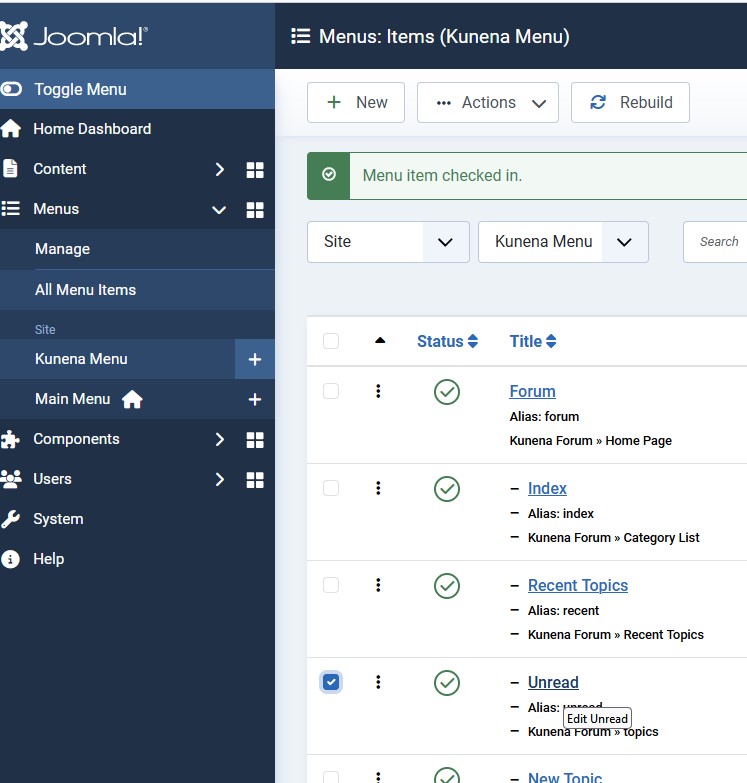
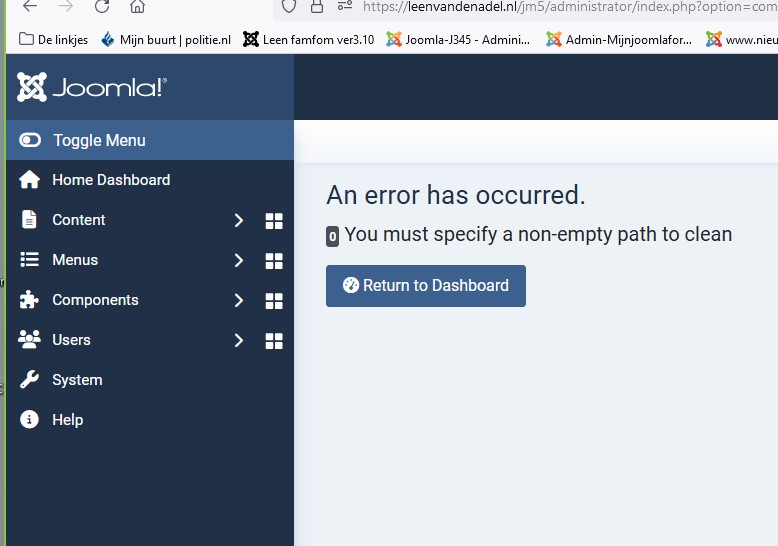
When I want to view the Kunena 6.2 menu item in Joomla 5, an error message appears.
Search > give An error has occurred.
0 You must specify a non-empty path to clean
Profile > give An error has occurred.
0 You must specify a non-empty path to clean
Unread > give An error has occurred.
0 You must specify a non-empty path to clean
With kind regards
Leen

Please Log in or Create an account to join the conversation.

3 years 4 weeks ago - 3 years 4 weeks ago #229731
by Gindi
Replied by Gindi on topic View kunena menu-items on joomla 5 give 3 items a error
With Joomla 5.0.0 and Kunena 6.2.0 I can't reproduce these errors unfortunately.
When I click on all menu items one after the other on the user page in the forum, everything is displayed perfectly.
Was it a fresh J5.0.0 installation or an update from J4.4.0 ?
Gindi
Last edit: 3 years 4 weeks ago by Gindi. Reason: Frage
Please Log in or Create an account to join the conversation.
3 years 4 weeks ago - 3 years 4 weeks ago #229732
by Leen
With kind regards
Leen
Replied by Leen on topic View kunena menu-items on joomla 5 give 3 items a error
i have kunena 6.2.0 2023-10-17 PHP Version 8.1.14
Have the menu rebuilt via tools
but problem still persists here
With kind regards
Leen
Last edit: 3 years 4 weeks ago by Leen.
Please Log in or Create an account to join the conversation.
3 years 4 weeks ago - 3 years 4 weeks ago #229733
by Gindi
Replied by Gindi on topic View kunena menu-items on joomla 5 give 3 items a error
But that does not answer my question:
Was it a fresh install of J5.0.0 or an update from J4.4.0?
I had a backup of my livesite on J4.4.0 and then did an update to J5.0.0.
Thereby two database errors were displayed. One error I could fix with "repair".
The second error said: The table "'jom5_schemaorg'" does not exist. (From file: „5.0.0-2023-07-25.sql“.
I then found the table in Joomla 5.0.0-RC and copied it.
Maybe it has something to do with this?
Gindi
Last edit: 3 years 4 weeks ago by Gindi.
Please Log in or Create an account to join the conversation.
3 years 4 weeks ago #229734
by Leen
With kind regards
Leen
Replied by Leen on topic View kunena menu-items on joomla 5 give 3 items a error
Sorry Gindi, I overlooked the rest of your question
But for me it was an updated site for 4.4.0
but later I also tested locally on PC
by uninstalling kunena completely or reinstalling it
and the problem remains there too.
Will now do another completely clean installation of Joomla and Kunena
With kind regards
Leen
Please Log in or Create an account to join the conversation.
3 years 4 weeks ago #229735
by Leen
With kind regards
Leen
Replied by Leen on topic View kunena menu-items on joomla 5 give 3 items a error
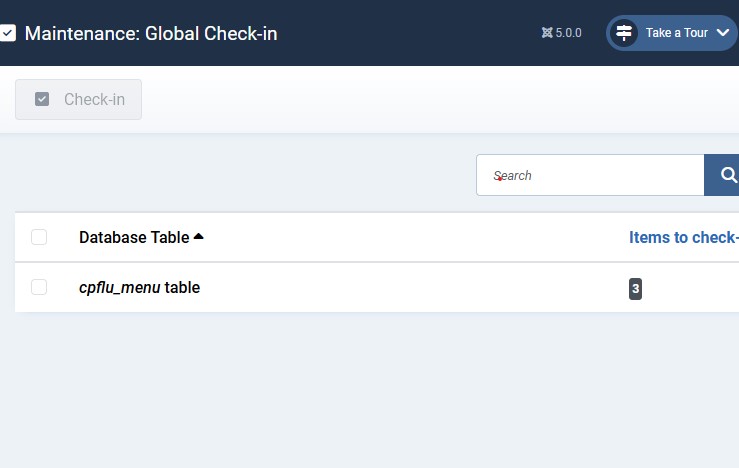
Okay, I installed everything clean, but the 3 menu items continue to cause the problem.
However, when Maintenance: Global Check-in is output, they are fixed again until I want to edit them again
With kind regards
Leen
Please Log in or Create an account to join the conversation.
Time to create page: 0.130 seconds