


- Posts: 83
- Thank you received: 5
Kunena 7.0.8 Released
The Kunena team has announce the arrival of Kunena 7.0.8 [K 7.0.8] in stable which is now available for download as a native Joomla extension for J! 5.4.x/6.0.x./6.1.x. This version addresses most of the issues that were discovered in K 6.2 / K 6.3 / K 6.4 and issues discovered during the last development stages of K 7.0
Solved [SOLVED] 5.1 upgrade.... User avatars gone, Topic icons gone, and EDITOR missing
8 years 3 months ago - 8 years 3 months ago #199401
by mikerotec
[SOLVED] 5.1 upgrade.... User avatars gone, Topic icons gone, and EDITOR missing was created by mikerotec
All user avatars are gone from the forum postings, now they have the default 'Chess pawn' avatars instead.
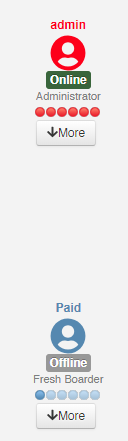
If I look in their CB profile, their own custom avatars are still there.
Also, the forum icons are gone too - now only showing flashing ! and ? symbols...
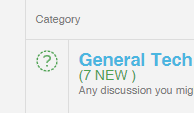
Individual topic icons are normal...
Also, when I open the full editor, there is no editor bar anymore:
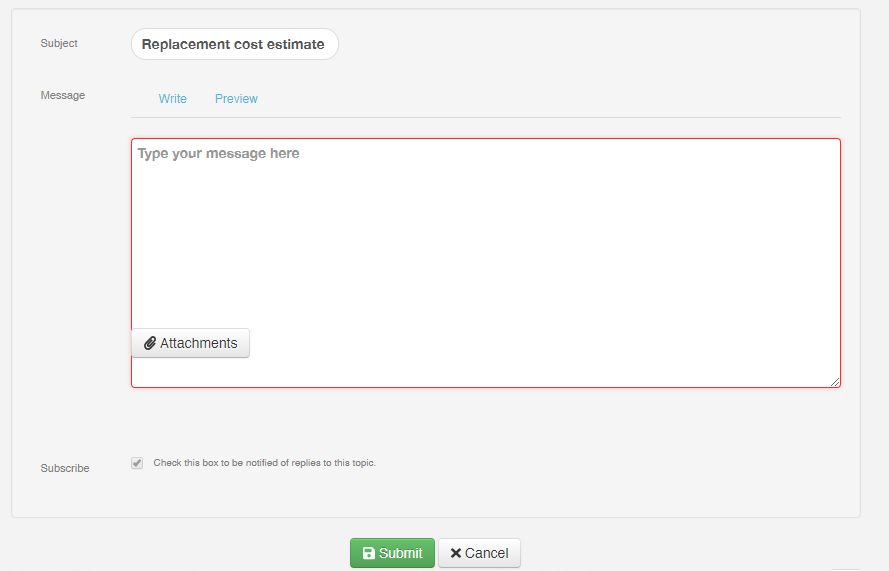
( also key strokes for Bold, Italic etc - no longer work. )
And... The attachment button is unresponsive.
Aside from that, the upgrade looks to have gone OK - No problems with "latest posts" here.
PS: using Crypsis template...
If I look in their CB profile, their own custom avatars are still there.
Also, the forum icons are gone too - now only showing flashing ! and ? symbols...
Individual topic icons are normal...
Also, when I open the full editor, there is no editor bar anymore:
( also key strokes for Bold, Italic etc - no longer work. )
And... The attachment button is unresponsive.
Aside from that, the upgrade looks to have gone OK - No problems with "latest posts" here.
PS: using Crypsis template...
Last edit: 8 years 3 months ago by mikerotec.
Please Log in or Create an account to join the conversation.


8 years 3 months ago #199404
by 810
Replied by 810 on topic 5.1 upgrade.... User avatars are all gone, Topic icons gone, and EDITOR missing
1) kunena config: Default avatar type set to" image". Now they have the user icons css.
2) We have moved to Fontawesome v5, if you don't update then, you need to enable "Load external fontawesome" on the kunena template settings
3) When you click on save on kunena template settings, this will be correct again.
2) We have moved to Fontawesome v5, if you don't update then, you need to enable "Load external fontawesome" on the kunena template settings
3) When you click on save on kunena template settings, this will be correct again.
The following user(s) said Thank You: mikerotec
Please Log in or Create an account to join the conversation.
8 years 3 months ago #199406
by mikerotec
Replied by mikerotec on topic 5.1 upgrade.... User avatars are all gone, Topic icons gone, and EDITOR missing
Thank you - setting avatar type to Image has restored user avatars
But my system already has "Load External CDN Fontawesome" set to YES. Can you advise how I might update to latest fontawesome?
But my system already has "Load External CDN Fontawesome" set to YES. Can you advise how I might update to latest fontawesome?
Please Log in or Create an account to join the conversation.
8 years 3 months ago #199408
by 810
Replied by 810 on topic 5.1 upgrade.... User avatars are all gone, Topic icons gone, and EDITOR missing
Then you have the latest version.
There is a thing with fontawesome v5. You need to enter only the icon. Not more the size after it. Try to change the category icon name with only 1 class
There is a thing with fontawesome v5. You need to enter only the icon. Not more the size after it. Try to change the category icon name with only 1 class
Please Log in or Create an account to join the conversation.
8 years 3 months ago - 8 years 3 months ago #199412
by mikerotec
Replied by mikerotec on topic 5.1 upgrade.... User avatars are all gone, Topic icons gone, and EDITOR missing
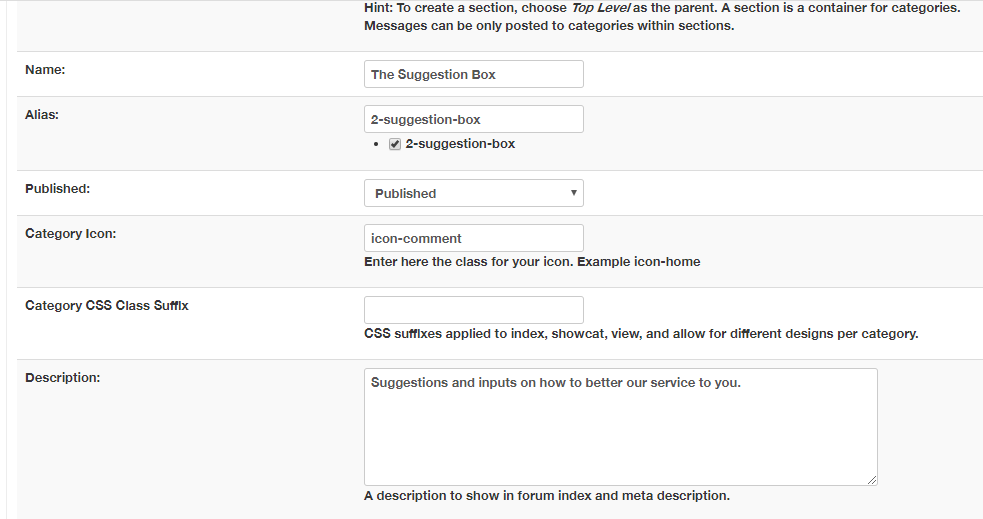
There are no size numbers in our icons, they are showing simply as icon-comment ( etc)
Last edit: 8 years 3 months ago by mikerotec.
Please Log in or Create an account to join the conversation.
8 years 3 months ago #199419
by 810
Replied by 810 on topic 5.1 upgrade.... User avatars are all gone, Topic icons gone, and EDITOR missing
should be " fas fa-comment" *also a space before it.
here you can see what icons is supported: fontawesome.com/icons?d=gallery&q=comment
here you can see what icons is supported: fontawesome.com/icons?d=gallery&q=comment
The following user(s) said Thank You: mikerotec
Please Log in or Create an account to join the conversation.
Time to create page: 0.252 seconds