
Kunena 7.0.5 & Kunena 6.4.11 – Security Updates Released
The Kunena team has announce the arrival of Kunena 7.0.5 [K 7.0.5] in stable which is now available for download as a native Joomla extension for J! 5.4.x/6.0.x. This version addresses most of the issues that were discovered in K 6.2 / K 6.3 / K 6.4 and issues discovered during the last development stages of K 7.0.
The Kunena team is also pleased to announce the eleventh version of Kunena 6.4, a native Joomla extension for Joomla! 5.0, 5.1, 5.2, 5.3, 5.4 and 6.0.
Question Text Sizing and colour selection not showing Drop Down as it does here


from the above editing buttons
As I type this request in I can get both these responses
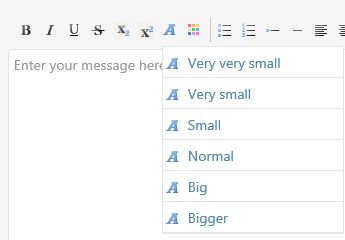
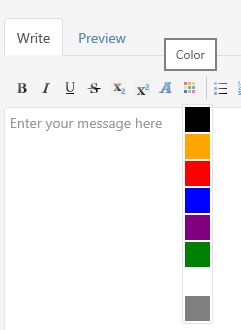
However on both or fully updated versions sites we just get a request box which works, IF you know the correct responses.
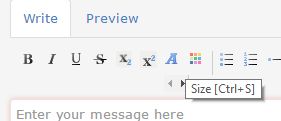
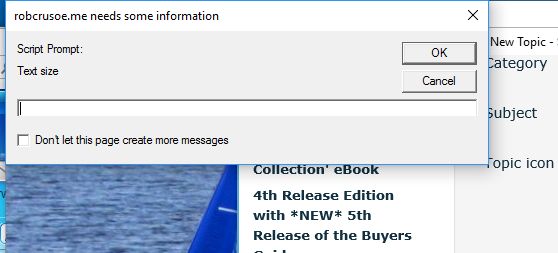
you can see how it has something like < > under the button at the same time.
If someone can figure out the why and a fix we'd be very happy,
If not, could anyone using K 5.03 and Crypsis at least reply stating whether they get the drop downs or not. That way at least we not whether it is just our installations or of wider consequence.
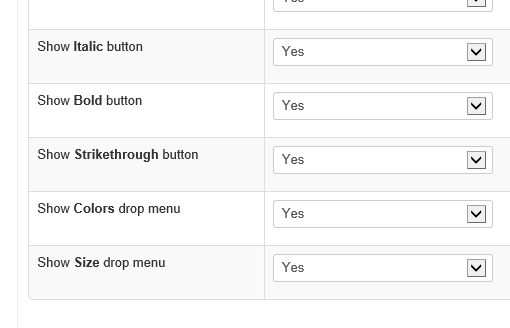
We do have the correct setting set for the two dropdowns, turning off any of the other above is effective so its on the drop down that is muddled.
Oh for a neat solution...
Please Log in or Create an account to join the conversation.


Yes, it opens the browser commands. I've reported it. github.com/Kunena/Kunena-Forum/issues/4894However on both or fully updated versions sites we just get a request box which works, IF you know the correct responses.
Important! Always create a backup before you make any changes to your website!
Please Log in or Create an account to join the conversation.
But will it replicate what it does on this forum, i.e visual drop down options?
Oh for a neat solution...
Please Log in or Create an account to join the conversation.
There has been at least 2 minor updates to the template since the subject was first discussed yet the bug still prevails.
If it works in other K5 templates, why not this one?
Oh for a neat solution...
Please Log in or Create an account to join the conversation.


Then i will check it.
Please Log in or Create an account to join the conversation.
Oh for a neat solution...
Please Log in or Create an account to join the conversation.