


- Posts: 9
- Thank you received: 0
Kunena 7.0.4 Released
The Kunena team has announce the arrival of Kunena 7.0.4 [K 7.0.4] in stable which is now available for download as a native Joomla extension for J! 5.4.x/6.0.x. This version addresses most of the issues that were discovered in K 6.2 / K 6.3 / K 6.4 and issues discovered during the last development stages of K 7.0
Question Category page numbers appear vertically
9 years 7 months ago #180388
by KaiD
Category page numbers appear vertically was created by KaiD
I have been attempting to rearrange my forums following the update but one thing I can't seem to get rid of or find support on is page numbers appearing vertically.
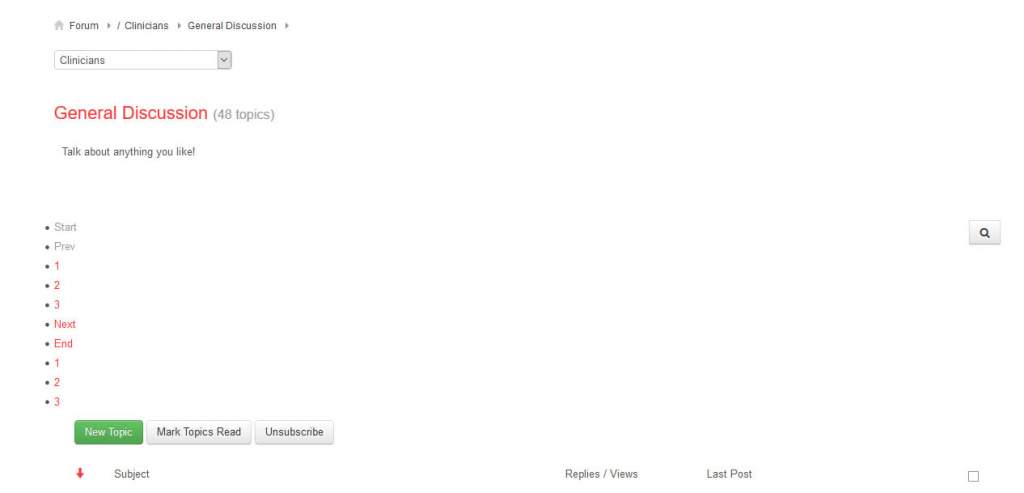
I'm having trouble finding out what is causing this. They did not show like this following first update to 5.0 but have randomly began to show like this.
Any ideas? Thanks!
I'm having trouble finding out what is causing this. They did not show like this following first update to 5.0 but have randomly began to show like this.
Any ideas? Thanks!
Please Log in or Create an account to join the conversation.


9 years 7 months ago #180394
by 810
Replied by 810 on topic Category page numbers appear vertically
backend - components - kunena - template - crypsis - basic feature tab -Set "Load bootstrap" to Yes
Please Log in or Create an account to join the conversation.
9 years 7 months ago #180398
by KaiD
Replied by KaiD on topic Category page numbers appear vertically
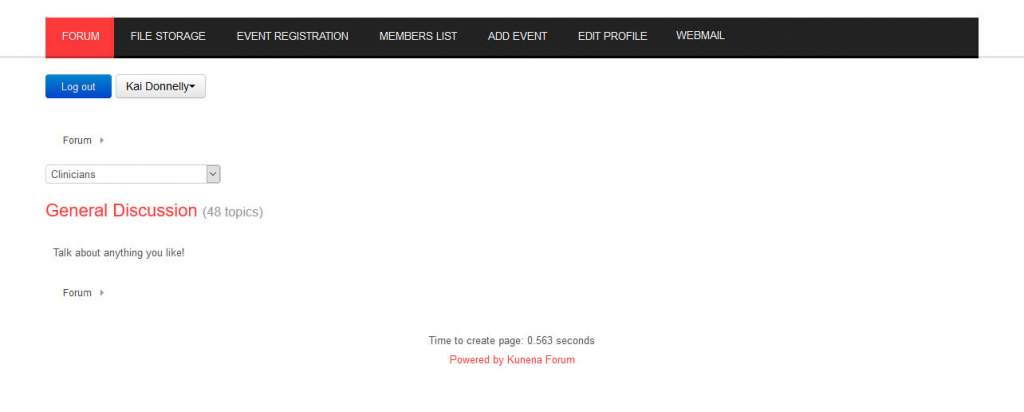
Thanks, I ave tried bootstrap on and off with no difference, the problem has got worse and I haven't made any changes to settings, now not showing any topics within any category...
Please Log in or Create an account to join the conversation.
9 years 7 months ago #180401
by 810
Replied by 810 on topic Category page numbers appear vertically
maybe its just collapsed, hover on the category, then it showed a "x" press on it. Then it will be there again
Please Log in or Create an account to join the conversation.
9 years 7 months ago #180402
by KaiD
Replied by KaiD on topic Category page numbers appear vertically
Unfortunately not, pressing the collapse button just makes the "Talk about anything you like!" line disappear.
That image is the view within a category, you can see next to the category name there are 48 topics but none of them are showing.
This is the same within every category on the forum.
That image is the view within a category, you can see next to the category name there are 48 topics but none of them are showing.
This is the same within every category on the forum.
Please Log in or Create an account to join the conversation.
9 years 7 months ago #180404
by 810
Replied by 810 on topic Category page numbers appear vertically
do you have a link
Please Log in or Create an account to join the conversation.
Time to create page: 0.284 seconds