
- Posts: 2
- Thank you received: 0
Kunena 7.0.5 & Kunena 6.4.11 – Security Updates Released
The Kunena team has announce the arrival of Kunena 7.0.5 [K 7.0.5] in stable which is now available for download as a native Joomla extension for J! 5.4.x/6.0.x. This version addresses most of the issues that were discovered in K 6.2 / K 6.3 / K 6.4 and issues discovered during the last development stages of K 7.0.
The Kunena team is also pleased to announce the eleventh version of Kunena 6.4, a native Joomla extension for Joomla! 5.0, 5.1, 5.2, 5.3, 5.4 and 6.0.
Question Pagination displaying wrong
- skydiverrg
-
 Topic Author
- Offline
- New Member
-

Less
More
10 years 6 months ago #170535
by skydiverrg
Pagination displaying wrong was created by skydiverrg
Hi all,
I've problems diaplaying my pagination correct. Please see picture for explanation.
This occurs also with standard template.
I've already added the following string into my joomla template css, bit it didn't help.
I've installed:
Kunena 4.0.6
on a Joomla 3.4.5 System
Forum is located here: MFV Forum
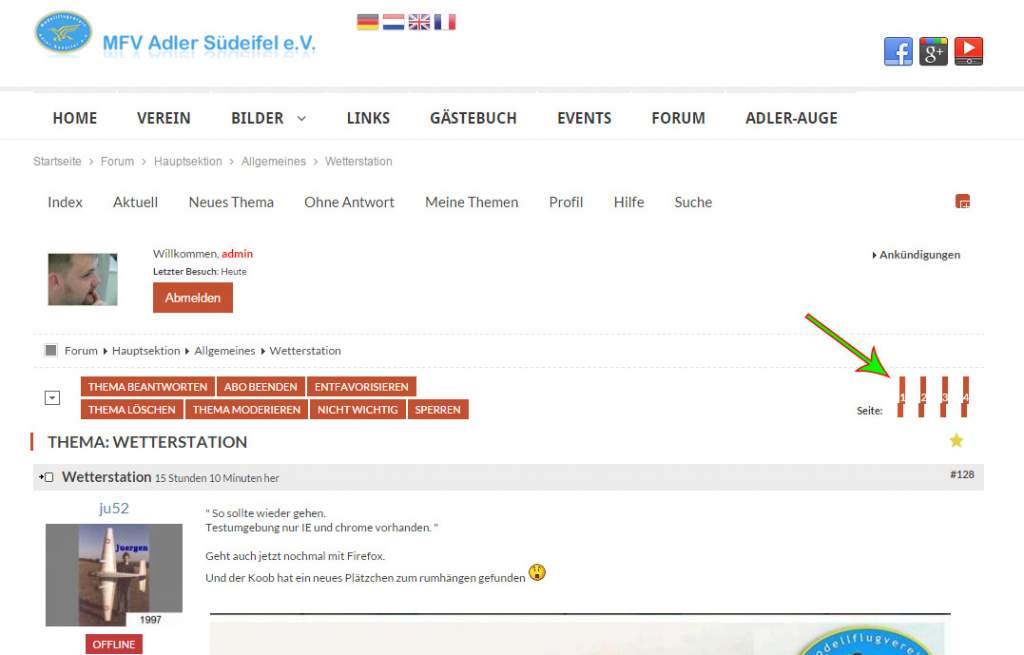
I've problems diaplaying my pagination correct. Please see picture for explanation.
This occurs also with standard template.
I've already added the following string into my joomla template css, bit it didn't help.
Code:
#Kunena .kpagination li {line-height: 14px !important;}
I've installed:
Kunena 4.0.6
on a Joomla 3.4.5 System
Forum is located here: MFV Forum
Please Log in or Create an account to join the conversation.
- 9themestore
-

- Offline
- Premium Member
-

10 years 6 months ago - 10 years 6 months ago #170536
by 9themestore
- Please provide your site url if it has been lived.
- Please share tip if it worked fine with you.
- Don't be shy about using the "Thanks" button below if you found my comment helpful
Replied by 9themestore on topic Pagination displaying wrong
Hi skydivrrg,
Add below CSS rules to the template.css file of your Joomla template.
Clear cache of your site and refresh to view all changes.
Hope this helps
Add below CSS rules to the template.css file of your Joomla template.
Code:
body #Kunena .kpagination span,
body #Kunena .kpagination a {
display: inline-block;
}
body div#Kunena a.close {
background-position: 3px 3px;
border-radius: 0;
height: 20px;
width: 20px;
}
Clear cache of your site and refresh to view all changes.
Hope this helps
- Please provide your site url if it has been lived.
- Please share tip if it worked fine with you.
- Don't be shy about using the "Thanks" button below if you found my comment helpful
Last edit: 10 years 6 months ago by 9themestore.
The following user(s) said Thank You: skydiverrg
Please Log in or Create an account to join the conversation.
- skydiverrg
-
Topic Author
- Offline
- New Member
-
Less
More
- Posts: 2
- Thank you received: 0
10 years 6 months ago #170549
by skydiverrg
Replied by skydiverrg on topic Pagination displaying wrong
Thank you very much 9themestore. That helped a lot.
Maybe you could help me also with the + Button on the top right corner.
The display is also not as nice as it could be.
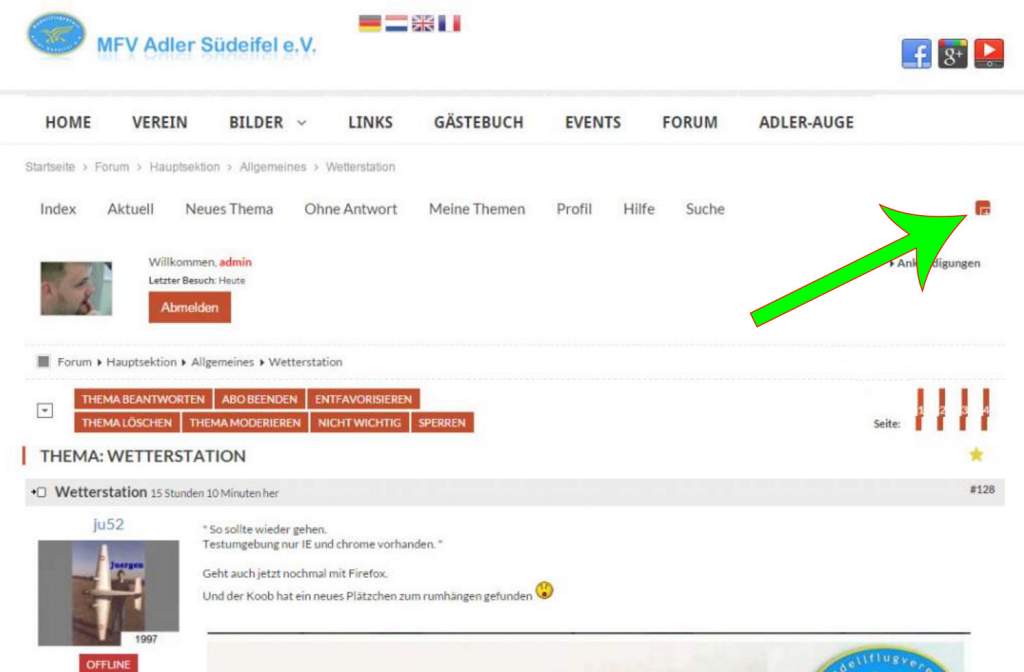
Maybe you could help me also with the + Button on the top right corner.
The display is also not as nice as it could be.
Please Log in or Create an account to join the conversation.
- 9themestore
-
- Offline
- Premium Member
-
10 years 6 months ago #170550
by 9themestore
- Please provide your site url if it has been lived.
- Please share tip if it worked fine with you.
- Don't be shy about using the "Thanks" button below if you found my comment helpful
Replied by 9themestore on topic Pagination displaying wrong
Hi,
I have just updated above CSS rules. Please update to your site again.
I have just updated above CSS rules. Please update to your site again.
- Please provide your site url if it has been lived.
- Please share tip if it worked fine with you.
- Don't be shy about using the "Thanks" button below if you found my comment helpful
The following user(s) said Thank You: skydiverrg
Please Log in or Create an account to join the conversation.
Time to create page: 0.250 seconds