


- Posts: 3
- Thank you received: 0
Kunena 7.0.5 & Kunena 6.4.11 – Security Updates Released
The Kunena team has announce the arrival of Kunena 7.0.5 [K 7.0.5] in stable which is now available for download as a native Joomla extension for J! 5.4.x/6.0.x. This version addresses most of the issues that were discovered in K 6.2 / K 6.3 / K 6.4 and issues discovered during the last development stages of K 7.0.
The Kunena team is also pleased to announce the eleventh version of Kunena 6.4, a native Joomla extension for Joomla! 5.0, 5.1, 5.2, 5.3, 5.4 and 6.0.
Important Kunena - Latest module issue
10 years 8 months ago #168321
by andpuxa
Kunena - Latest module issue was created by andpuxa
Hello.
Please help.
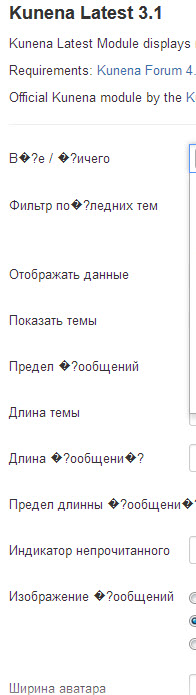
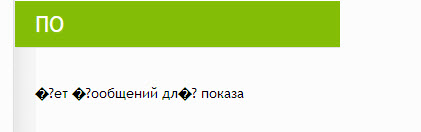
When I install module "Kunena - Latest module," he throws me to the admin login joomla. After subsequent input module is installed, but in both administrative and front displays everywhere �?.
Please help.
When I install module "Kunena - Latest module," he throws me to the admin login joomla. After subsequent input module is installed, but in both administrative and front displays everywhere �?.
Please Log in or Create an account to join the conversation.


10 years 8 months ago #168854
by 810
Replied by 810 on topic Kunena - Latest module issue
there are some encoding issues with the plugins/modules.
this weekend we will release a fix for it.
this weekend we will release a fix for it.
Please Log in or Create an account to join the conversation.
10 years 7 months ago #169412
by andpuxa
Replied by andpuxa on topic Kunena - Latest module issue
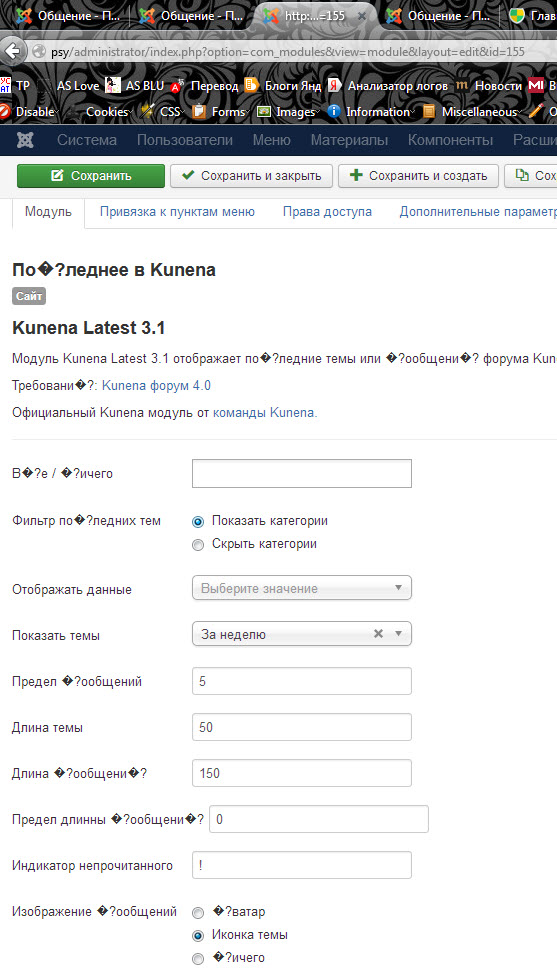
Again I tried to install and configure. The problem remained the same.
Please Log in or Create an account to join the conversation.
10 years 7 months ago #169475
by andpuxa
Replied by andpuxa on topic Kunena - Latest module issue
topic is not resolved
Please Log in or Create an account to join the conversation.

10 years 7 months ago #169477
by xillibit
I don't provide support by PM, because this can be useful for someone else.
Replied by xillibit on topic Kunena - Latest module issue
Check that language files for Kunena latest are right in utf8, open then with an editor like psppad from /modules/mod_kunenalatest/language/ru-RU
I don't provide support by PM, because this can be useful for someone else.
Please Log in or Create an account to join the conversation.
10 years 7 months ago - 10 years 7 months ago #169541
by zt
Replied by zt on topic Kunena - Latest module issue
www.kunena.org/forum/k-4-0-support-archi...er-updating-to-4-0-5
My problem was similar to yours.
You need to download the latest update zip file, then you need to go to the language .ini files to check the text inside are correct or not.
Mostly like there are some funny characters there, so you also get these funny characters on the front site.
You can go to the Kunena Github file and copy the correct text, but when you save the file, remember to save it in the utf8 format.
Remember to check again after you save the file, to confirm they are correctly saved and can display correctly.
Then upload the update module from your back end. It should solve the problem.
Good luck.
My problem was similar to yours.
You need to download the latest update zip file, then you need to go to the language .ini files to check the text inside are correct or not.
Mostly like there are some funny characters there, so you also get these funny characters on the front site.
You can go to the Kunena Github file and copy the correct text, but when you save the file, remember to save it in the utf8 format.
Remember to check again after you save the file, to confirm they are correctly saved and can display correctly.
Then upload the update module from your back end. It should solve the problem.
Good luck.
Last edit: 10 years 7 months ago by zt.
Please Log in or Create an account to join the conversation.
Time to create page: 0.229 seconds