


- Posts: 83
- Thank you received: 11
Kunena 7.0.6 & Kunena 6.4.12 – Security Updates Released
The Kunena team has announce the arrival of Kunena 7.0.6 [K 7.0.6] in stable which is now available for download as a native Joomla extension for J! 5.4.x/6.0.x. This version addresses most of the issues that were discovered in K 6.2 / K 6.3 / K 6.4 and issues discovered during the last development stages of K 7.0.
The Kunena team is also pleased to announce the twelfth version of Kunena 6.4, a native Joomla extension for Joomla! 5.0, 5.1, 5.2, 5.3, 5.4 and 6.0.
Question Aurelia - E-mail Template - Forum Logo in Kunena e-mail appears stretched/big
6 months 4 weeks ago #234173
by guidocx84
Aurelia - E-mail Template - Forum Logo in Kunena e-mail appears stretched/big was created by guidocx84
Hello Kunena Community!
We have found another little improvement regarding the Forum Logo and we would like to share here what we have changed because maybe you can integrate this change in the next release.
The issue was that the logo appeared stretched on some e-mail clients (f.e. Thunderbird and iOS Mail).
/components/com_kunena/template/aurelia/layouts/email *
The images referenced in the emails cannot have width: 100% and max-width: (as per backoffice configuration), because in some email clients (such as Thunderbird) the width overrides the max-width, causing the images to appear very big. We would set only the width (as per backoffice configuration).
On our Forum we have tried an override of the files above and it works.
If you notice, also the e-mail from Kunena Forum have the logo stretched.
I hope this post will be useful to improve the product.
We have found another little improvement regarding the Forum Logo and we would like to share here what we have changed because maybe you can integrate this change in the next release.
The issue was that the logo appeared stretched on some e-mail clients (f.e. Thunderbird and iOS Mail).
/components/com_kunena/template/aurelia/layouts/email *
The images referenced in the emails cannot have width: 100% and max-width: (as per backoffice configuration), because in some email clients (such as Thunderbird) the width overrides the max-width, causing the images to appear very big. We would set only the width (as per backoffice configuration).
On our Forum we have tried an override of the files above and it works.
If you notice, also the e-mail from Kunena Forum have the logo stretched.
I hope this post will be useful to improve the product.
Please Log in or Create an account to join the conversation.


Less
More
- Posts: 976
- Thank you received: 153
6 months 4 weeks ago #234174
by Pinkeltje
Replied by Pinkeltje on topic Aurelia - E-mail Template - Forum Logo in Kunena e-mail appears stretched/big
First of all this is not Aurelia, but Kunena core configuration. The stretching occurs because of the wrong default values. Default Kunena hero-wide is 1120 x 630px. So if forced to Header Height 560 and Header Width 560 by configuration settings, it will be stretched. If set to width="560" height="315" it is ok.
I don't have thunderbird and can only test in gmail and outlook. So maybe you can test with Thunderbird before eventually creating feature request?
See attached photoshopped version of hero-wide with wrong dimensions.
I don't have thunderbird and can only test in gmail and outlook. So maybe you can test with Thunderbird before eventually creating feature request?
See attached photoshopped version of hero-wide with wrong dimensions.

Please Log in or Create an account to join the conversation.
6 months 3 weeks ago #234183
by guidocx84
Replied by guidocx84 on topic Aurelia - E-mail Template - Forum Logo in Kunena e-mail appears stretched/big
Sure! I can test it on Thunderbird and Mail (iOS). I have the issue on both clients. Thanks!So maybe you can test with Thunderbird before eventually creating feature request?
See attached photoshopped version of hero-wide with wrong dimensions.
Please Log in or Create an account to join the conversation.


Less
More
- Posts: 12287
- Thank you received: 2535
6 months 3 weeks ago #234190
by rich
Important! Always create a backup before you make any changes to your website!
Replied by rich on topic Aurelia - E-mail Template - Forum Logo in Kunena e-mail appears stretched/big
I tested it:
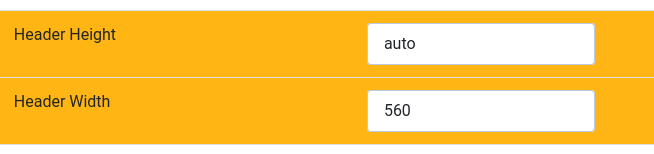
With the exact dimensions 560 x 315,
with an empty field for the height,
and with “auto” for the height.
The email template was displayed correctly with all three options.
.
With the exact dimensions 560 x 315,
with an empty field for the height,
and with “auto” for the height.
The email template was displayed correctly with all three options.
.
Important! Always create a backup before you make any changes to your website!
Please Log in or Create an account to join the conversation.
Time to create page: 0.285 seconds