


- Posts: 12287
- Thank you received: 2535
Kunena 7.0.6 & Kunena 6.4.12 – Security Updates Released
The Kunena team has announce the arrival of Kunena 7.0.6 [K 7.0.6] in stable which is now available for download as a native Joomla extension for J! 5.4.x/6.0.x. This version addresses most of the issues that were discovered in K 6.2 / K 6.3 / K 6.4 and issues discovered during the last development stages of K 7.0.
The Kunena team is also pleased to announce the twelfth version of Kunena 6.4, a native Joomla extension for Joomla! 5.0, 5.1, 5.2, 5.3, 5.4 and 6.0.
Question Profile information is outside of the screen
Less
More
2 years 6 months ago #230041
by rich
Important! Always create a backup before you make any changes to your website!
Profile information is outside of the screen was created by rich
Thank you very much.
But since you haven't closed the topic, I'll report another problem related to it.
If I click on the "Profile" menu item, a window opens with the information
"Profile von admin
Online
Benutzertyp: Administrator
Rang: Администратор Администратор
Registriert seit: 04 Nov. 2018
Zuletzt angemeldet: 02 Dez. 2023 13:37"
etc.
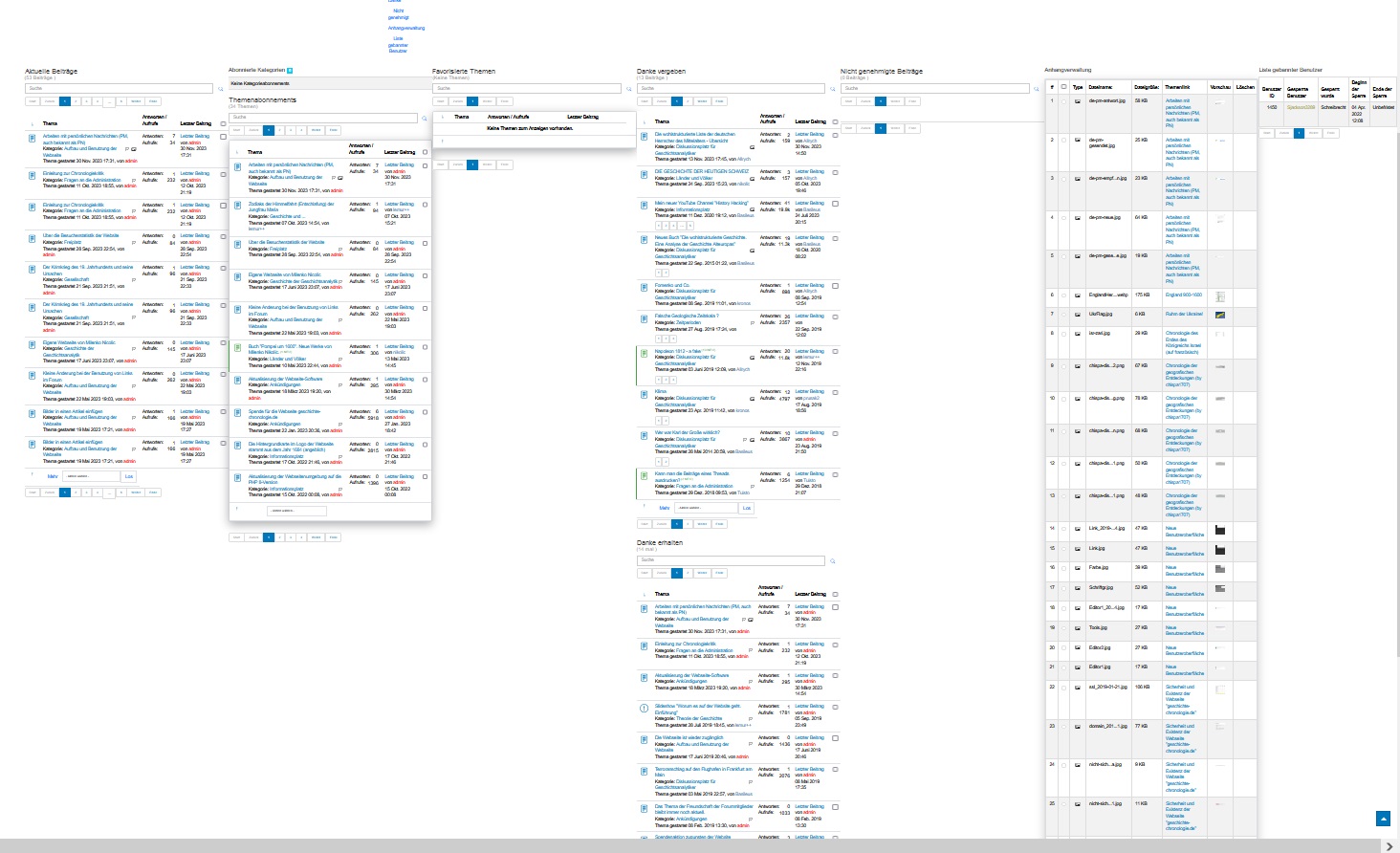
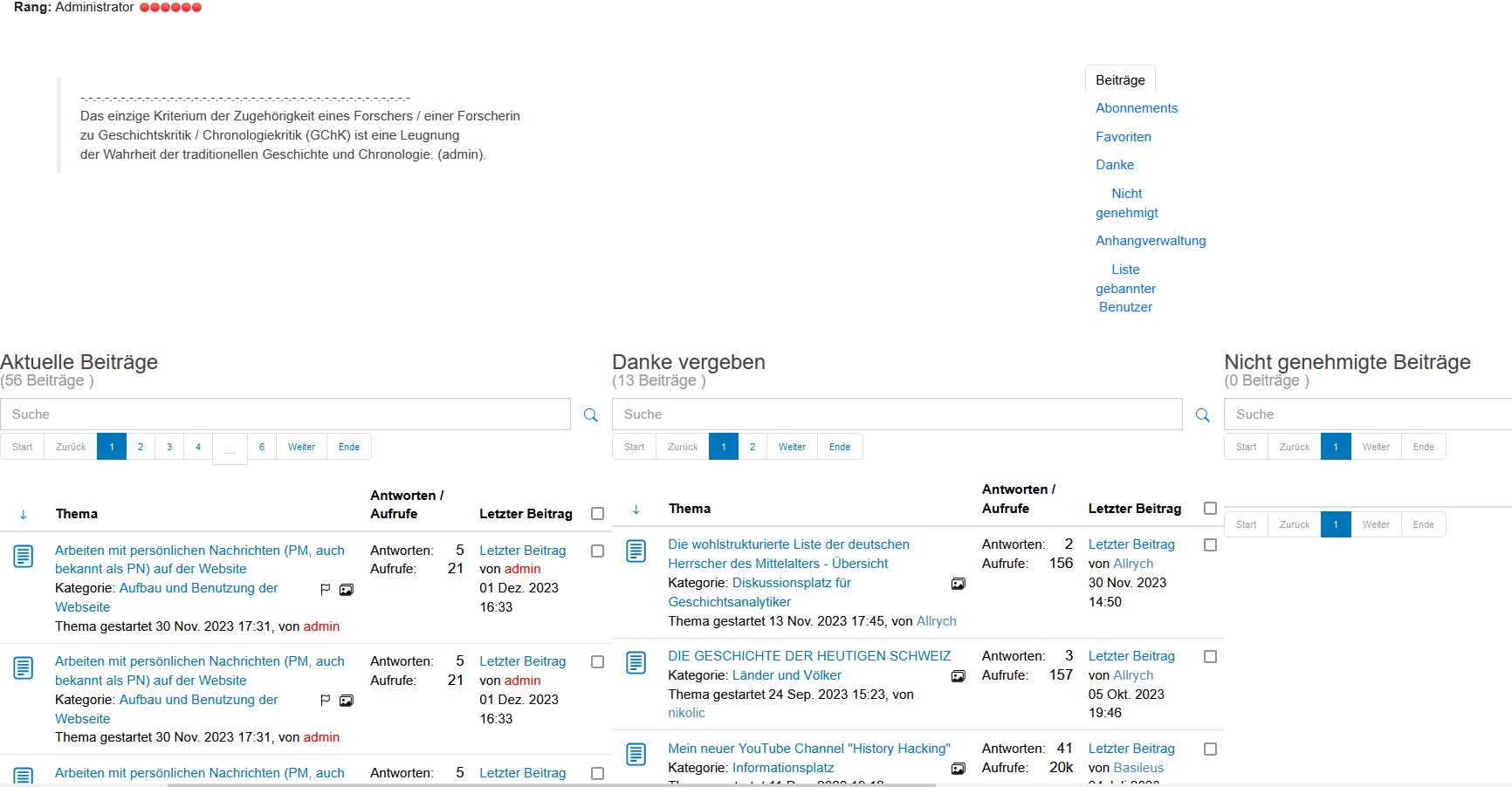
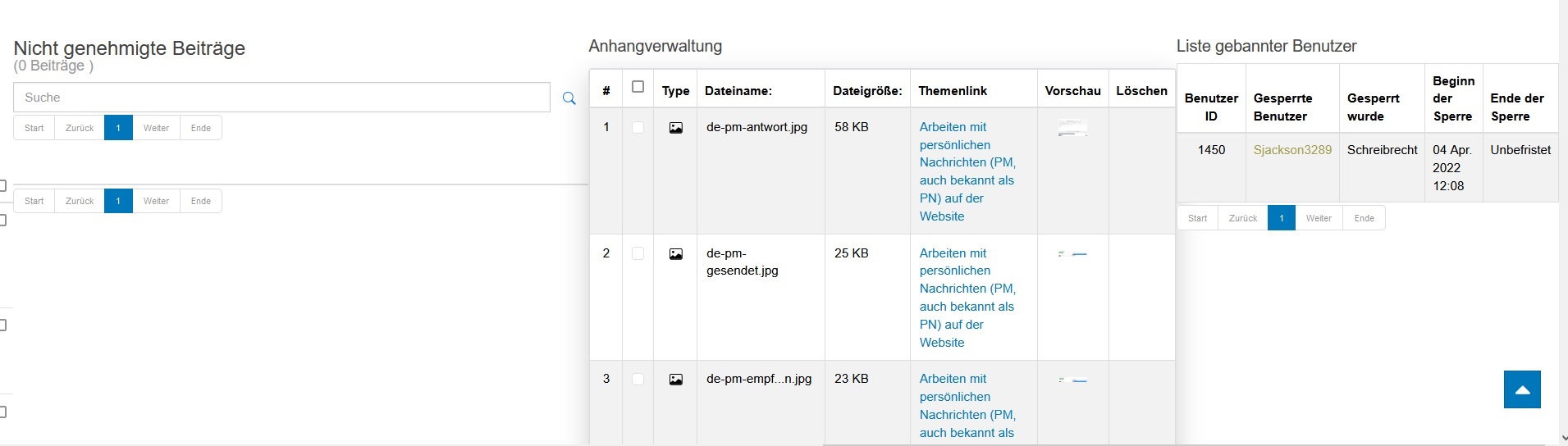
However, below the right-menu, not very well-organized information is shown, to view which you need to move the screen (and I have a large one) right -left and vice versa.
I am attaching a screenshot of how it looks with a zoom of -50%.
In case you are not satisfied with the enlarged view, I attach two more screenshots of the left and right parts.
I have updated the "jo.geschichte -chronologie.de" test site, to that you have access. So you can look at the situation live.
Screenshots are made on Windows 10 on Firefox.
With respect,
Leon
Important! Always create a backup before you make any changes to your website!
Please Log in or Create an account to join the conversation.
Less
More
- Posts: 12287
- Thank you received: 2535
2 years 6 months ago #230042
by rich
Important! Always create a backup before you make any changes to your website!
Replied by rich on topic Profile information is outside of the screen
The two problems are not related., I have created a new topic. Your Joomla template uses Bootstrap v3.4.1, but the requirement for Kunena 6.x is a Bootstrap 5 Joomla template.
If I block your bootstrap.css with my browser tool and test with bootstrap 5 instead, everything is ok (see image).
I'm surprised you don't have other display issues in Kunena as well.
.
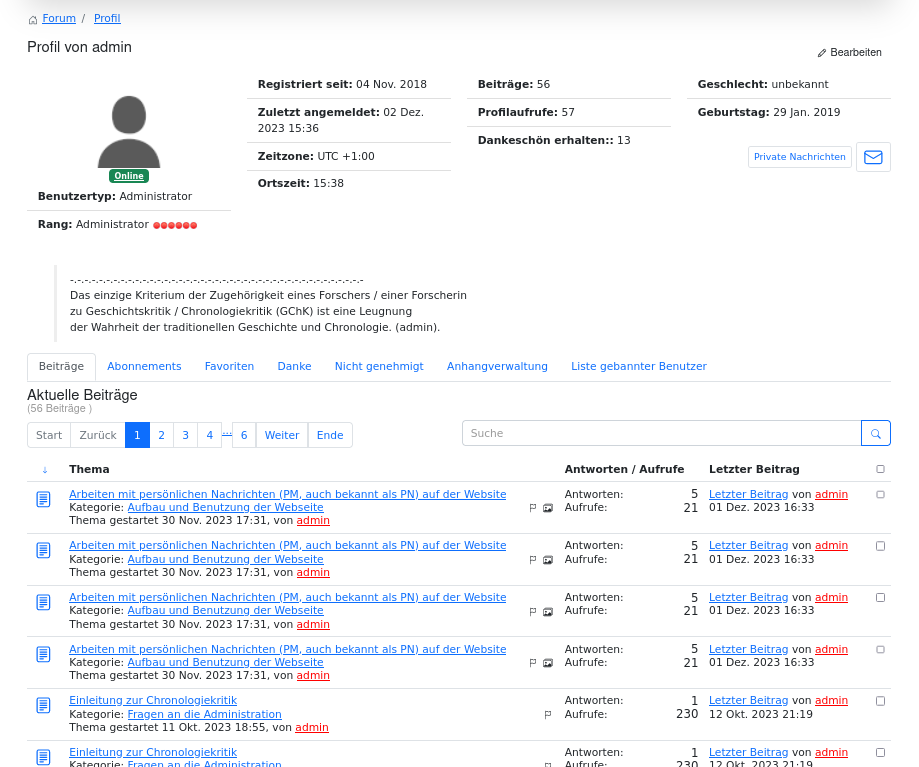
If I block your bootstrap.css with my browser tool and test with bootstrap 5 instead, everything is ok (see image).
I'm surprised you don't have other display issues in Kunena as well.
.
Important! Always create a backup before you make any changes to your website!
Please Log in or Create an account to join the conversation.

2 years 6 months ago #230087
by lemur
- - - - - - - - -
Signature:
Many thanks to Rich and the other advisors.
Replied by lemur on topic Profile information is outside of the screen
Thank you,
I'm still figuring it out. Please don't close this topic.
I'm still figuring it out. Please don't close this topic.
- - - - - - - - -
Signature:
Many thanks to Rich and the other advisors.
Please Log in or Create an account to join the conversation.
- 9themestore
-

- Offline
- Premium Member
-

2 years 6 months ago #230089
by 9themestore
- Please provide your site url if it has been lived.
- Please share tip if it worked fine with you.
- Don't be shy about using the "Thanks" button below if you found my comment helpful
Replied by 9themestore on topic Profile information is outside of the screen
Hi lemur,
I think, you try to import the Bootstrap 5 style in to the joomla template.
I think, you try to import the Bootstrap 5 style in to the joomla template.
- Please provide your site url if it has been lived.
- Please share tip if it worked fine with you.
- Don't be shy about using the "Thanks" button below if you found my comment helpful
The following user(s) said Thank You: lemur
Please Log in or Create an account to join the conversation.
2 years 6 months ago #230107
by lemur
Thank you for advice,
I'm afraid such manipulation will not be easy for me.
Moreover, I am not sure about its durability in terms of updates.
I turned to the Purity3 website.
They answered me
So I'm closing this topic here.
Thanks a lot to you and Rich.
- - - - - - - - -
Signature:
Many thanks to Rich and the other advisors.
Replied by lemur on topic Profile information is outside of the screen
I think, you try to import the Bootstrap 5 style in to the joomla template.
Thank you for advice,
I'm afraid such manipulation will not be easy for me.
Moreover, I am not sure about its durability in terms of updates.
I turned to the Purity3 website.
They answered me
You're right, I see the tabs not working now due to the JS conflict. I will forward to our dev team for further checking on this.
So I'm closing this topic here.
Thanks a lot to you and Rich.
- - - - - - - - -
Signature:
Many thanks to Rich and the other advisors.
Please Log in or Create an account to join the conversation.
- 9themestore
-
- Offline
- Premium Member
-
2 years 6 months ago #230109
by 9themestore
- Please provide your site url if it has been lived.
- Please share tip if it worked fine with you.
- Don't be shy about using the "Thanks" button below if you found my comment helpful
Replied by 9themestore on topic Profile information is outside of the screen
Hi lemur,
I can help you check this issue if you send your website information to my email.
I can help you check this issue if you send your website information to my email.
- Please provide your site url if it has been lived.
- Please share tip if it worked fine with you.
- Don't be shy about using the "Thanks" button below if you found my comment helpful
The following user(s) said Thank You: lemur
Please Log in or Create an account to join the conversation.
Time to create page: 0.257 seconds