
Kunena 7.0.9 & Kunena 6.4.14 – Security Updates Released
The Kunena team has announce the arrival of Kunena 7.0.9 [K 7.0.9] in stable which is now available for download as a native Joomla extension for J! 5.4.x/6.0.x./6.1.x. This version addresses most of the issues that were discovered in K 6.2 / K 6.3 / K 6.4 and issues discovered during the last development stages of K 7.0
Question Upgrade to Beta 7 missing all categories
- modernmagic
-
 Topic Author
- Offline
- Senior Member
-

Less
More
4 years 7 months ago - 4 years 7 months ago #222138
by modernmagic
We focus on creating, managing and optimizing Joomla websites so you can focus on your own business
modernmagic.com
Upgrade to Beta 7 missing all categories was created by modernmagic
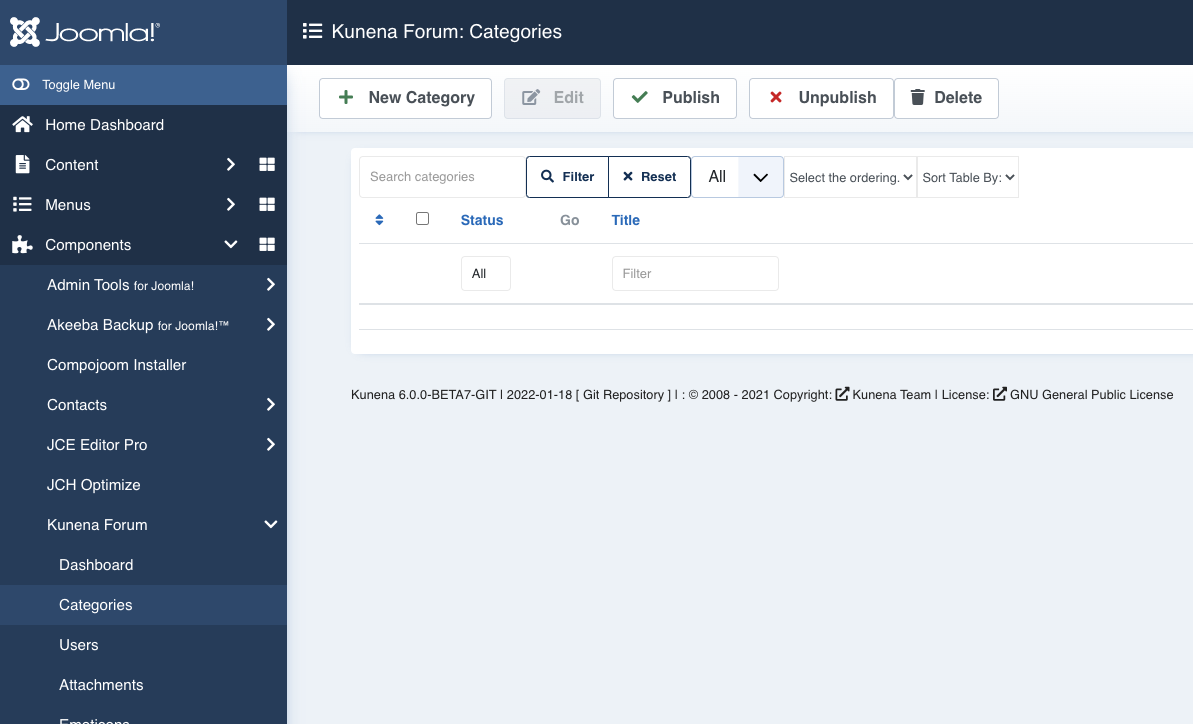
I upgraded from J 3.10.6 / kunena 5.2.8 TO J 4.1.0 / Kunena 6.0.0-BETA7-GIT
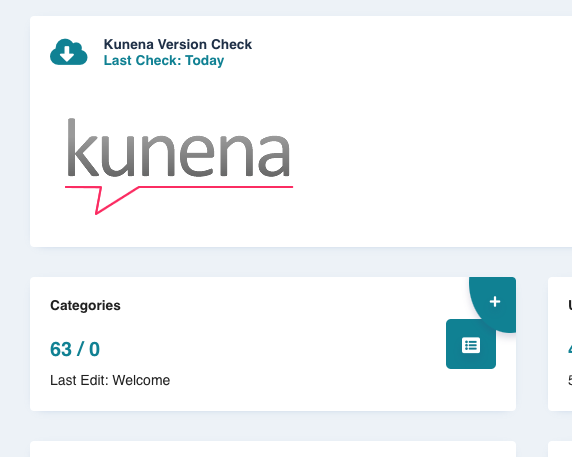
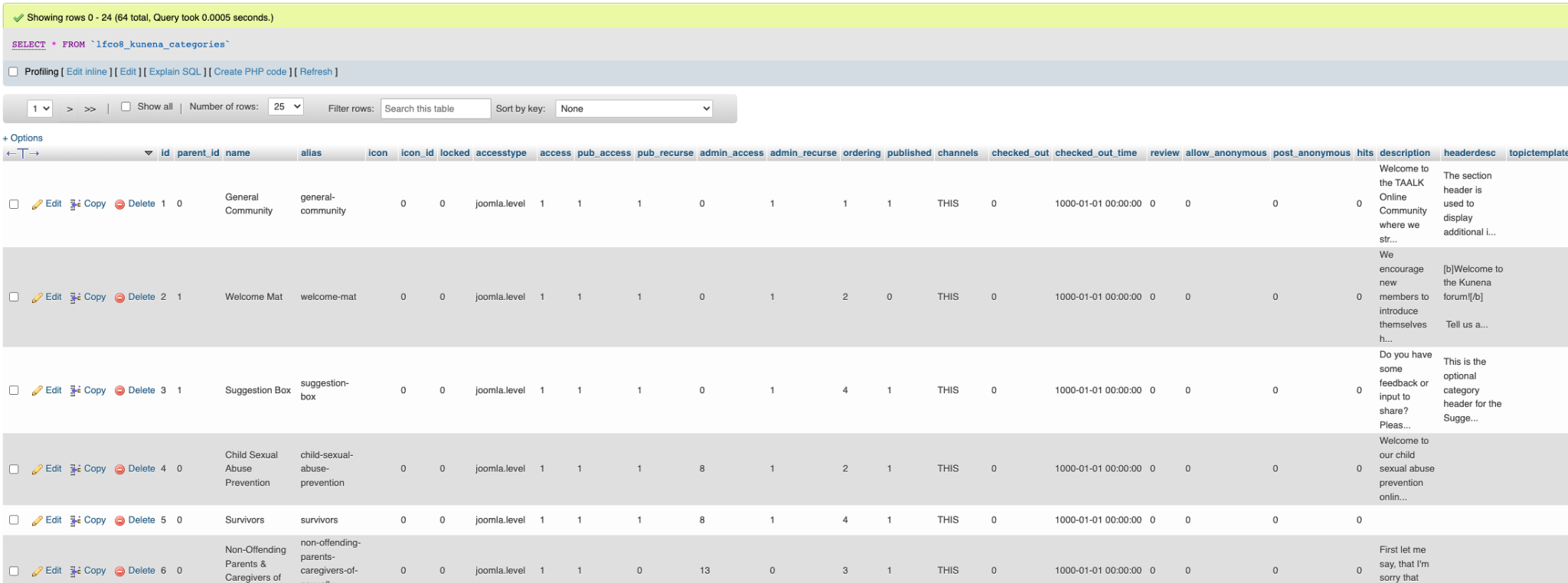
- Kunena 5 had 64 categories.
-
- After upgrading 0 categories show.
-
- Even though I see the 64 categories in the DB.
-
- If I try and create a new category I get this error:
-

We focus on creating, managing and optimizing Joomla websites so you can focus on your own business
modernmagic.com
Last edit: 4 years 7 months ago by modernmagic.
Please Log in or Create an account to join the conversation.


4 years 7 months ago #222145
by Leen
With kind regards
Leen
Replied by Leen on topic Upgrade to Beta 7 missing all categories
Hi,
also check with phpmyadmin your `xxxxx_kunena_aliases` or there are no strange or duplicate things in it.
so compare with alias that are in the xxxxx_kunena_categories`
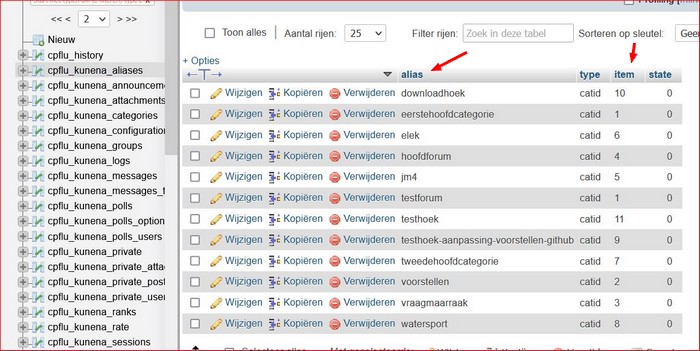
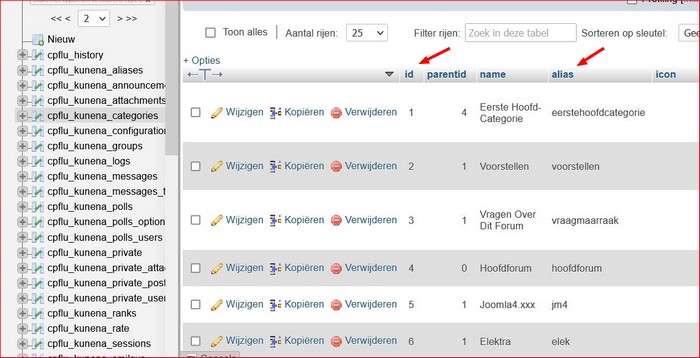 I once had that myself and after removing the wrong categories it worked again.
also check with phpmyadmin your `xxxxx_kunena_aliases` or there are no strange or duplicate things in it.
so compare with alias that are in the xxxxx_kunena_categories`
With kind regards
Leen
Please Log in or Create an account to join the conversation.


4 years 7 months ago #222151
by xillibit
I don't provide support by PM, because this can be useful for someone else.
Replied by xillibit on topic Upgrade to Beta 7 missing all categories
Hello,
When you have upgraded with beta 7 version of Kunena 6.0 it has failed to update the database schema, so try to install the last nightly build of RC1 it should fix that issue : www.kunena.org/update/nightlybuilds/pkg_...1-DEV_2022-02-20.zip
When you have upgraded with beta 7 version of Kunena 6.0 it has failed to update the database schema, so try to install the last nightly build of RC1 it should fix that issue : www.kunena.org/update/nightlybuilds/pkg_...1-DEV_2022-02-20.zip
I don't provide support by PM, because this can be useful for someone else.
Please Log in or Create an account to join the conversation.
- modernmagic
-
Topic Author
- Offline
- Senior Member
-
4 years 6 months ago #222155
by modernmagic
We focus on creating, managing and optimizing Joomla websites so you can focus on your own business
modernmagic.com
Replied by modernmagic on topic Upgrade to Beta 7 missing all categories
When trying to install pkg_kunena_v6.0.0-RC1-DEV_2022-02-20.zip I get the following error:

We focus on creating, managing and optimizing Joomla websites so you can focus on your own business
modernmagic.com
Please Log in or Create an account to join the conversation.
- modernmagic
-
Topic Author
- Offline
- Senior Member
-
4 years 6 months ago #222156
by modernmagic
We focus on creating, managing and optimizing Joomla websites so you can focus on your own business
modernmagic.com
Replied by modernmagic on topic Upgrade to Beta 7 missing all categories
<blockquote><cite>Leen post=222145 userid=16746</cite><div>Hi,also check with phpmyadmin your `xxxxx_kunena_aliases` or there are no strange or duplicate things in it.so compare with alias that are in the xxxxx_kunena_categories` I once had that myself and after removing the wrong categories it worked again.</div></blockquote>
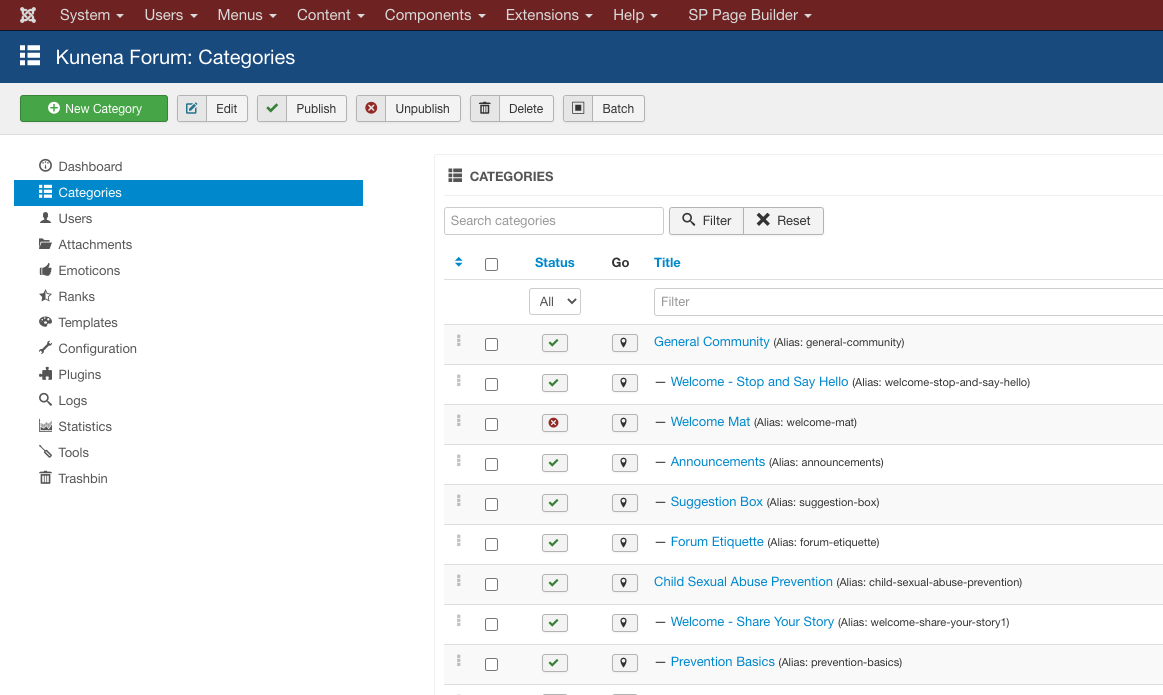
Do you see any issues in these screenshots?
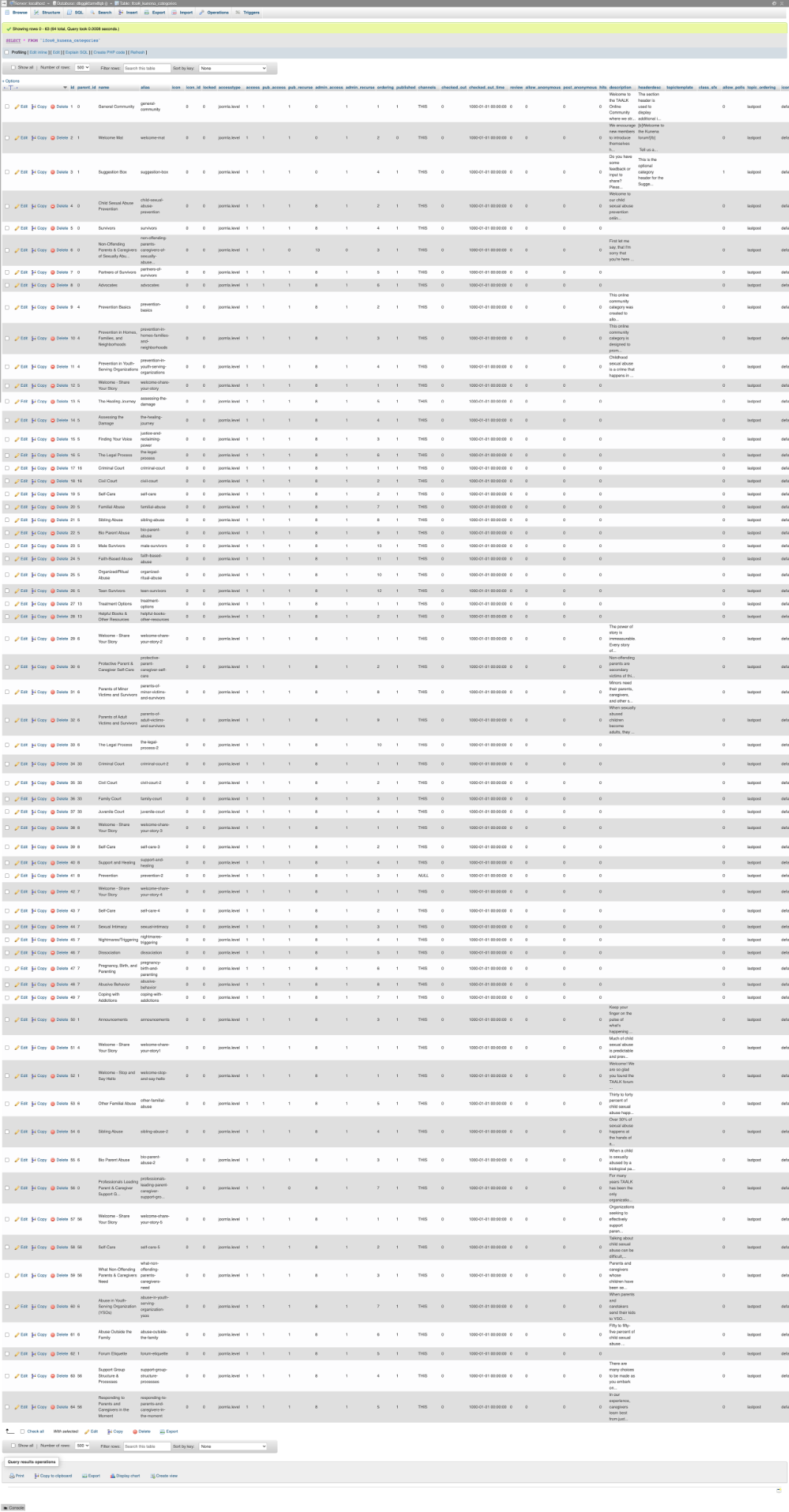
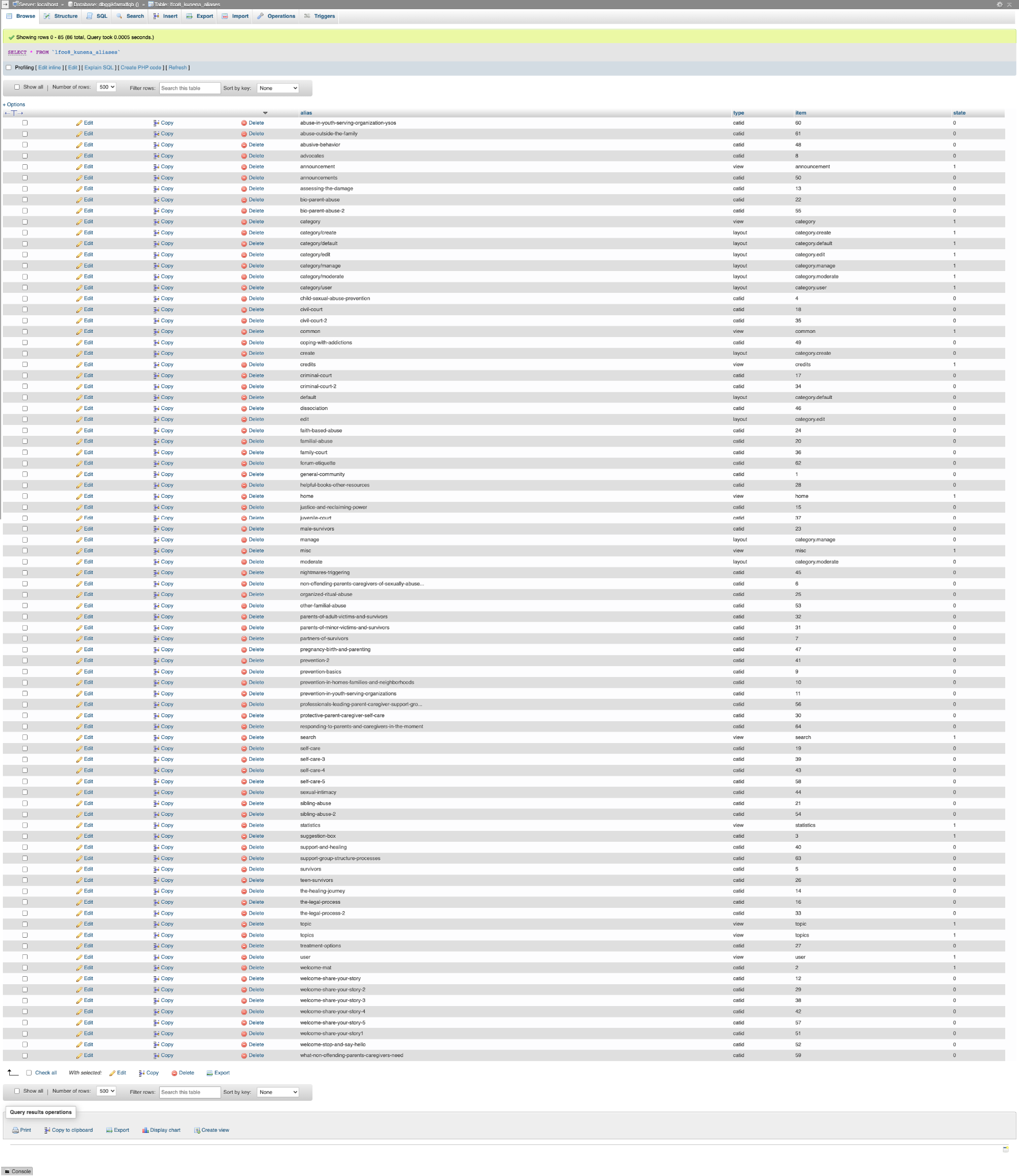
This is the J3/ K5 site that I upgraded from:

Do you see any issues in these screenshots?
This is the J3/ K5 site that I upgraded from:
We focus on creating, managing and optimizing Joomla websites so you can focus on your own business
modernmagic.com
Please Log in or Create an account to join the conversation.
4 years 6 months ago - 4 years 6 months ago #222158
by Leen
With kind regards
Leen
Replied by Leen on topic Upgrade to Beta 7 missing all categories
unfortunately my eyes are not 100% and images are out of focus for me..
But have you tried all those kunena categories? select and republish?
and Maintenance: Global Check-in
======================
And this way I am trying to upgrade an existing website forum to Version 6. But again only as a test and locally on my PC. followed this migration. migrate-the-forum-and-users-to-a-new-site .
I have this upgrade first locally on my PC with eg xammp or wamp ?.
Now first export and save all the kunena data tables from the old database.
and also copy the folder oldwebsite\media\kunena\
to the pc
then start a clean install of joom 4.1.0 with new database but the same data prefex as the site.
then install the pkg_kunena_v6.0.0-RC1-DEV_2022-02-20.zip and
pkg_kunena_languages_v6.0.0-RC1-DEV_2022-02-20.zip.
I will then copy the folder oldwebsite\media\kunena\ again to the new test site
and with phpmyadmin I remove the kunena tables from the new database and import back the previously created kunena tables.
after that gas website had errors but after I installed the latest kunena version again and had the Maintenance: Database database fixed it was good.
then i do Kunena Forum: Tools > Diagnostics get it fixed if he finds something
But have you tried all those kunena categories? select and republish?
and Maintenance: Global Check-in
======================
And this way I am trying to upgrade an existing website forum to Version 6. But again only as a test and locally on my PC. followed this migration. migrate-the-forum-and-users-to-a-new-site .
I have this upgrade first locally on my PC with eg xammp or wamp ?.
Now first export and save all the kunena data tables from the old database.
and also copy the folder oldwebsite\media\kunena\
to the pc
then start a clean install of joom 4.1.0 with new database but the same data prefex as the site.
then install the pkg_kunena_v6.0.0-RC1-DEV_2022-02-20.zip and
pkg_kunena_languages_v6.0.0-RC1-DEV_2022-02-20.zip.
I will then copy the folder oldwebsite\media\kunena\ again to the new test site
and with phpmyadmin I remove the kunena tables from the new database and import back the previously created kunena tables.
after that gas website had errors but after I installed the latest kunena version again and had the Maintenance: Database database fixed it was good.
then i do Kunena Forum: Tools > Diagnostics get it fixed if he finds something
With kind regards
Leen
Last edit: 4 years 6 months ago by Leen.
Please Log in or Create an account to join the conversation.
Time to create page: 0.240 seconds