
Kunena 7.0.5 & Kunena 6.4.11 – Security Updates Released
The Kunena team has announce the arrival of Kunena 7.0.5 [K 7.0.5] in stable which is now available for download as a native Joomla extension for J! 5.4.x/6.0.x. This version addresses most of the issues that were discovered in K 6.2 / K 6.3 / K 6.4 and issues discovered during the last development stages of K 7.0.
The Kunena team is also pleased to announce the eleventh version of Kunena 6.4, a native Joomla extension for Joomla! 5.0, 5.1, 5.2, 5.3, 5.4 and 6.0.
Solved New editor does not allow right-click Paste


It is only allowing CTRL + V to paste
or
CTRL + Shift + V to paste plain text
The average user may know CTRL + V for pasting, but having to use CTRL + Shift + V to paste as plain text is really awkward.
I have never seen any website or forum anywhere, block right-clicking options to Paste.
Can this be fixed ?
I am using Google Chrome.
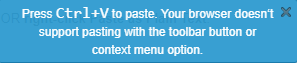
Seeing this message in Google Chrome is the weirdest most confusing thing I have ever seen.
Please Log in or Create an account to join the conversation.


It's a known issue at CKeditor : github.com/ckeditor/ckeditor4/issues/469 , someone has put a workaround in this issue. I need to try it
I don't provide support by PM, because this can be useful for someone else.
Please Log in or Create an account to join the conversation.
I don't provide support by PM, because this can be useful for someone else.
Please Log in or Create an account to join the conversation.
I also tried the newer pkg_kunena_v5.2.2-DEV_2021-01-04.zip and it causes same problem.
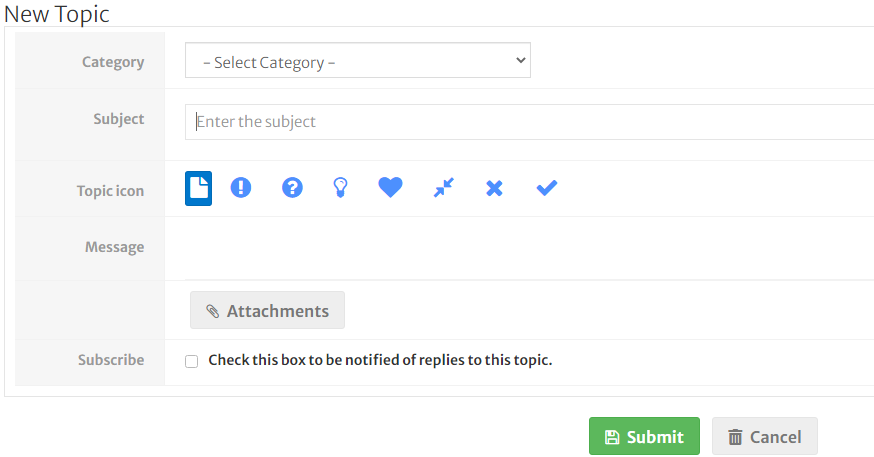
After I deleted ALL my Joomla caches and deleted the Google Chrome cache, the new Kunena editor is not displaying at all in 5.2.2.
Please note that I did not experience this problem with Kunena 5.2.1 on my live site using a 9themestore template.
Please Log in or Create an account to join the conversation.
When the editor doesn't be loaded can-you look into the developpement console of your browser into javascript tab if you have some errors ?
I don't provide support by PM, because this can be useful for someone else.
Please Log in or Create an account to join the conversation.
I discovered I had a small Javascript file at the bottom of my forum, that was used to display an SSL certifcate security image.
After turning that module off for my website, the editor now shows again in the DEV build.
However now the OLDER editor is showing instead of new editor ?
I went to see if you had anymore newer DEV nightly builds released, but there are no download links showing at the moment.
I guess they will return soon.
Please Log in or Create an account to join the conversation.