


- Posts: 24
- Thank you received: 1
Kunena 7.0.11 & Kunena 6.4.16 – Security Updates Released and K7.1 in RC1 2
The Kunena team has announce the arrival of three simultaneous security release : K6.4.16, K7.0.11 and K7.1 RC2. Just a reminder K6.4.16 receives only securities fixes untill end of 2026, so it's advised for users to upgrade to K7.0.11. K7.0.11 is the last release of the K7.0 because it's replaced by K7.1 branch with the stable release in the corner. The translations for K7.1 on crowdin.com/project/kunena-forum-7-1 needs to be checked or improved becasue it has been generated by TM (Translation Machine).
Solved No uploads and no smileys
11 years 4 months ago #165385
by Gergoo
No uploads and no smileys was created by Gergoo
Hiya,
All attachments, (insert picture icon) uploads are failed on Crypsis template. Insert link tags doesnt work too. Everything is fine on Blue Eagle.
All attachments, (insert picture icon) uploads are failed on Crypsis template. Insert link tags doesnt work too. Everything is fine on Blue Eagle.
Please Log in or Create an account to join the conversation.


11 years 4 months ago #165388
by ruud
sharing = caring
Replied by ruud on topic No uploads and no smileys
Hi, for me it works (with crypsis). I can add attachments, smileys and url via the bbcode editor buttons? (not using the insert picture icon, doing that via attachments)
Can you specify the steps you do and what works, doesn't work?
Can you specify the steps you do and what works, doesn't work?
sharing = caring
Please Log in or Create an account to join the conversation.


11 years 4 months ago #165390
by 810
Replied by 810 on topic No uploads and no smileys
could you add a screenshot.
The following user(s) said Thank You: Gergoo
Please Log in or Create an account to join the conversation.
11 years 4 months ago #165402
by Gergoo
Replied by Gergoo on topic No uploads and no smileys
I've made some screenshots, hope it helps. If doesnt, I can send login details for test user and admin creditentals too. 
ps. I've tested on protostar too. Same issues there on Crypsis only, Blue Eagle is perfect.
ps. I've tested on protostar too. Same issues there on Crypsis only, Blue Eagle is perfect.
Please Log in or Create an account to join the conversation.
11 years 4 months ago #165403
by Gergoo
Replied by Gergoo on topic No uploads and no smileys
Forgot the steps. :blush:
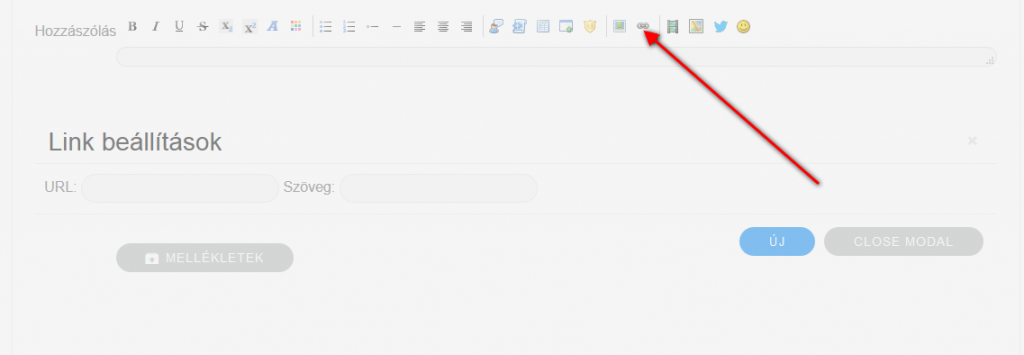
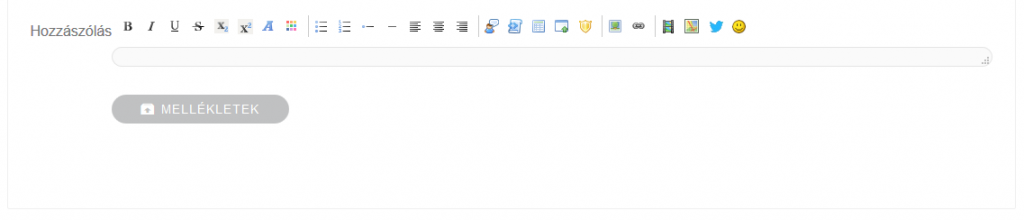
So, when I click to Insert link button, got the screen as you can (see on url.png) then I click to URL or Text (Szöveg in my language) field the box is just simple disappear (see on url2.png) and got back the first window (see on url.png) again.
So, when I click to Insert link button, got the screen as you can (see on url.png) then I click to URL or Text (Szöveg in my language) field the box is just simple disappear (see on url2.png) and got back the first window (see on url.png) again.
Please Log in or Create an account to join the conversation.

11 years 4 months ago #165407
by xillibit
I don't provide support by PM, because this can be useful for someone else.
Replied by xillibit on topic No uploads and no smileys
Hello,
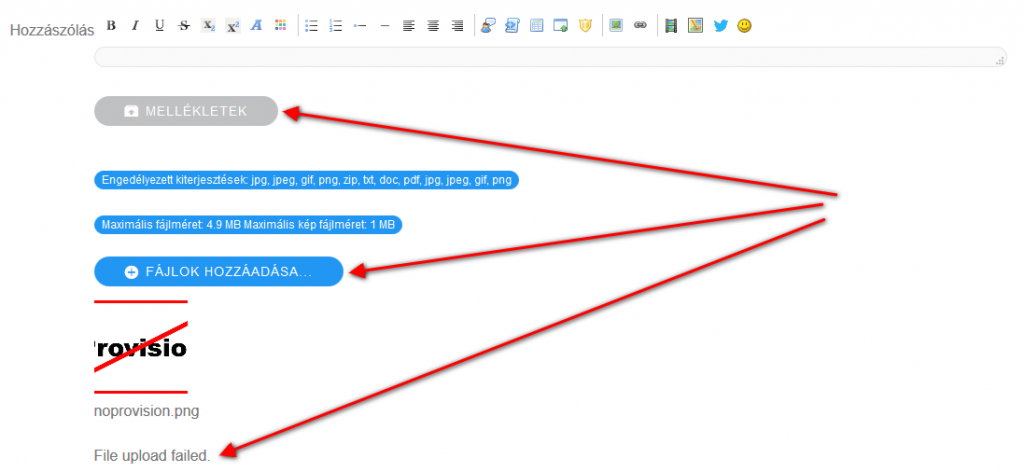
For attachments it's not in editor but in attachments part just after the textarea, but on your screen uploaderror you are trying to upload a file which isn't under the limit set in Kunena configuration...
For attachments it's not in editor but in attachments part just after the textarea, but on your screen uploaderror you are trying to upload a file which isn't under the limit set in Kunena configuration...
I don't provide support by PM, because this can be useful for someone else.
The following user(s) said Thank You: Gergoo
Please Log in or Create an account to join the conversation.
Time to create page: 0.129 seconds