
Kunena 7.0.9 & Kunena 6.4.14 – Security Updates Released
The Kunena team has announce the arrival of Kunena 7.0.9 [K 7.0.9] in stable which is now available for download as a native Joomla extension for J! 5.4.x/6.0.x./6.1.x. This version addresses most of the issues that were discovered in K 6.2 / K 6.3 / K 6.4 and issues discovered during the last development stages of K 7.0
Merged Change legend colours: Site Administrator, Global Moderator, etc.
- NosTraDomus
-
 Topic Author
- Offline
- New Member
-

and the blue eagle theme...(fourms.css & forums default.css)
after reading the last part, i thought i add it to the style theme,
/www/templates/bf3/css/template.css
at first, the attributes were so that they would overwrite...
i changed the permissions for the .css files to 777 upload, then change back to 555
i looked on the site using inspect element tool for chrome, theres a joomla.css, but i looked and looked, it just wasnt there! even the inspect element tool sais 404-not found!
so i made a blank css file and just pasted that code in...and made the permissions 555
went to backend, delete cache...
went to chrome, deleted cache..cookies..etc
doesnt change...
i recently had the old joomla 2.5 then updated couple days ago to 3.0, thus triggering the system to update kunena and other modules...
Please Log in or Create an account to join the conversation.
- Jiminimonka
-

- Offline
- Elite Member
-

- YBAS!
If you would please also read Change legend colours: Site Administrator, Global Moderator, etc.
Please Log in or Create an account to join the conversation.
- NosTraDomus
-
Topic Author
- Offline
- New Member
-
Jiminimonka wrote: Don't add it to you Kunena CSS, add it to your Joomla Template CSS file, in your /templates directory in Joomla.
If you would please also read Change legend colours: Site Administrator, Global Moderator, etc.
yes, that would make sense....its just that...well..theres no joomla.css or template.css
maybe the update deleted it..who knows why...
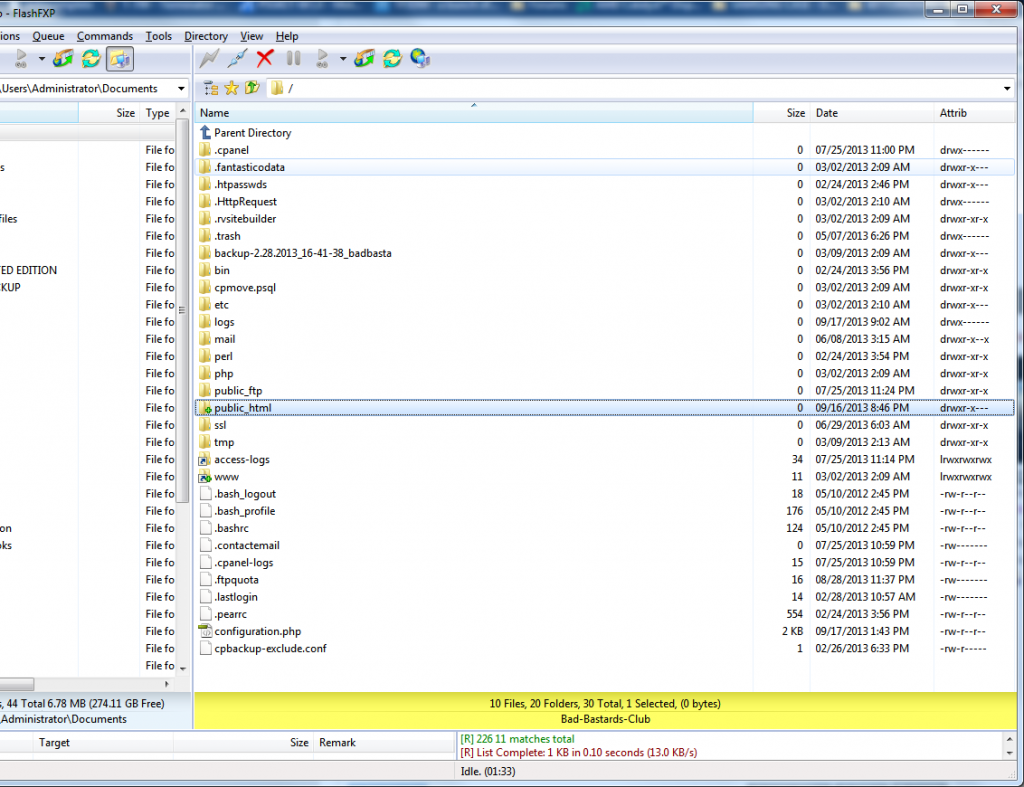
Please Log in or Create an account to join the conversation.
- Jiminimonka
-
- Offline
- Elite Member
-
- YBAS!
Please Log in or Create an account to join the conversation.
- NosTraDomus
-
Topic Author
- Offline
- New Member
-
Jiminimonka wrote: The Joomla template is inside your Joomla folder www.yourwebsite.com/templates/templatename and the css file for your template will be in that directory somewhere - the screenshot you have provided is not your Joomla directory. Probably it is inside the public_html folder.
Yes..afterwards I found that folder...but in templates was bf3 template in there was no template.css
Only forum. Css..etc
None the less I added the code. ... nothing happened.
It's weird.
Please Log in or Create an account to join the conversation.


If we have a test account on your site, we may know better, At this time, however, the only advice we can offer to you is that you should make whatever changes that you need to make to the end of the last-loaded of site template CSS files you are using on your website. It may be that you do not see any changes on your site because the your browser is using a cached version of those CSS files. By clearing your browser cache you may see a difference; again, that's just a guess. Or, perhaps, you have some other caching system in use on your site (e.g. Advanced PHP caching [ACP]).
Blue Eagle vs. Crypsis reference guide
Read my blog and

Please Log in or Create an account to join the conversation.