
Kunena 7.0.9 & Kunena 6.4.14 – Security Updates Released
The Kunena team has announce the arrival of Kunena 7.0.9 [K 7.0.9] in stable which is now available for download as a native Joomla extension for J! 5.4.x/6.0.x./6.1.x. This version addresses most of the issues that were discovered in K 6.2 / K 6.3 / K 6.4 and issues discovered during the last development stages of K 7.0
If you are having problems then, for your own benefit, it would save us all a lot of time if you would kindly post your
configuration report
when you ask for help from this forum. If you do not post your configuration report we will not ask you for it but you will probably not get your problem solved, either.
Merged Video: size problems and questions


12 years 1 month ago #158699
by Kotsolis
Replied by Kotsolis on topic YouTube videos: Changing width-height
Hello can someone update me on this?
Please Log in or Create an account to join the conversation.


12 years 1 month ago #158709
by xillibit
I don't provide support by PM, because this can be useful for someone else.
Replied by xillibit on topic YouTube videos: Changing width-height
Hello,
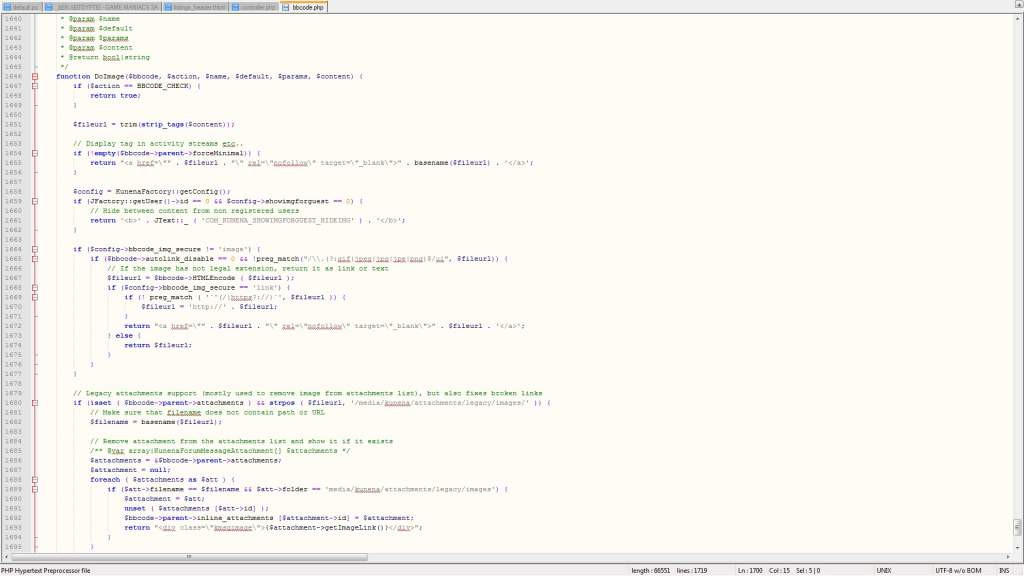
In last Kunena version the correct file is \libraries\kunena\bbcode\bbcode.php, look at line 1646 to modify default width and height set here
In last Kunena version the correct file is \libraries\kunena\bbcode\bbcode.php, look at line 1646 to modify default width and height set here
I don't provide support by PM, because this can be useful for someone else.
Please Log in or Create an account to join the conversation.
12 years 1 month ago #158732
by Kotsolis
Replied by Kotsolis on topic YouTube videos: Changing width-height
I can't see anything. Please provide old youtube code and replacement code for width=600 and auto height. Thank you.
Please Log in or Create an account to join the conversation.
12 years 1 month ago #158743
by xillibit
I don't provide support by PM, because this can be useful for someone else.
Replied by xillibit on topic YouTube videos: Changing width-height
Sorry i was in the wrong repository, the correct line is 1402
I don't provide support by PM, because this can be useful for someone else.
The following user(s) said Thank You: Kotsolis
Please Log in or Create an account to join the conversation.
12 years 1 month ago #158768
by Kotsolis
Replied by Kotsolis on topic YouTube videos: Changing width-height
I've changed all the video codes to be like this
'youtube' => array ('flash', 600, 360, 0, 0, ' www.youtube.com/v/%vcode%?fs=1&hd=0&rel=1&cc_load_policy=1 ', '\/watch\?v=([\w\-]*)' , array (array (6, 'wmode', 'transparent' ) ) ),
But no change at all.
'youtube' => array ('flash', 600, 360, 0, 0, ' www.youtube.com/v/%vcode%?fs=1&hd=0&rel=1&cc_load_policy=1 ', '\/watch\?v=([\w\-]*)' , array (array (6, 'wmode', 'transparent' ) ) ),
But no change at all.
Please Log in or Create an account to join the conversation.


11 years 11 months ago #159977
by LudoMore
Replied by LudoMore on topic Video Width Not Changing
I found a solution to this problem. I was also wondering why my vimeo videos don't go over 400px in width no matter what i do...
There are 2 thing you need to tweak to make this work!
1. Go to
and edit file bbcode.php - change this line:
to
or any other preffered width/height you want.
2. If it is still not working then you need to go to the Kunena configuration page under Components / Kunena forum / Configuration / Frontend find Textarea Width and change width to width wider then your video. My videos are at least 640px so i put this to 720px and it is working.
Somehow text area width (while writing post) affects width output of the video.
There are 2 thing you need to tweak to make this work!
1. Go to
Code:
/libraries/kunena/bbcode
Code:
'vimeo' => array ('flash', 400, 321, 0, 0, 'http://www.vimeo.com/moogaloop.swf?clip_id=%vcode%&server=www.vimeo.com&fullscreen=1&show_title=1&show_byline=1&show_portrait=0&color=', '\.com\/(\d*)', '' ),
to
Code:
'vimeo' => array ('flash', 640, 340, 0, 0, 'http://www.vimeo.com/moogaloop.swf?clip_id=%vcode%&server=www.vimeo.com&fullscreen=1&show_title=1&show_byline=1&show_portrait=0&color=', '\.com\/(\d*)', '' ),
or any other preffered width/height you want.
2. If it is still not working then you need to go to the Kunena configuration page under Components / Kunena forum / Configuration / Frontend find Textarea Width and change width to width wider then your video. My videos are at least 640px so i put this to 720px and it is working.
Somehow text area width (while writing post) affects width output of the video.
The following user(s) said Thank You: aivos
Please Log in or Create an account to join the conversation.
Time to create page: 0.261 seconds